
Residential vs Datacenter vs ISP vs Mobile Proxies: The Complete 2026 Comparison
Picking the wrong proxy type is the single most common mistake I see people make, and it’s an expensive one. Someone buys the cheapest datacenter proxies they can find, points them at Amazon or Instagram, and watches their success rate collapse within hours. Compare Residential vs Datacenter vs ISP vs Mobile Proxies types by cost, speed & use case.
The proxy wasn’t broken. It was just the wrong tool for that target. This guide breaks down all four proxy types, what they actually are, what they cost in 2026, and exactly when each one makes sense, so you don’t have to learn this the expensive way.
Quick Comparison of Residential vs Datacenter vs ISP vs Mobile Proxies
Type | Typical Cost | Latency | Detection Risk | Best For |
Datacenter | 0.50–2/GB or 0.50–1.50/IP | 50–200ms | High on protected sites | Unprotected targets, bulk static data |
Residential | 1–15/GB (avg 3–10) | 200–800ms | Very low | Protected sites, SERP scraping, social platforms |
ISP (static residential) | 1.27–15/IP/month | Similar to datacenter | Low | Account management, sessions, sneaker bots |
Mobile | 5–40/GB depending on provider | Higher, carrier-dependent | Lowest | Heavily protected retail, mobile app APIs, social media |
Datacenter Proxies
Datacenter proxies come from commercial servers, think AWS, Google Cloud, DigitalOcean, or Hetzner, rather than from anyone’s actual home connection. They’re the fastest and cheapest option on this list, with entry-level plans often starting under $15 a month and per-GB pricing running as low as $0.50 to $2.
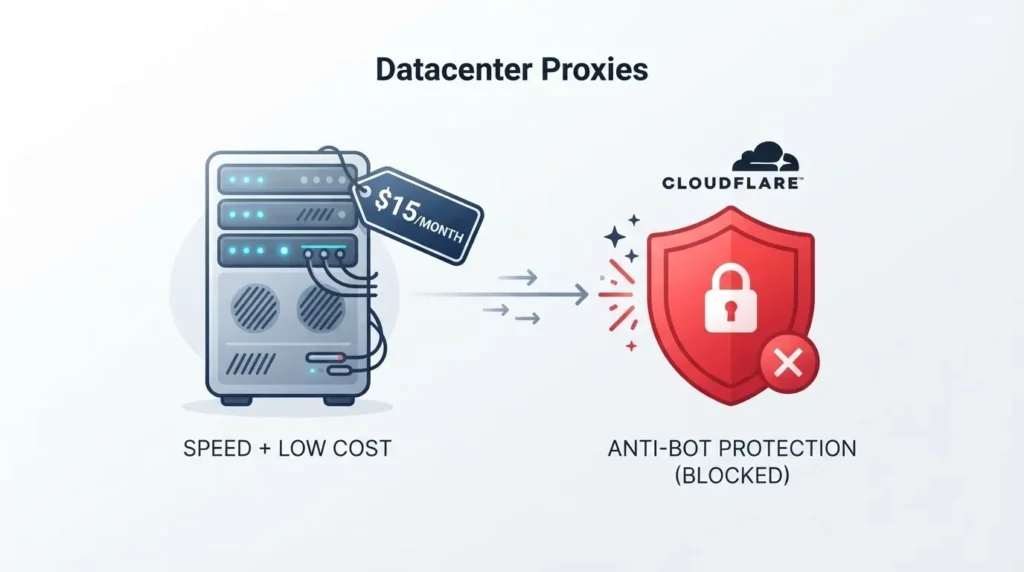
The problem is exactly what you’d expect once you understand how they’re built. Every commercial data center has a known IP range, and modern bot-detection systems like Cloudflare, Akamai, and DataDome maintain databases of these ranges.
The moment your traffic exits through a known datacenter ASN, a well-protected site can flag or block it immediately. On something like Amazon, I’ve seen success rates for datacenter proxies collapse to 30 to 55%, essentially a coin flip on whether your request even goes through.
That said, datacenter proxies genuinely shine in the right context. If you’re pulling from a government database, an open API with no bot protection, or an academic source, there’s no reason to pay a premium for residential IPs you don’t need. Save the higher-cost proxy types for targets that actually require them.
Best for: Unprotected or lightly protected targets, bulk downloads of static assets, high-volume tasks where speed matters more than stealth.
Honest negative: Nearly worthless against any site running serious anti-bot protection. Don’t waste money here if your target is Amazon, Instagram, or anything behind Cloudflare’s more aggressive tiers.
Residential Proxies
Residential proxies route your traffic through real consumer devices, actual home routers and laptops enrolled in a provider’s network, so the IP address you show up with genuinely belongs to a real ISP like Comcast or Vodafone. From the target website’s perspective, you look exactly like an ordinary home user browsing normally.
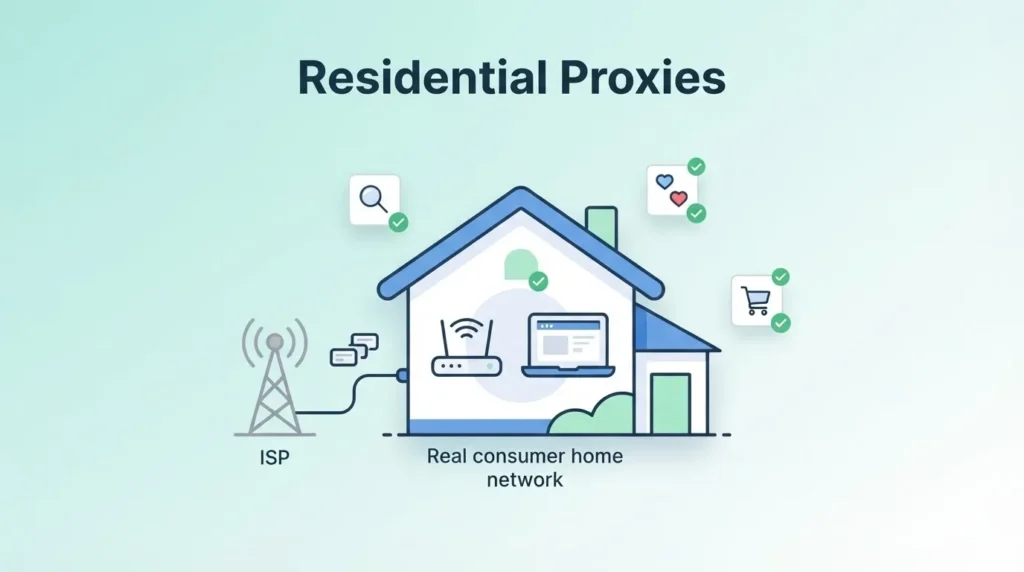
This is why residential proxies remain the default choice for anything protected. Success rates on tough targets commonly run 92% to 99%+, a massive gap over datacenter’s 30-55% on the same sites.
The tradeoff is cost and speed. Expect to pay anywhere from $1 to $15 per GB depending on provider and volume, with most serious providers landing in the $3 to $10 range. Latency also runs higher, typically 200 to 800 milliseconds, since you’re routing through consumer-grade connections rather than dedicated server infrastructure, and upload bandwidth on a home connection simply can’t match a data center’s.
Pricing has actually been trending in your favor lately. Residential proxy rates contracted by as much as 75% between 2023 and 2025 as the market matured and competition intensified, and pricing appears to have stabilized, even reversing slightly, heading into 2026.
Best for: SERP scraping, social media data collection, ad verification, retail price monitoring, and any target running real anti-bot protection.
Honest negative: The cost adds up fast at scale, and speed will always trail datacenter proxies since you’re dependent on real consumer connections rather than dedicated servers.
ISP Proxies (Static Residential)
ISP proxies are the hybrid option, and once you understand the mechanics, it’s obvious why they’ve become the default for a specific category of tasks.
The IP address is registered under a real internet service provider, so it carries residential-level trust, but the IP itself lives on datacenter-grade server infrastructure, not an actual person’s device. That combination gives you the legitimacy of residential proxies with the speed and stability of datacenter proxies.
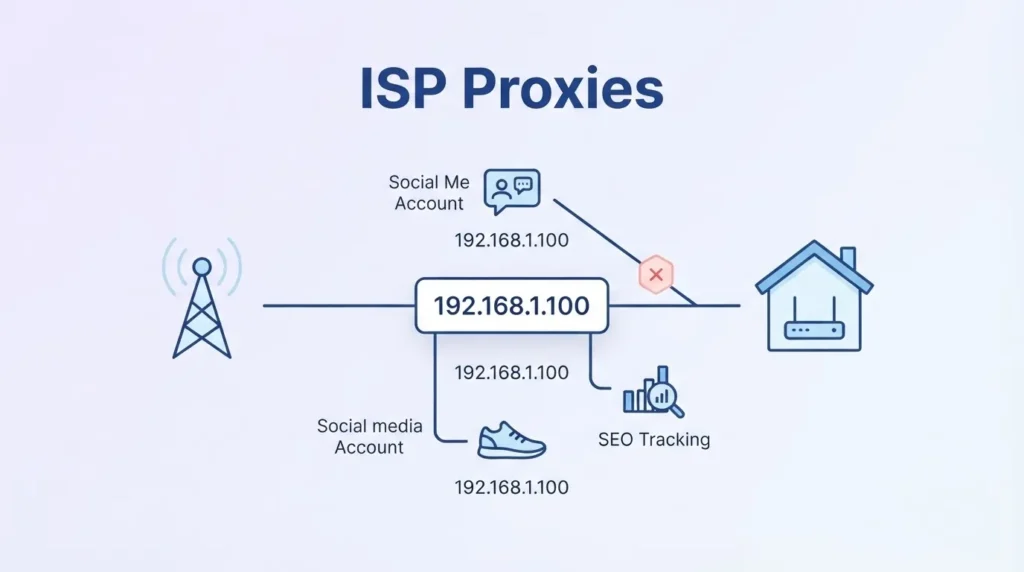
The other defining trait is that ISP proxies are static. Unlike rotating residential proxies, which assign you a new IP frequently, an ISP proxy stays the same IP for as long as you need it. This matters enormously for any task that requires holding a session: staying logged into an account, keeping items in a cart through checkout, or managing a social media profile without triggering a new-device flag every few minutes.
Pricing typically runs $1.27 to $15 per IP per month rather than by data volume, though some providers offer bandwidth-based plans as an alternative. Budget options exist too. Webshare, for instance, offers shared static ISP IPs starting around $0.30 per IP on top of bandwidth costs.
Most providers apply fair-use bandwidth caps around 100GB per IP before throttling kicks in, which is generous for the account-management and session-based work ISP proxies are built for.
Best for: Social media account management, ecommerce account workflows, sneaker bots, SEO rank tracking, any task needing a consistent, non-rotating identity.
Honest negative: You lose the built-in anonymity benefit of constant IP rotation. If a specific static IP gets flagged or banned, you’re stuck dealing with that single IP’s reputation rather than simply rotating away from the problem.
Mobile Proxies
Mobile proxies route your traffic through real carrier networks, actual 3G, 4G, or 5G connections. Because carriers share IP addresses across enormous numbers of real users through carrier-grade NAT, websites are genuinely reluctant to block mobile IP ranges outright, since doing so risks blocking thousands of legitimate mobile users at once.
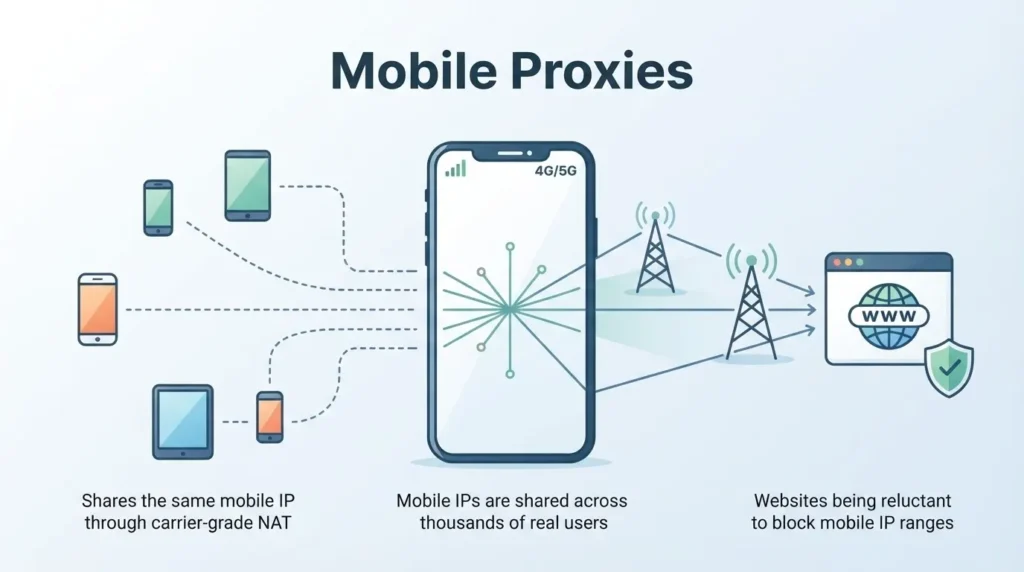
This makes mobile proxies the hardest proxy type to get blocked, full stop. That trust comes at a real cost, and mobile proxies sit at the top of the pricing spectrum.
Depending on provider and plan structure, expect anywhere from roughly $5 to $40 per GB, with wide variation depending on whether you’re buying bandwidth-based or flat monthly plans. Some providers price monthly plans starting around $117 rather than per-GB.
Here’s the honest calculation on when mobile proxies are actually worth that premium: rarely, for general-purpose scraping. If residential proxies already deliver strong success rates on your target, paying mobile prices is wasted money.
Where mobile genuinely earns its cost is on the small number of targets where even residential proxies show weak results, certain heavily protected retail platforms and social media apps, where residential success rates can drop to 70-80% and mobile pushes that back up meaningfully.
One market signal worth noting: the mobile proxy segment has been consolidating. Peer-to-peer mobile proxy networks remain a niche product, and at least one major provider discontinued its mobile proxy offering entirely in April 2026, a sign this category is narrowing toward specialists rather than expanding as a mainstream option.
Best for: Social media account management at scale, mobile app API access, the specific subset of heavily-protected retail and social targets where residential proxies underperform.
Honest negative: The most expensive option on this list by a wide margin, and genuinely unnecessary for the majority of scraping and automation tasks. Reserve it for targets that specifically demand carrier-level trust.
The Real Cost Isn’t the Sticker Price
Here’s the number that actually matters, and it’s one most buyers skip entirely: cost per successful request, not cost per GB. A $1/GB datacenter proxy that only succeeds 55% of the time on your target effectively costs about $1.82 per GB of usable data. An $8/GB residential proxy succeeding 92% of the time effectively costs around $8.70 per GB delivered.
That’s less than a 5x real difference once you account for failure rate, even though the sticker prices look 8x apart.
This is why the cheapest proxy on paper is often the most expensive one in practice. Before committing to a plan based purely on price, test your actual target and calculate cost per successful request, not just cost per gigabyte purchased.
How to Actually Decide
A pattern I’ve seen work well in practice: use residential or ISP proxies as your default starting point unless you have a specific reason not to, then adjust based on what you learn.
Target has no bot protection (government sites, open APIs, academic databases): datacenter proxies, save your money.
Target has moderate protection and you need a rotating identity (general web scraping, price monitoring): residential proxies.
You need to hold a session or manage an account (social media, ecommerce logins, sneaker bots): ISP proxies.
Target has aggressive protection and residential proxies are still getting blocked (specific heavily-defended retail or social platforms): mobile proxies, but only after confirming residential genuinely underperforms on that exact target.
It’s also common practice to mix proxy types within a single workflow, residential for the sensitive parts of a task like SERP requests or session establishment, then switching to cheaper datacenter proxies for bulk downloads like static images where detection risk is lower.
Most decent proxy management tools support per-domain routing rules to automate this split rather than manually switching proxy types yourself.
FAQs of Residential vs Datacenter vs ISP vs Mobile Proxies
Residential proxies use IP addresses assigned by real ISPs to homeowners, making them appear as genuine users, while datacenter proxies come from cloud servers and are faster but easier to detect and block. Residential proxies are better for bypassing strict anti-bot systems, whereas datacenter proxies suit tasks requiring high speed and volume at lower cost.
Mobile proxies route traffic through real 4G and 5G cellular networks, and since millions of users share the same IP ranges, websites risk blocking legitimate customers if they target these addresses. This makes mobile proxies the most trusted proxy type for platforms with aggressive bot detection like Instagram or TikTok.
ISP proxies combine the legitimacy of residential IPs with the speed and reliability of datacenter infrastructure, as they are hosted on servers but registered under real ISP providers. This hybrid approach makes them ideal for tasks like sneaker copping or ad verification where both speed and trustworthiness are critical.
Datacenter proxies can still work on many websites, but advanced anti-bot solutions like Cloudflare and Akamai have become significantly better at fingerprinting and flagging datacenter IP ranges. For high-security targets, residential or mobile proxies are strongly recommended, while datacenter proxies remain effective for less protected sites and high-volume scraping.
Whether residential proxies are worth the higher cost depends entirely on your use case, as they are essential for accessing geo-restricted content, social media platforms, and e-commerce sites with strict detection systems. For basic scraping of unprotected websites, datacenter proxies offer a much more cost-effective solution without sacrificing performance.
Quick Links:

