
Squarespace Promo Codes 2026: 50% Off Your First Year
Squarespace Promo Codes can help you spend less when launching a website, online store, portfolio, or business blog. If you want a polished website without paying a developer to build every page, Squarespace gives you templates, hosting, built-in SEO tools, and online selling features in one place.
Below, you will find current Squarespace promo code details, plan comparisons, student discounts, trial information, and practical ways to lower your first website bill.
Current Squarespace Promo Codes and Deals
Here are several working Squarespace coupon codes that can help you start your website for less. Apply each code at checkout and confirm the discount appears in your order summary before paying. Codes can change or expire, so try the one that fits your plan first.

Student Discount: 50% Off Your First Year
Eligible students can save 50% on their first year of Squarespace. Verify your student status through Student Beans, then apply the discount at checkout. You need to be verified before you pay, so start the check early.
GIMME10 Promo Code: 10% Off Your First Squarespace Purchase
New customers can take 10% off their first eligible Squarespace order with the GIMME10 code. Enter it at checkout before you pay, and check that the discount shows in your order summary. It works only on eligible first purchases, so confirm it applies to the plan you pick.
Annual Billing: Save Up to 36% Over Monthly Plans
Paying yearly instead of monthly can cut your cost by up to 36%. Choose annual billing when you select your plan, and the lower rate applies automatically. This works well if you already know you will keep your site for a full year.
14-Day Free Trial: Test Squarespace Before You Buy
New users can try Squarespace free for 14 days. Use the trial to build a sample site and check the design tools. You can subscribe when you are ready, so you pay nothing during the trial period.
Free Custom Domain: One Year of Domain Registration
Eligible annual website plans include one year of free custom domain registration. Pick an annual plan, then claim the domain offer during checkout. Confirm the domain is included in your order summary before you finish paying.
Squarespace lists GIMME10 and its student discount on its official coupon page. The free domain offer applies to eligible annual website subscriptions, while the standard website trial lasts 14 days and does not require a credit card to begin. Check the terms at checkout because eligibility and prices can vary by country.
Squarespace says the promo code field appears on the Review Order page. If another automatic discount is already active, the field may not appear. The platform also states that offer codes cannot be combined with automatic discounts, and it applies whichever eligible discount saves you more.
Remember that promo codes generally reduce the first payment rather than every renewal. Check the final order summary so you know exactly what you will pay now and when your subscription renews.
How to Redeem Squarespace Promo Codes (Step-by-Step)
Squarespace promo codes can lower your cost, but only if you apply them correctly. The steps below walk you through the process from plan selection to payment. Follow them in order so the discount applies before you check out.
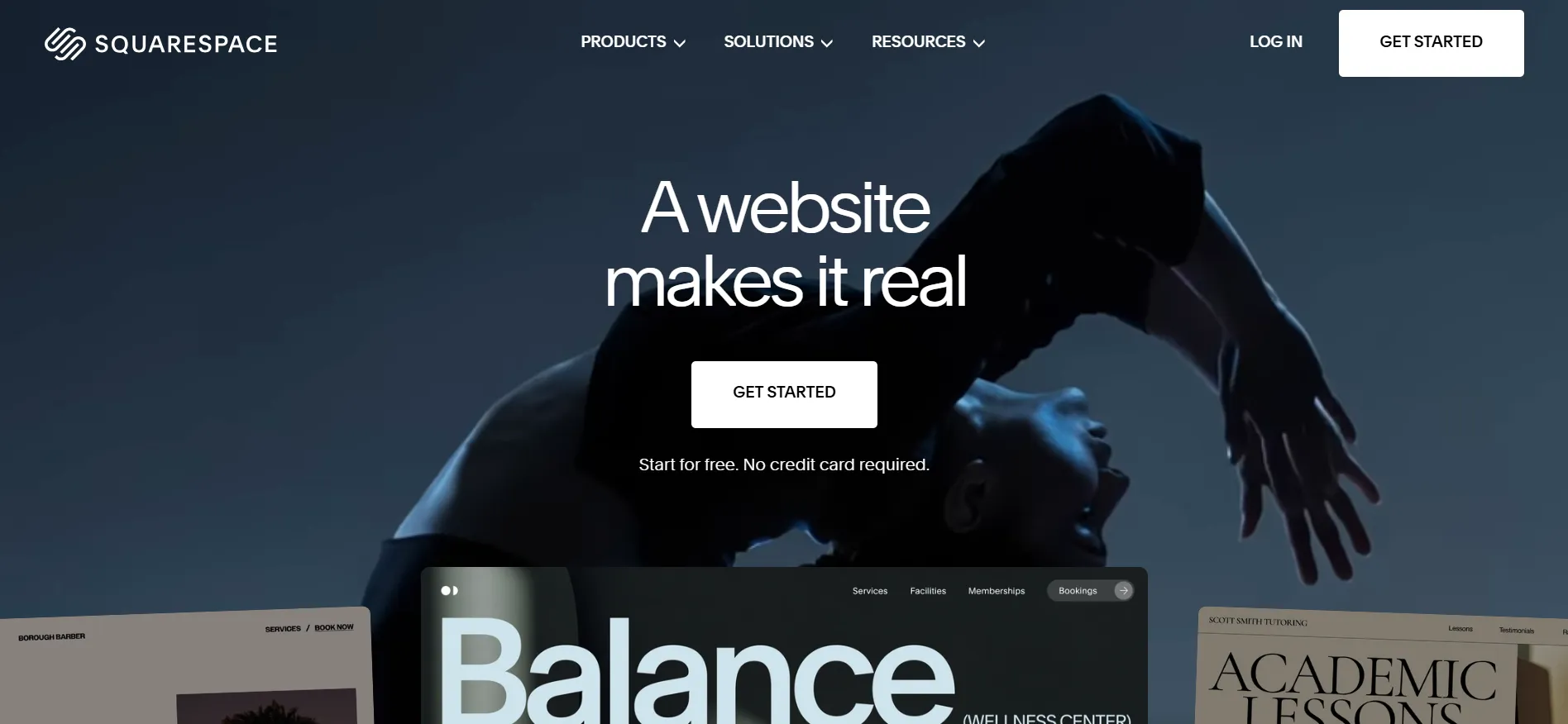
Step 1: Open the Squarespace Site Head to the official Squarespace website to begin.
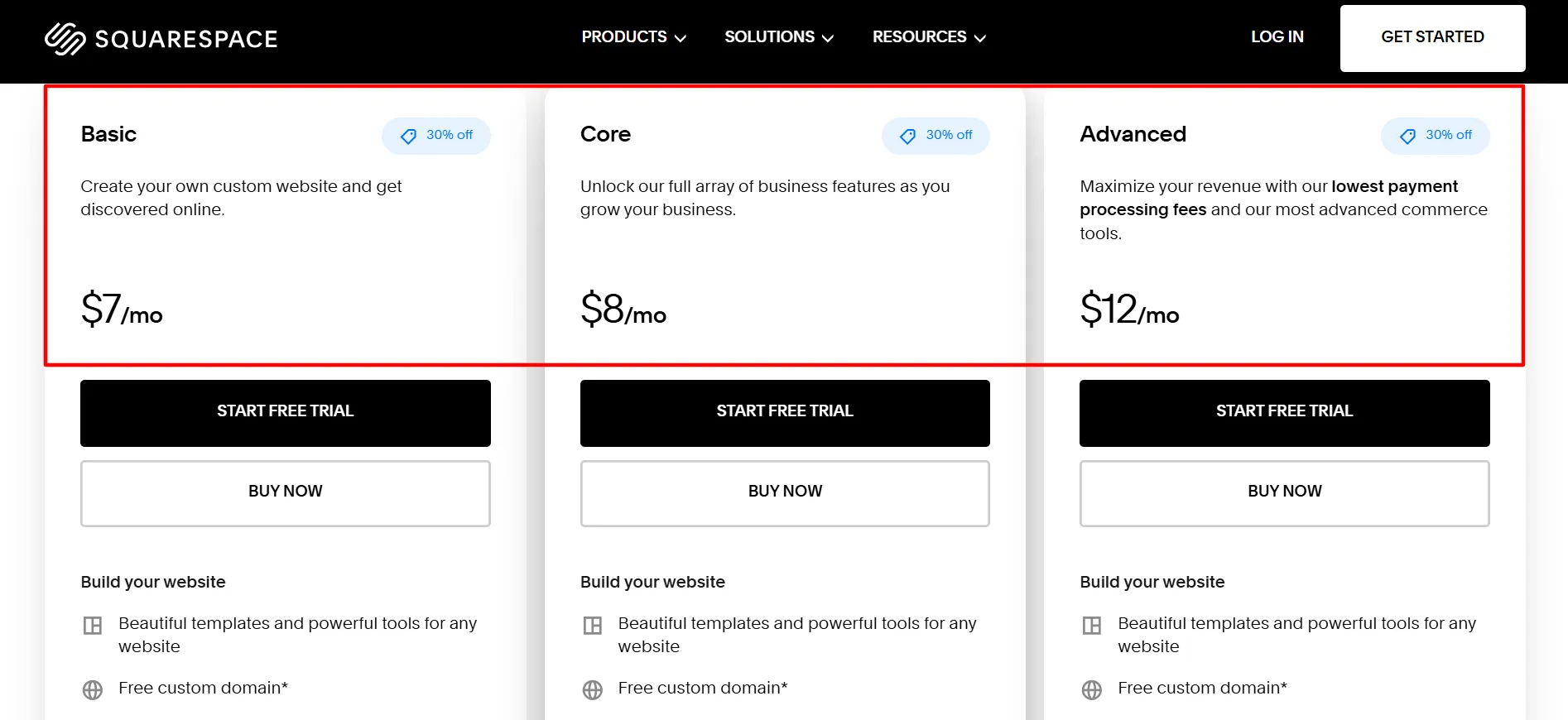
Step 2: Select Your Plan Pick from Personal, Business, Basic Commerce, or Advanced Commerce. Choose the one that matches your needs and budget.
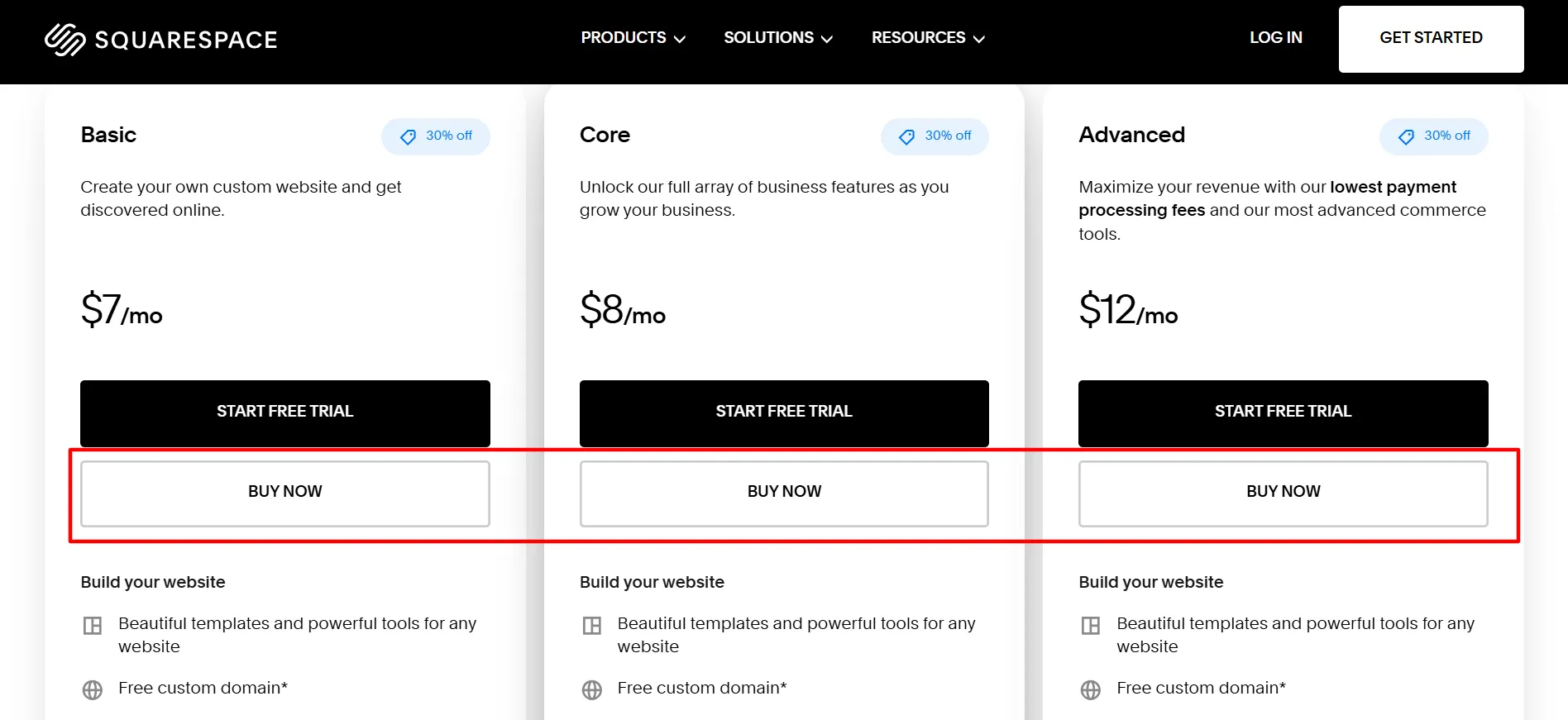
Step 3: Add It to Your Cart Click “Get Started” under your chosen plan to reach checkout.
Step 4: Enter Your Promo Code Find the “Coupon Code” or “Promo Code” field at checkout. Type your code there.
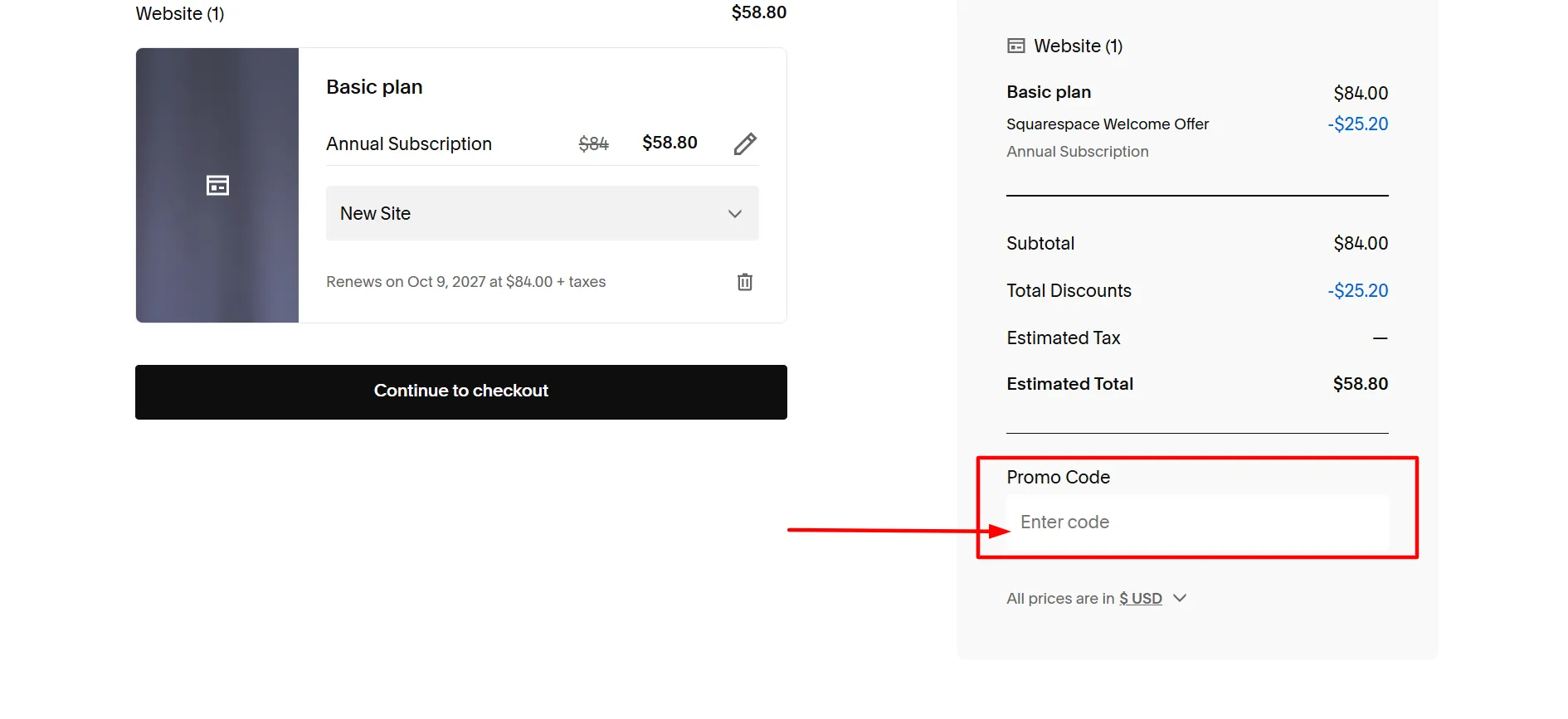
Step 5: Confirm the Savings Check that the discount shows in your total. Review the new price before moving on.
Step 6: Finish Your Payment Verify the lower amount and complete your purchase. Annual billing usually gives the biggest savings, so choose it when you can.
Step 7: Launch Your Website You’re ready. Open your dashboard and start building your professional site today.
The student offer applies to the first annual plan payment. It does not cover monthly website plans, domain-only purchases, or Acuity Scheduling subscriptions. Renewals and later plan changes are charged at the applicable rate.
If you qualify, compare the student discount with other available promotions before paying. Squarespace does not let you stack a promo code with an automatic discount, so the checkout total will show which eligible offer provides the better saving.
Save Around $60 With a Squarespace Promo Code
If you want to build an online store or grow an existing business, choosing the right plan can matter more than chasing the biggest advertised percentage.
The Advanced plan is designed for sellers who need the platform’s most advanced commerce tools and lowest payment processing fees.
When choosing a plan, consider more than its monthly equivalent. Think about your expected sales, payment processing costs, digital products, video content, and the features your business needs. A more expensive plan may be worthwhile for an active store, while a simpler website may not need those extra tools.
Choose the Basic Plan for a Professional Website
The Basic plan is a sensible starting point for individuals, creators, freelancers, and small businesses that need a professional website without advanced selling tools.
Prices can vary by location, so confirm the amount displayed for your account before purchasing.
Basic includes designer templates, a drag-and-drop website editor, SEO tools, mobile-friendly layouts, SSL security, website analytics, and a free custom domain for one year with eligible annual billing. It also supports selling products and services, although online store transactions carry a 2% Squarespace transaction fee. Digital content and membership sales have a separate 7% transaction fee on this plan.
This plan works well for:
Personal websites and portfolios
Freelancers showing their services
Blogs and creative projects
Small business websites that need a simple online presence
If you mainly need pages, contact details, a blog, and a way for people to find your business, Basic may be enough. You can consider a higher tier when you need more advanced sales features or lower transaction fees.
Get More Business Tools With the Core Plan
Squarespace identifies Core as its recommended plan for businesses that need more room to grow.
Core includes the website-building features found in Basic, along with advanced analytics, unlimited contributors, CSS and JavaScript customization, and a set of commerce and business tools.
It also removes the standard Squarespace transaction fee on online store sales of products, services, and donations. Digital content and membership sales have a 5% transaction fee.
Core may suit a growing business that needs:
More control over website design
Advanced analytics and conversion metrics
Several people working on the site
Online product or service sales
Professional shipping and tax tools
API connections for business systems
The best reason to choose Core is not simply that it has more features. It is that those features match the way you plan to run your website.
Choose Advanced for an Online Store
For businesses that process regular sales, Squarespace’s higher plans offer lower fees on certain transactions and more advanced selling tools.
Advanced Plan
The Advanced plan is Squarespace’s top website plan. Squarespace promotes it for sellers who want its lowest payment processing fees and most advanced commerce tools.
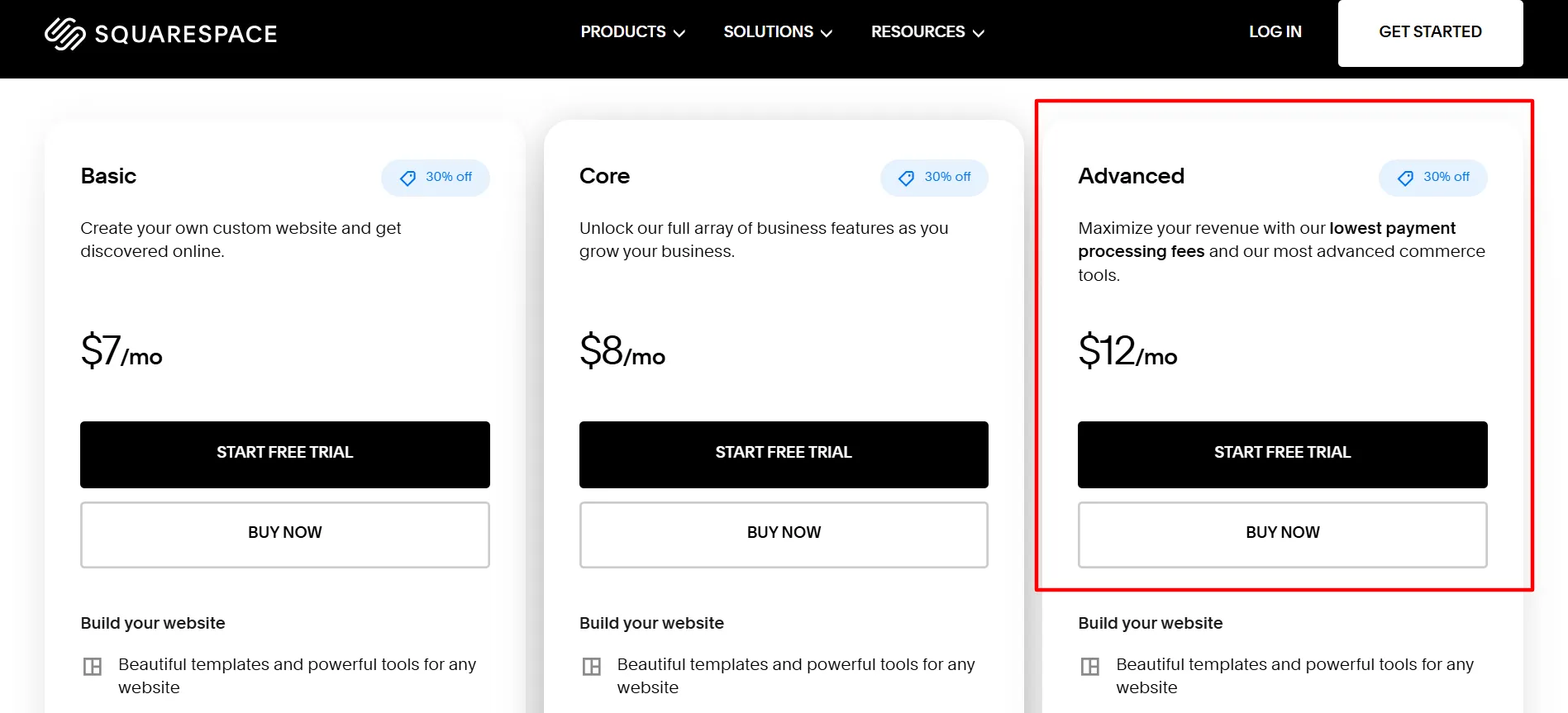
Advanced is worth considering if you manage a busy online store, sell digital content, or need the platform’s more advanced selling features. If you only run a small portfolio or a simple business site, you may not need to pay for the highest tier.
Claim the Squarespace Student Discount
Eligible students can get 50% off their first year of an annual Squarespace website plan through Student Beans. This is a larger advertised discount than the standard GIMME10 offer, but it has specific eligibility rules.
Try Squarespace Free for 14 Days
Not sure whether Squarespace suits your project? Start with its 14-day free website trial.
You can explore templates, arrange pages, customize your design, and test the website editor before choosing a paid subscription. Squarespace does not require credit card details to start the standard trial.
Use the trial to test the things that matter most to your website:
Check how your site looks on mobile devices.
Create a homepage and key service or product pages.
Test the design editor and available templates.
Review the SEO settings.
See whether the store and business tools meet your needs.
Decide which paid plan fits your project.
A little planning during the trial can help you avoid paying for a plan that includes tools you will never use.
Save More With Annual Billing
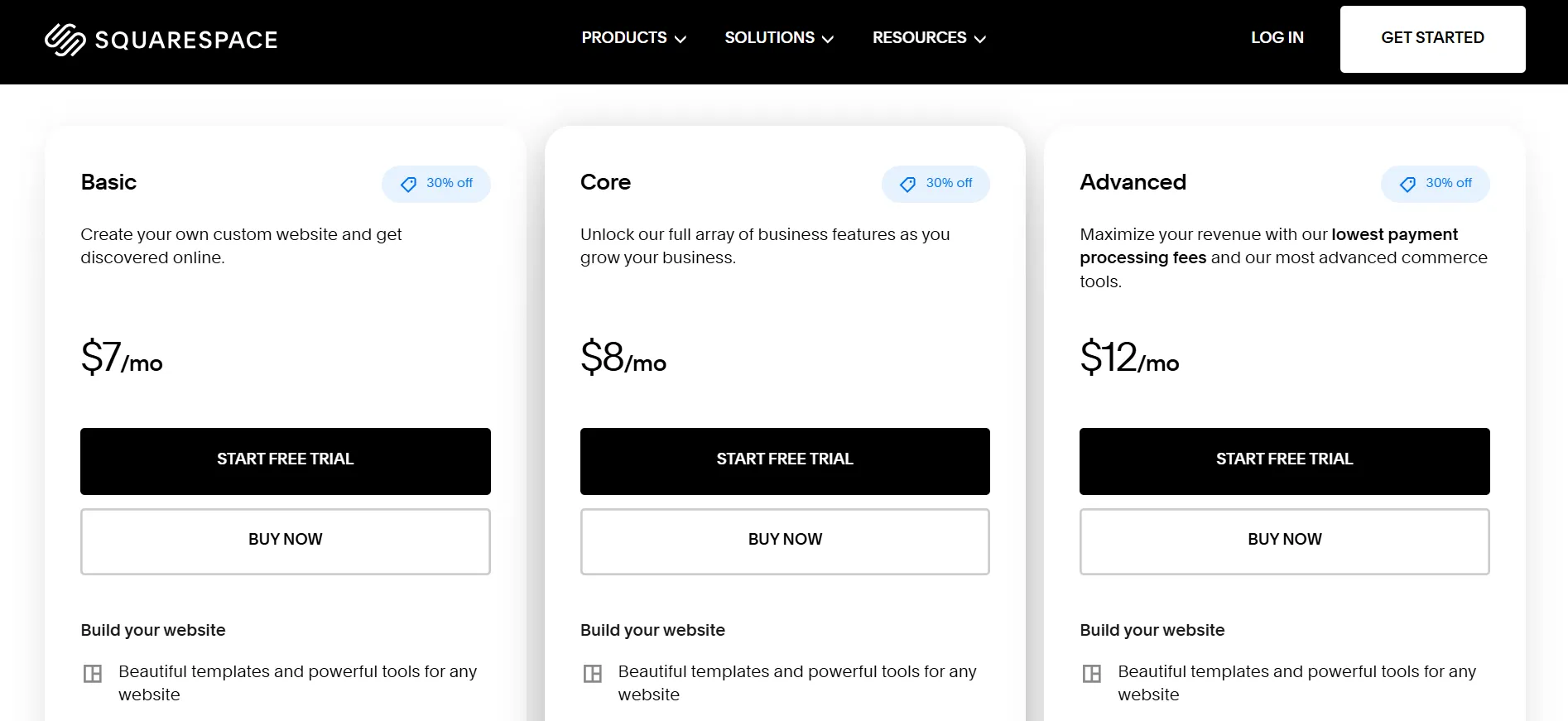
Annual billing is another way to lower your Squarespace subscription cost. The official pricing page advertises savings of up to 36% compared with monthly billing, although the exact difference depends on the plan and your location.
Annual plans also include one year of eligible custom domain registration. After the first year, the domain renews at its standard price, plus any applicable taxes. Monthly website plans do not qualify for the same free-domain offer.
Annual billing makes the most sense when you expect to keep the website for at least a year. Monthly billing costs more over time, but it gives you a shorter payment commitment.
Before choosing annual billing, make sure you are comfortable with the upfront payment and have checked the renewal terms.
Important Squarespace Promo Codes Rules
Before applying a Squarespace coupon, keep these rules in mind:
First payment: An offer code generally applies to the initial eligible payment, not future recurring charges.
No stacking: Squarespace does not allow multiple offer codes in one transaction.
Automatic discounts: If an automatic discount is available, Squarespace applies whichever eligible option saves you more.
Renewals: Promo codes cannot be used for regular subscription renewal payments.
Eligibility: Some offers apply only to selected plans, customers, or billing cycles.
Taxes: Your checkout total may include applicable taxes.
These conditions are explained in Squarespace’s official guide to redeeming offer codes. Always review the final amount and offer terms before completing your purchase.
FAQs: Squarespace Promo Codes
Yes. Squarespace currently advertises GIMME10, which provides 10% off an eligible first purchase of an annual website plan. Check the official coupon page for the latest terms.
It depends on your plan and the price shown for your location. On the US pricing page, a 10% discount.
Squarespace does not offer a permanent free website plan, but new users can start with a 14-day free trial. A paid subscription is required to keep using the website beyond the trial.
No. Squarespace states that offer codes apply to an eligible initial payment, not regular renewal payments.
Eligible students can receive 50% off their first year of an annual website plan, which is a larger advertised percentage than GIMME10. Student status and school eligibility must be verified through Student Beans.
Quick Links:
Final Thoughts: Squarespace Promo Codes
The best Squarespace Promo Code depends on your eligibility, website needs, and budget.
For most new customers, GIMME10 is the simplest place to start because Squarespace publishes it on its own coupon page. Students should check the 50% education discount first, while anyone planning to keep a website for a full year should compare annual and monthly billing.
The Basic plan is a sensible choice for a simple website, portfolio, or blog. Core gives growing businesses more tools, while Plus and Advanced are better suited to stores that need stronger commerce features and lower transaction fees.
Start with the 14-day trial, build a draft of your website, and compare the plans before paying. Apply your eligible offer at checkout and check the total before confirming the order.
That way, you can put more of your budget into the website itself rather than paying for features you do not need.
