
Squarespace Pricing 2026: How Much Does It Cost?
Squarespace Pricing starts at $7 per month on the pricing page shown in this guide, with the Basic plan displaying a 30% discount. The same page lists Core at $8 per month and Advanced at $12 per month, also with 30% off.
In this guide, we will compare the Squarespace plans and their displayed prices, explain what each option is best for, review selling fees, and help you decide which plan offers the right mix of features and cost.
Squarespace Pricing at a Glance 2026
Here is the current displayed pricing from that page.
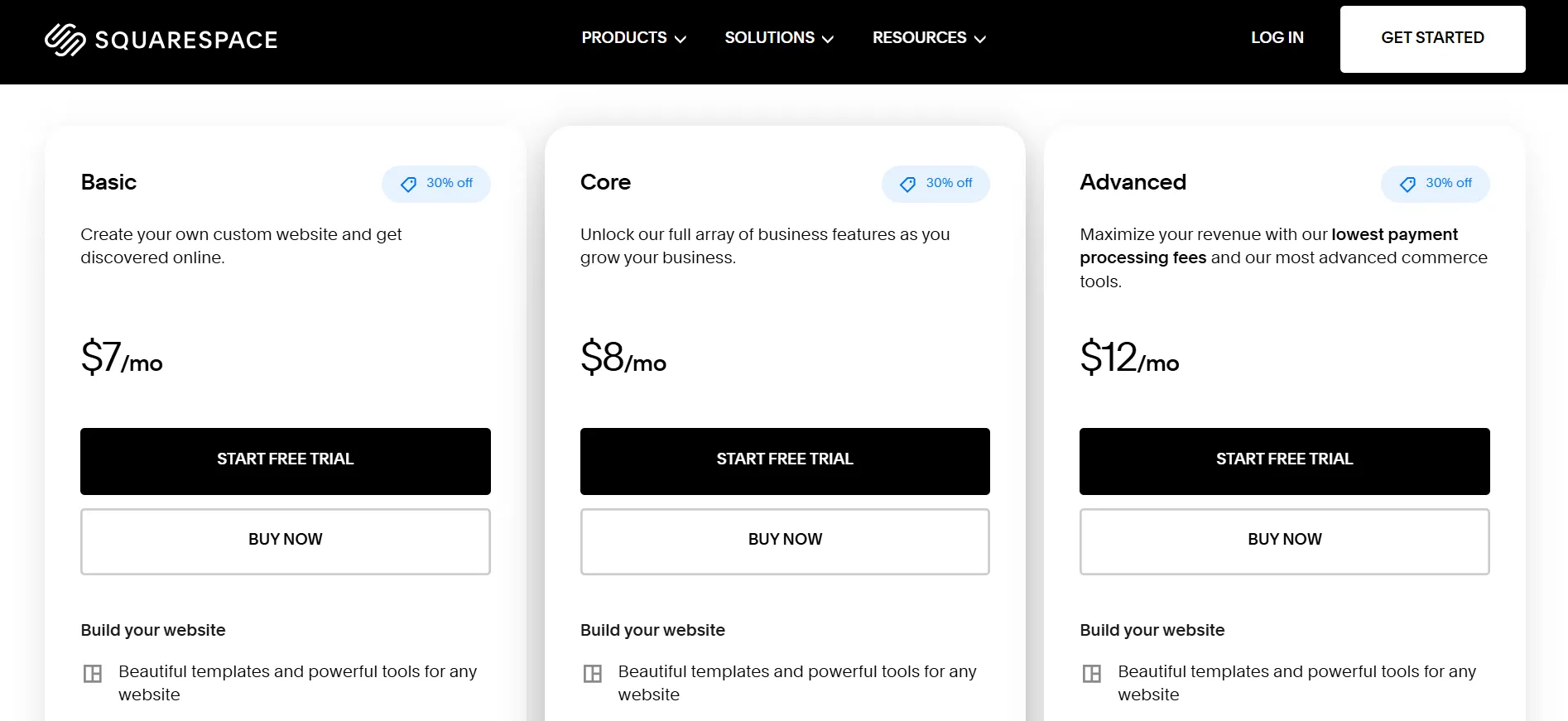
Squarespace plan | Displayed price | Advertised discount | Best for |
|---|---|---|---|
Basic | $7/month | 30% off | Personal websites, blogs, and portfolios |
Core | $8/month | 30% off | Small businesses and growing websites |
Advanced | $12/month | 30% off | Online stores that need advanced commerce tools |
All three plans show a Start Free Trial button and a Buy Now option. This gives you a choice between trying the website builder first and moving straight to a paid subscription.
The Basic plan is the lowest-priced option shown. Core costs only $1 more per month at the displayed rate, while Advanced costs $5 more than Basic. That small difference between Basic and Core may make Core worth considering if your business needs its extra tools.
Advanced is aimed at businesses that need more advanced selling features and lower payment processing fees. If your website mainly shares information or publishes articles, Basic may be enough. If you plan to sell products or grow an online store, compare the features and fees before making your choice.
These three plans give you different options based on the type of website you want to build, the tools you need, and how much you plan to sell online.
Squarespace combines website design, hosting, blogging, and selling tools in one service. You can build pages with its visual editor, choose from professionally designed templates, and manage your website without purchasing separate hosting for a standard Squarespace site.
What Does Squarespace Include?
Before looking at each plan in detail, it helps to understand what Squarespace offers as a website platform.
1. Website Templates and a Visual Editor
Squarespace provides professionally designed templates for business websites, portfolios, blogs, restaurants, creative projects, and online shops. You can select a design and adjust its layout, text, colors, images, and other page elements to suit your project.

Its visual editing tools let you arrange website content without writing code for every change. This can help beginners build a site while giving more experienced users room to customize their pages.
A template is a starting point, not a finished website. You will still need to add your own copy, photos, product details, contact information, and other content.
2. Website Hosting and Security
Squarespace hosts standard websites on its platform, so you do not need to buy a separate hosting package for the site itself. SSL security is also included, helping protect information sent between the website and its visitors.
Keeping your website and hosting under one service can make account management easier. You can focus on the site rather than arranging a separate hosting setup.
3. Blogging and SEO Tools
Squarespace includes tools for publishing articles, organizing blog posts, and managing website settings that affect search engines. You can edit page titles and descriptions, customize URLs, and structure content around the topics your audience searches for.

These features can help you prepare your site for search, but a subscription alone will not guarantee strong rankings. Useful content, a clear site structure, relevant keywords, and a good visitor experience still matter.
4. Online Selling Features
Squarespace also supports online sales. Depending on your plan and setup, you can sell products, services, digital content, courses, and memberships. You can also send invoices and manage parts of your selling process through the platform.
The available tools and fees differ by plan. If you expect to make sales, check the transaction and payment processing rates before subscribing.
Squarespace Basic Pricing: Best for Simple Websites
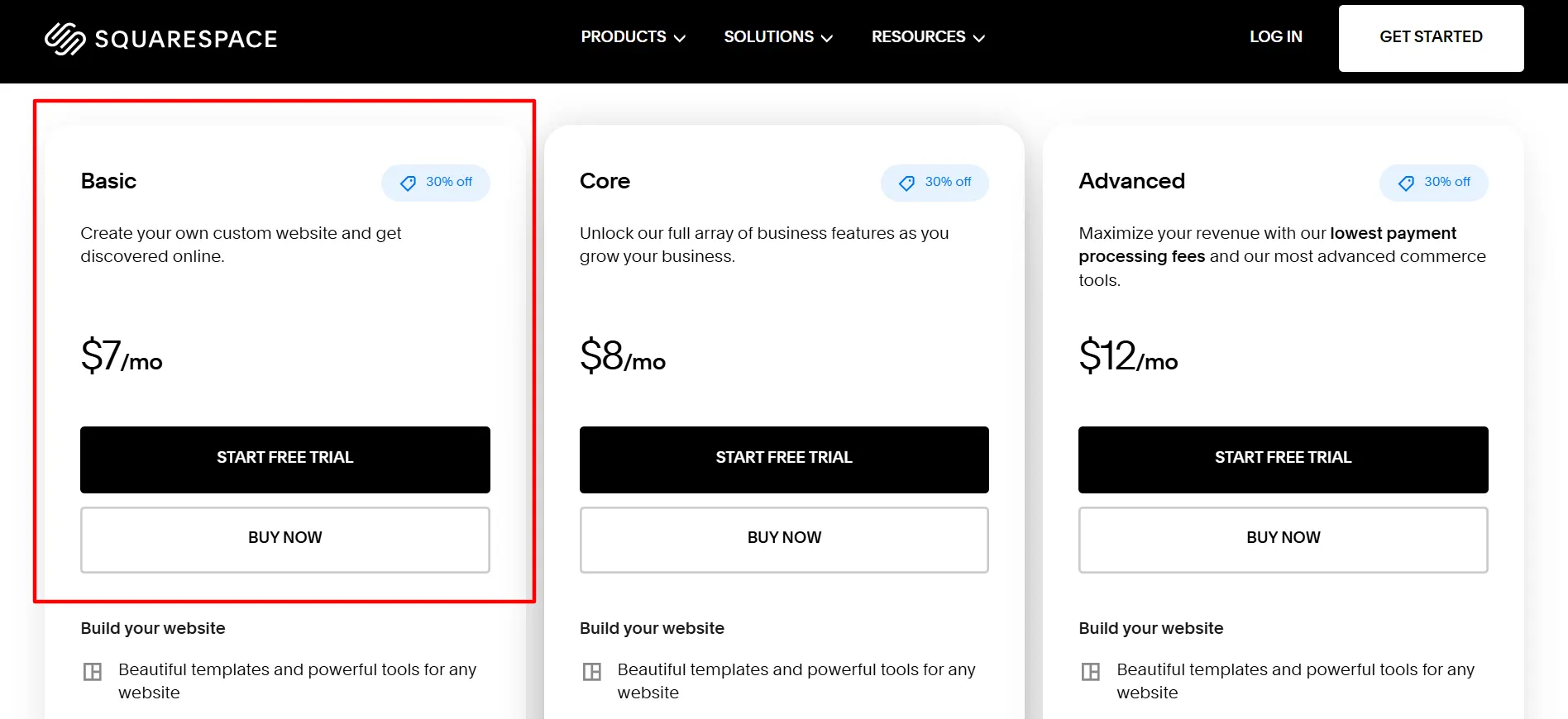
The Basic plan is listed at $7 per month with 30% off. It is the lowest-priced option shown and can suit people who want a professional website without paying for advanced business tools they may not need.
What Can You Do With Basic?
Basic covers the main tasks involved in running a small website. You can build pages, publish blog posts, display a portfolio, share information about your business, and provide contact details for potential customers.
The plan also supports online selling. That means you can start with a simple website and offer products or services if your project grows. Basic has limits and fees to consider, though, particularly if you plan to sell digital content or process regular orders.
Squarespace’s plan guide lists features such as:
Website templates and visual editing tools
A mobile-friendly website
Blogging and SEO settings
SSL security
Website analytics
Product and service sales
Invoices and membership content
Up to two contributors
Up to 1,000 pages
30 minutes of video storage
Check the current plan comparison for the complete feature list, as Squarespace can change what it includes in each subscription.
Who Should Choose Basic?
Basic may be a good fit for:
Freelancers who need an online portfolio
Bloggers publishing articles and guides
Artists and designers showcasing their work
Small businesses sharing services and contact details
Individuals creating a personal website
New website owners testing an idea
If your main goal is to publish content and help visitors learn about your work, Basic is a sensible starting point. You can consider Core or Advanced later if your website needs more contributors, extra selling tools, or lower fees.
Squarespace Core Pricing: Best for Growing Businesses
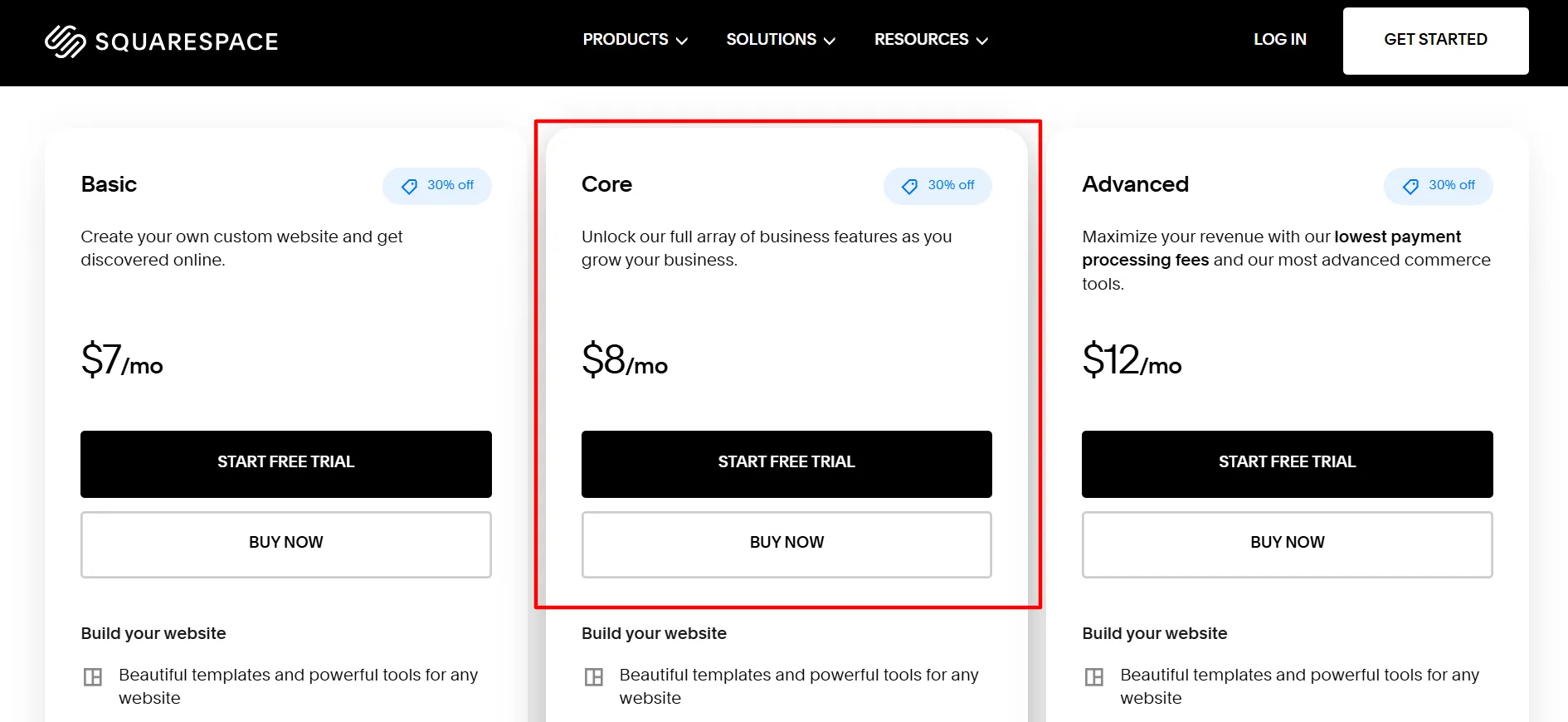
The Core plan is listed at $8 per month with 30% off. It costs $1 more per month than Basic at the displayed rate, making it worth a closer look if you expect to need more business features.
Core is intended for websites that need more flexibility, additional contributors, and tools for managing a growing business. It includes Basic features and adds options for custom code, third-party connections, and more detailed commerce reporting.
Core Plan Features
The current Squarespace plan guide lists features such as:
Unlimited contributors
Custom CSS and JavaScript options
Additional website and commerce analytics
Third-party commerce integrations
Google Shopping connections
Promotional pop-ups and announcement bars
Automatic discounts
Shipping labels and carrier-calculated shipping
Product waitlists
Integration options for selected business tools
Five hours of video storage
These features can be useful if several people manage the website or if you want more control over the customer experience. Custom code can also give you more design flexibility, although you may need technical help to make certain changes.
Core Transaction Fees
Core removes Squarespace’s standard commerce transaction fee on eligible sales of physical products, services, and donations. Digital products have a separate transaction fee, which Squarespace currently lists at 5% for Core. Payment processing fees still apply.
This difference matters if your website brings in regular sales. For example, if you sell physical products, removing the standard commerce transaction fee may help offset the cost of the subscription. Your actual savings depend on the type and amount of sales you make.
Is Core Worth Choosing Over Basic?
Since the displayed price difference is only $1 per month, Core may offer better value for a small business that expects to use its added features. Unlimited contributors can help a team share website duties, while commerce tools can support a store that is starting to grow.
If you only need a personal blog or a simple portfolio, Basic may cover everything you need. Choose Core when its additional features solve a real problem for your website rather than upgrading just to have more tools.
Squarespace Advanced Pricing: Best for Online Stores
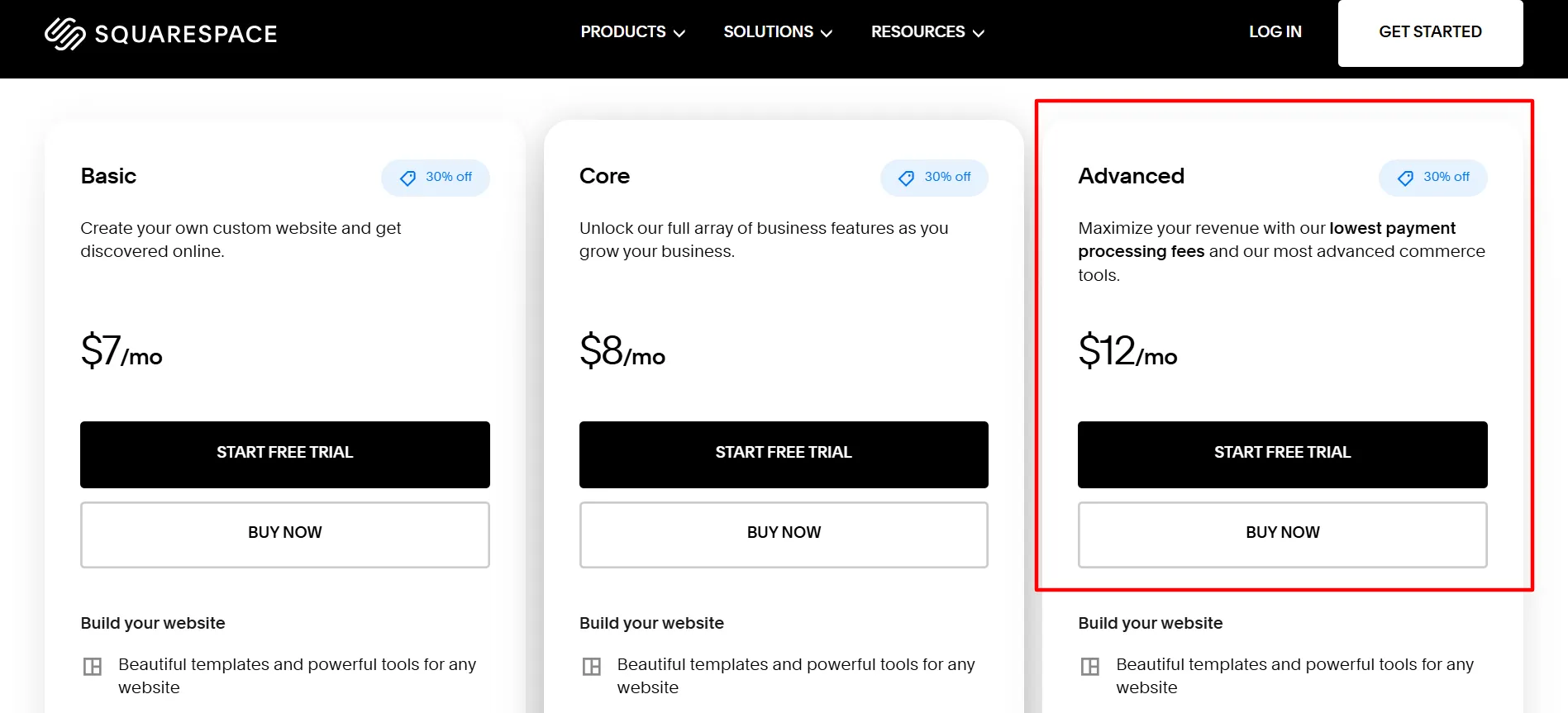
The Advanced plan is listed at $12 per month with 30% off. It is the highest-priced option shown on that page and is aimed at businesses that need Squarespace’s more advanced commerce features.
Advanced includes the features available in the lower plans, with extra options for businesses that process many orders or sell digital content regularly.
What Makes Advanced Different?
Squarespace’s plan guide lists Advanced as a suitable option for larger ecommerce stores that process higher order volumes. Its main selling advantage is the lower fee structure for eligible transactions, along with access to advanced commerce tools.
Features include:
The website-building tools included in Basic and Core
Unlimited contributors
Unlimited video storage
No standard Squarespace commerce transaction fee on eligible sales
No digital products transaction fee under the current plan fee schedule
Support for connecting your own carrier for carrier-calculated shipping
The carrier-calculated shipping feature may help stores that need shipping costs based on the carrier’s rates. Unlimited video storage can also matter to businesses that publish substantial video content.
Advanced Payment Processing Fees
Advanced offers lower standard card processing rates than Basic and Core in supported markets when using Squarespace Payments. The actual rate depends on the country where your business operates, the payment method, and the card type.
For US domestic cards, Squarespace currently lists a standard rate of 2.5% plus $0.30 per transaction for Advanced. Other countries have their own rates, and international or premium cards may cost more. If you use a third-party payment provider, its fee schedule applies.
A lower processing rate can make a difference when your store handles many payments. Still, compare the subscription cost with the likely savings before choosing Advanced.
Who Should Choose Advanced?
Advanced may suit:
Established online stores with regular orders
Businesses selling digital products at higher volumes
Stores that need carrier-calculated shipping
Teams that manage a larger ecommerce operation
Sellers who want to reduce eligible transaction fees
If you run a small site with occasional sales, you may not need the extra features. Start by estimating how much you expect to sell and which tools you will actually use.
Monthly vs. Annual Squarespace Pricing
Squarespace offers monthly and annual billing cycles. Annual billing generally has a lower monthly equivalent, while monthly billing lets you pay in shorter intervals.
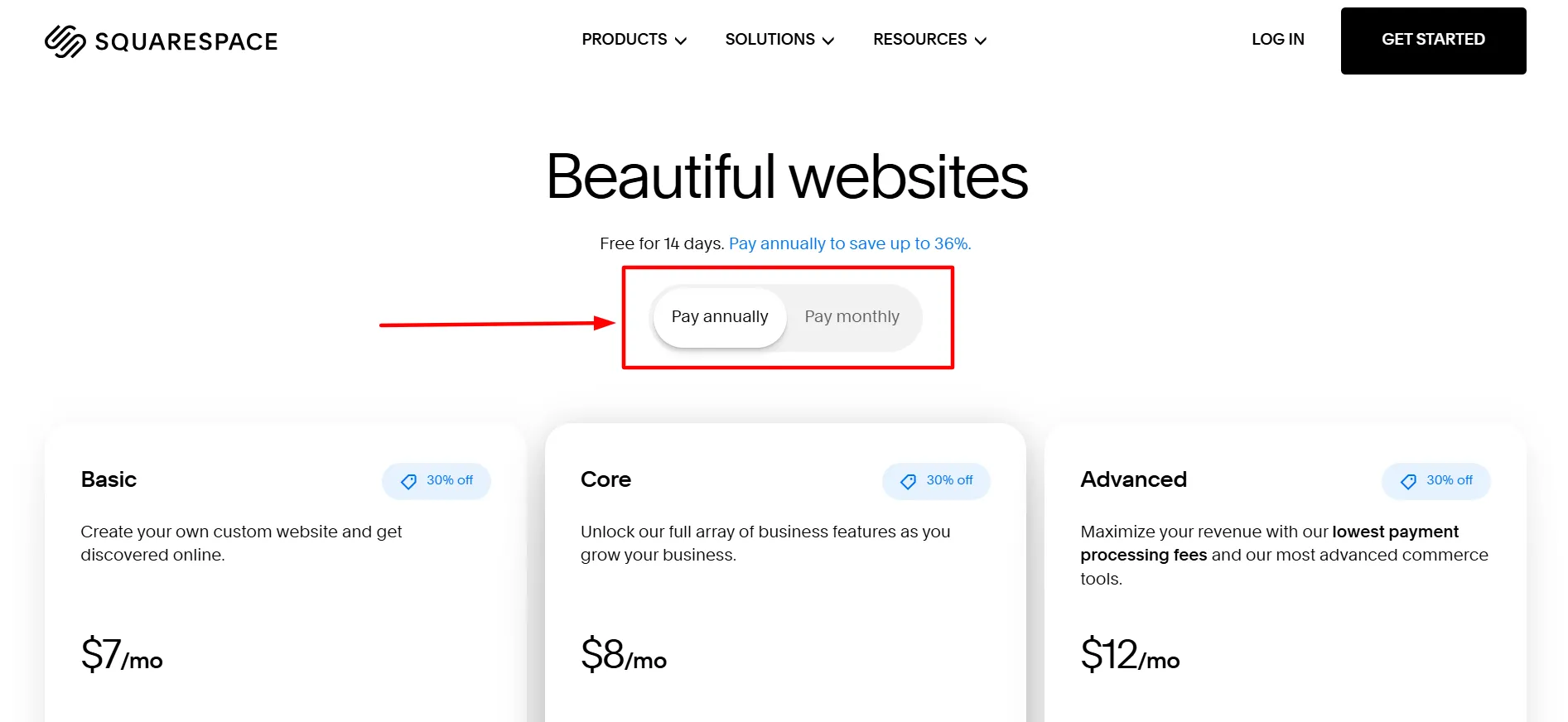
Annual billing may suit you if you expect to keep the website for at least a year and are comfortable paying upfront. Eligible annual plans also include a free custom domain for one year.
Monthly billing may be more suitable if you are testing a new project or want a shorter payment commitment. It can cost more over time, so compare the total amount charged under each billing option rather than relying only on the monthly equivalent.
How to Choose the Best Squarespace Plan
The right plan depends on the type of website you want to run and the features you expect to use.
Choose Basic if you want a blog, portfolio, or simple business website. It offers the lowest displayed price and covers the main tools for building a small site.
Choose Core if you need additional business features, custom code, more contributors, and extra commerce tools. Its displayed price is only $1 per month above Basic, so it is worth comparing the feature list before deciding.
Choose Advanced if you run an online store, sell digital content regularly, or need the more advanced selling features. It costs more than the other displayed plans, but lower transaction fees may help businesses that process enough orders.
Before paying, list the features you need today and those you expect to use over the next year. Then compare the subscription cost with any transaction fees you may pay. A higher plan makes sense when its features or fee savings justify the extra expense.
Is Squarespace Pricing Worth It?
Squarespace can be a good choice if you want to design and manage a website without buying separate hosting for a standard site. Templates, visual editing, blogging tools, and selling features are available through the same platform.
Three plans easy to compare: Basic at $7 per month, Core at $8, and Advanced at $12, each showing 30% off. The best value depends on the features included in your account’s version of each plan and the billing terms attached to the offer.
For a blog or portfolio, Basic may be enough. Core is worth considering for a growing business that needs more control and selling tools. Advanced is better suited to stores that need its higher-level commerce features and lower eligible fees.
Remember that your total cost may include payment processing fees, digital product fees, domain renewals, and taxes. Review these charges before you commit, especially if selling online is central to your business.
FAQs: Squarespace Pricing
Basic is the lowest-priced plan at $7 per month with a 30% off label. Confirm the billing cycle and final amount on the official pricing page before purchasing.
The Core at $8 per month with 30% off. Core adds features for businesses that need more contributors, custom code, and extra commerce tools.
The Advanced at $12 per month with 30% off. This plan is designed for businesses that need more advanced commerce features and lower eligible transaction fees.
Yes, a Start Free Trial option. Squarespace's standard website trial lets you work on a site before choosing a paid subscription. Check the current trial terms when signing up.
Yes, fees depend on the plan and the type of sale. Basic has a standard commerce transaction fee, while Core and Advanced have no standard commerce transaction fee on eligible sales. Digital products and payment processing have separate fee rules.
Prices and available plans can vary by country, currency, taxes, and account.
Quick Links:
Final Verdict: Squarespace Pricing
The best Squarespace plan depends on what you need your website to do. Basic is the lowest-priced option shown at $7 per month, Core is listed at $8 per month, and Advanced is listed at $12 per month, with all three showing 30% off.
Basic is a practical starting point for a blog, portfolio, or small business website. Core may be worth the small displayed price increase if you need extra business tools and more control over your site. Advanced is aimed at online stores that need its more advanced commerce features and lower eligible transaction fees.
Before you buy, check the billing cycle, promotion terms, payment processing rates, and taxes. Squarespace’s available plans can change, and the final price depends on the details shown for your account.
Start with the official Squarespace pricing page, compare the features you will use, and choose the plan that fits your website and budget. That way, you can build the site you need without paying for features that offer little benefit to your project.
