
FunnelFlux Pro Review 2026: The Visual Tracker That Maps Every Step of Your Funnel
The affiliate marketing and performance marketing space has grown fast, and so has the number of people managing paid ads across Facebook, Google, TikTok, native, and push networks at the same time.
Juggling all these traffic sources without a clear view of where each visitor goes and where they convert gets messy quickly, which is exactly why a proper tracking platform earns its keep.
In this FunnelFlux Pro review, we look at the features, pricing, and whether it actually delivers value for people running paid traffic.
Worth noting upfront, FunnelFlux offers two very different deployment paths, a self hosted version you run on your own server, and FunnelFlux Pro, the cloud hosted version most people use today, and this review focuses on the cloud product.
What Is FunnelFlux Pro
FunnelFlux Pro is a cloud based tracking platform built to monitor ad performance across Facebook, Google, TikTok, native networks, push traffic, and pop traffic, all from one dashboard. What sets it apart immediately is its visual funnel builder.
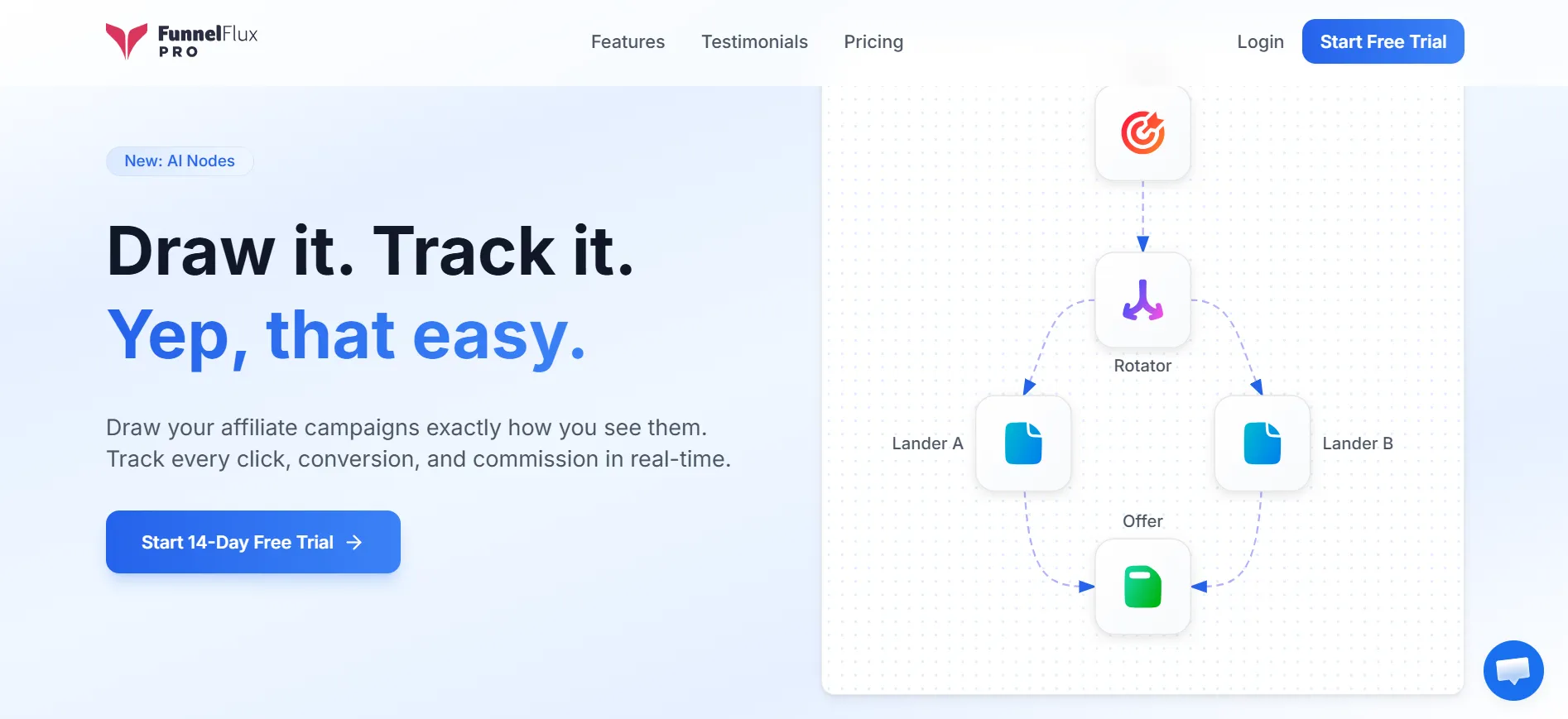
Instead of staring at rows of campaign data in a spreadsheet style interface, you build your funnel as a flowchart, connecting traffic sources to landers, offers, and rotators as visual nodes, then watching conversion data populate at each individual step.
That visual approach makes it far easier to spot exactly where a funnel is bleeding conversions instead of guessing at the campaign level.
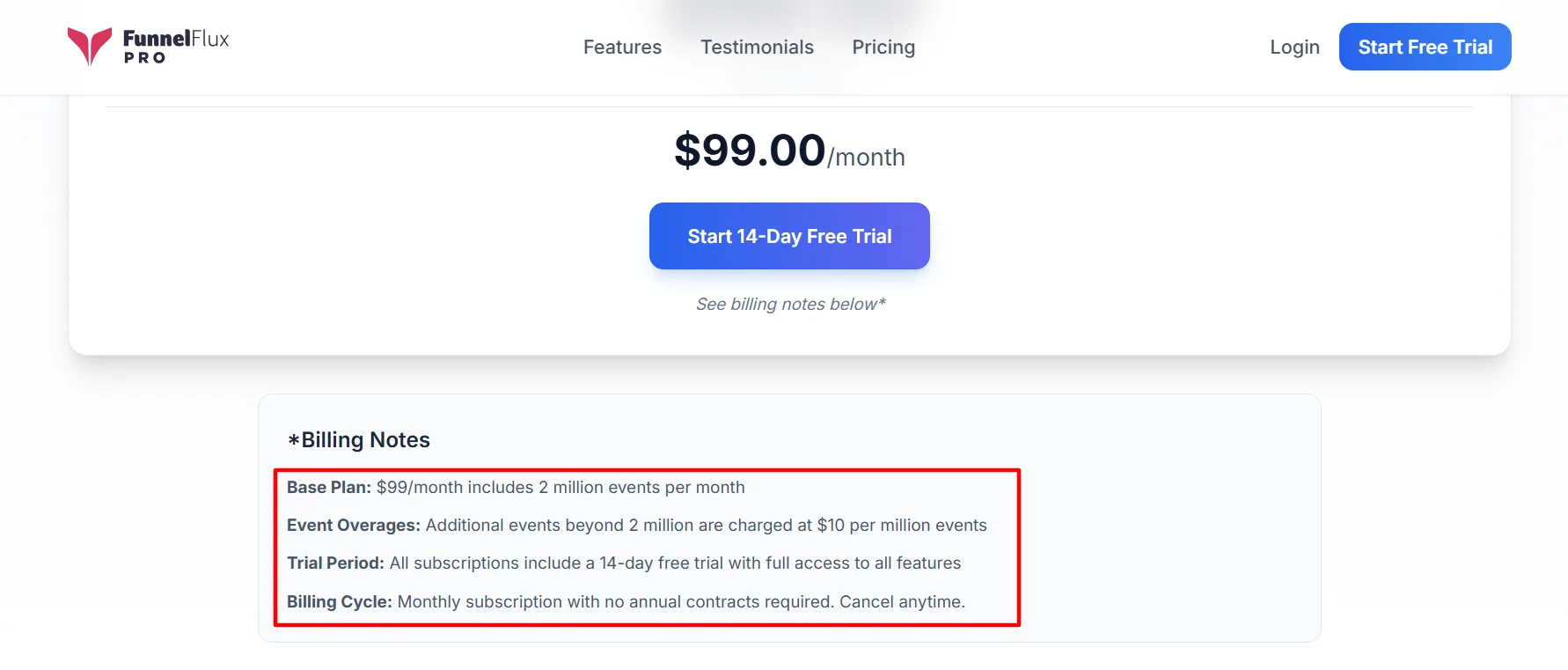
Quick Pricing Snapshot 14 day free trial on all plans, no annual contract required. Core plan: $99/month for 2 million tracked events. Growth plan: $199/month for 5 million tracked events. Scale plan: $299/month for 10 million tracked events.
Why Use FunnelFlux Pro
Anyone running paid traffic across multiple platforms deals with the same daily headache, data scattered across five different ad dashboards with no single place to see the full customer journey or know exactly which step of a funnel is underperforming.
FunnelFlux Pro solves this by centralizing tracking and giving you node level visibility into every part of your funnel. Here is what makes the platform genuinely useful day to day.
Visual Funnel Builder
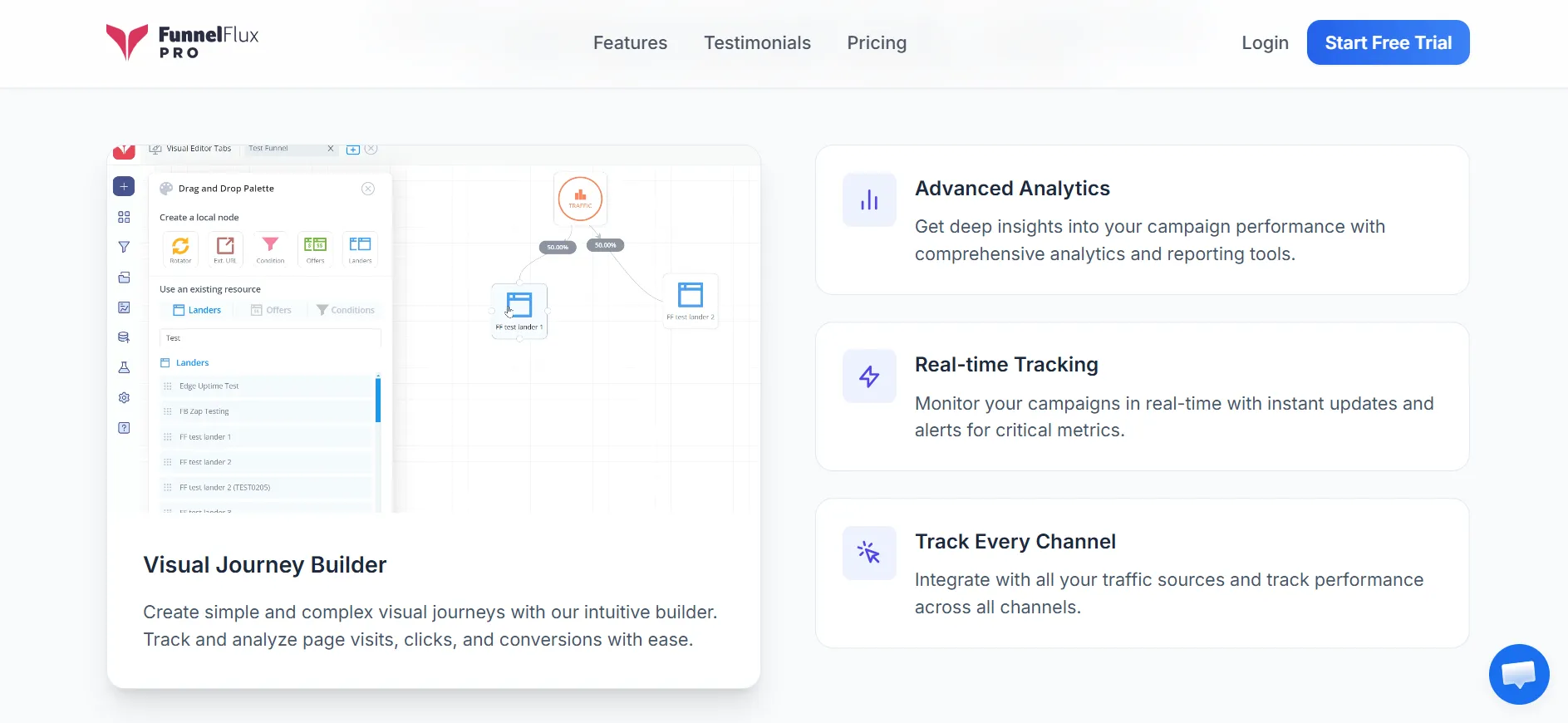
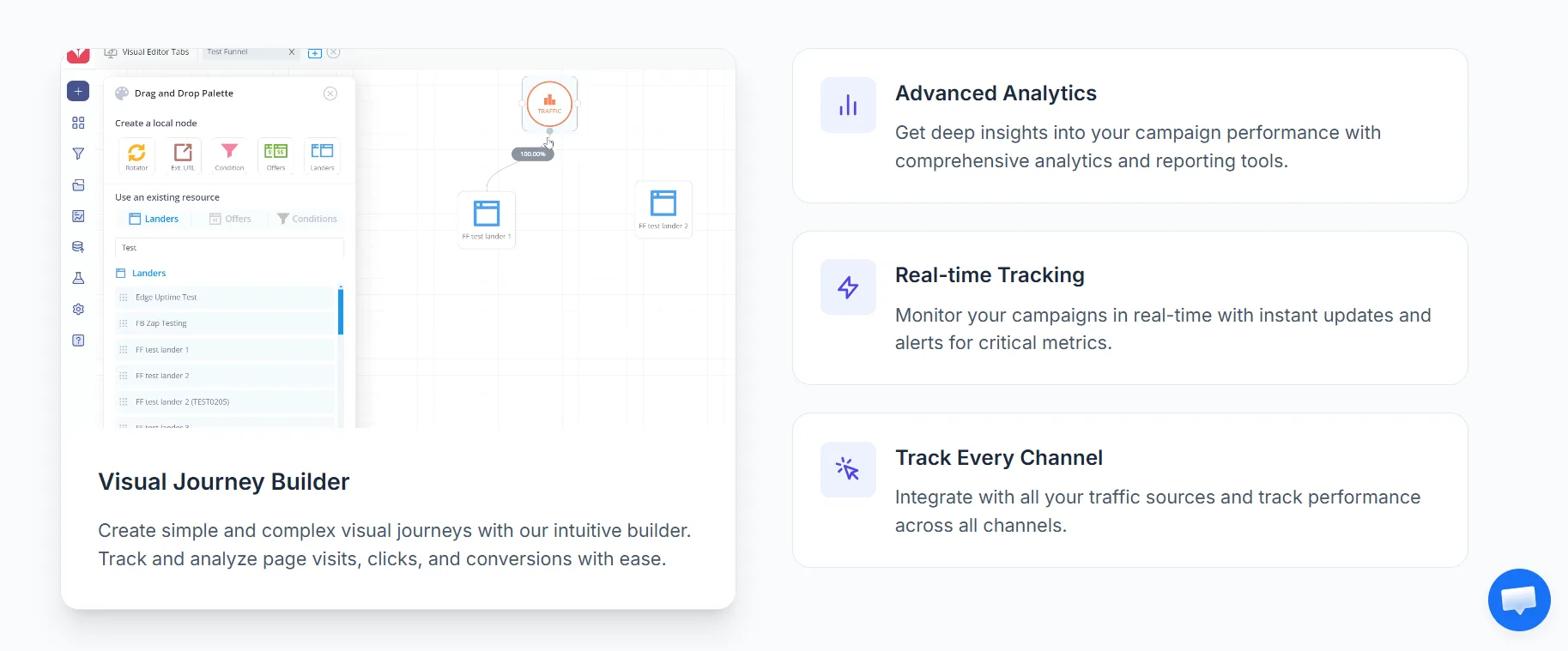
You build your entire campaign structure as a flowchart with drag and drop nodes rather than configuring settings inside endless menus. This alone makes complex, multi step funnels far easier to understand at a glance.
Node Level Reporting
Every single node in your funnel, whether it is a lander, an offer, or a rotator, gets its own conversion data. This means you know exactly where visitors drop off instead of only seeing a blended campaign number.
Server Side Tracking
Conversions get recorded through postbacks rather than relying only on browser pixels. This keeps your data accurate even when pixel blocking or privacy restrictions come into play.
Wide Platform Integrations
FunnelFlux connects with Facebook, Google, TikTok, Bing, Snapchat, and most major native and push traffic networks, pulling both cost and conversion data into one place.
AI Routing Nodes
This paid addon lets a node automatically shift traffic percentages toward better performing destinations using Bayesian inference on your live conversion or revenue data, essentially automating what a manual split test would require you to babysit.
Custom Event Tracking
You can track up to 10 custom events per funnel, useful for anyone tracking multiple stages of a sales process rather than just one final conversion.
Native ClickBank Integration
FunnelFlux offers a native IPN setup for ClickBank, meaning sales, refunds, and rebills flow into your reporting by pasting a single URL rather than manually configuring postbacks.
Who Can Use FunnelFlux Pro
Performance Marketers
Anyone running paid campaigns across Facebook, Google, TikTok, native, or push traffic benefits directly from the node level reporting and cost syncing features. This group relies most heavily on the AI routing nodes and split testing tools to squeeze more ROI from ad spend.
Affiliate Marketers
Affiliates promoting offers through networks like ClickBank get a fast setup path through the native IPN integration, and the visual funnel builder makes it simple to test multiple pre landers or offer pages without rebuilding campaigns from scratch each time.
Media Buying Agencies
Agencies managing several client accounts and multiple traffic sources at once get real value from the centralized dashboard, since it consolidates cost and conversion data that would otherwise live scattered across separate ad platform accounts.
SEO and Content Driven Businesses
While not built primarily for organic traffic, FunnelFlux’s cookieless tracking technology means it can still track a typical website and its organic visitors reasonably well, useful for businesses that blend paid and organic funnels together.
FunnelFlux Pro as a Funnel Builder
The entire platform is built around a canvas where you place nodes and connect them with lines representing the path a visitor takes.
Every funnel starts with a traffic source node by default, and from there you build outward by right clicking to add rotators, landers, offers, or condition nodes, then dragging connections between them.
The traffic source node is fixed as the entry point of every funnel, and any visitor without a specific node assigned to them lands here first, giving you a consistent starting reference for every campaign you build.
Rotator nodes let you split traffic between multiple destinations by percentage, and you can stack rotators between any two points in your funnel, which makes running several offers or landers in parallel simple to visualize.
Condition nodes allow routing decisions based on things like country, device, or operating system, so you can send US mobile traffic down one path and everyone else down another without duplicating your entire funnel.
Lander and offer nodes support parameter accumulation, meaning any query string data coming from your traffic source automatically appends to the destination URL, which saves you from manually configuring URL parameters for every single page.
You can generate a direct tracking link for any specific node in your funnel through the system links section, which is genuinely useful when testing a funnel from a later stage without triggering earlier filtering conditions.
Global custom tokens let you define reusable variables like an allowed country list once, then reference that same variable across multiple funnels instead of rebuilding the same condition logic repeatedly.
Advanced settings allow traffic source specific overrides for both cost per entrance and conversion tracking at the individual funnel level, giving you granular control when running the same funnel across different traffic accounts with different pricing.
How Building A Funnel Actually Works
Getting a funnel live is more straightforward than it might sound from the feature list above.
First, you create a campaign, which functions purely as a folder to organize funnels under, since the campaign itself carries no configuration of its own. Inside that campaign you name your funnel and open the builder.
From there you add a rotator node, connect it to your lander or landers by right clicking and selecting from the node menu, then repeat the process to connect your offers.
Once everything is wired together and percentages are set on any rotators, you generate a tracking link from the traffic node and drop that link into your ad platform of choice.
The whole flow, from blank campaign to a live tracked funnel, typically takes a few minutes once you know where the menus are.
Feature Spotlight: AI Routing Nodes
Automated traffic routing based on live performance data is becoming a bigger part of how serious media buyers scale campaigns, since manually checking split test results and adjusting percentages by hand does not hold up once volume increases.
FunnelFlux built its own version of this called AI routing nodes, sold as a paid addon on top of the base subscription.
Here is how it actually processes your data behind the scenes. The node functions like a normal rotator visually, sitting between your traffic and your destinations, but it runs automated reports on your conversion or revenue data using Bayesian inference statistical methods rather than a simple split test calculation.
You choose between two optimization modes, conversion rate mode which optimizes toward a specific event like a lead or signup, or revenue per view mode which optimizes toward total monetary performance across all events.
You then set a lookback window, meaning how far back the system looks at your data, and a report frequency, meaning how often it recalculates routing percentages, with FunnelFlux recommending a window with at least 10 conversions for a meaningful read.
From there you can layer in segmentation by traffic source if you are running the same funnel from multiple ad sources, and set a routing goal that determines whether the system optimizes at the node level, the individual page level, or a hybrid two step approach for funnels with mixed node types.
Advanced users can also tune a sensitivity factor that controls how aggressively traffic shifts toward the current best performer, along with caps and minimums to prevent any single variant from hogging all the traffic before enough data confirms it is actually the winner.
FunnelFlux Pro Pricing Plans
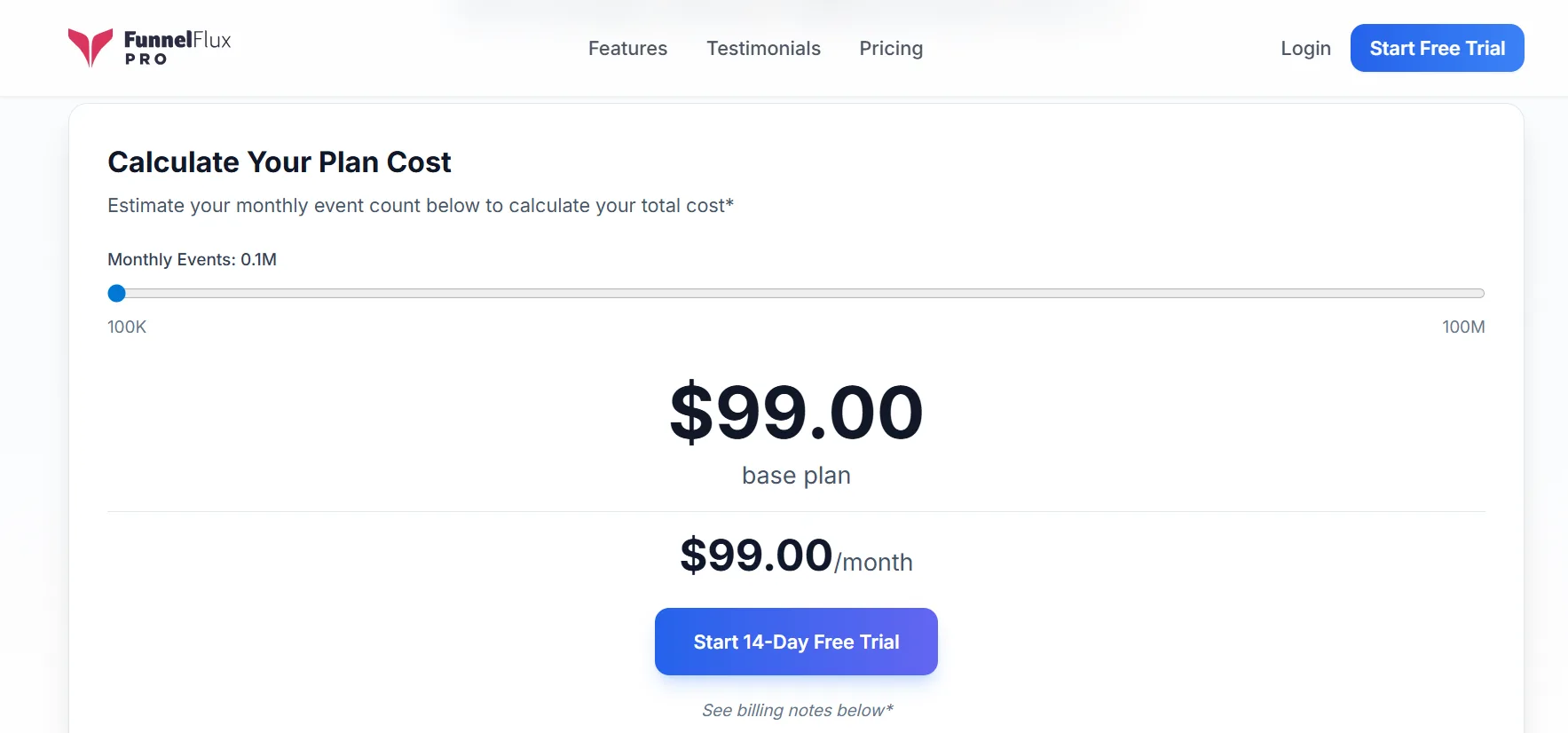
FunnelFlux Pro runs on usage based pricing tied to your monthly tracked event volume, with three commonly referenced tiers.
Core Plan
$99 per month including 2 million tracked events, with additional events billed at $10 per extra million. Includes the full 14 day free trial and no annual contract requirement.
Growth Plan
$199 per month including 5 million tracked events, with the same $10 per extra million overage rate. Same trial terms and monthly billing structure as the Core plan.
Scale Plan
$299 per month including 10 million tracked events, again at $10 per extra million overage. Built for higher volume media buyers running significant traffic across multiple campaigns simultaneously.
Beyond the core event based pricing, FunnelFlux includes two free custom domains on every plan, with each additional domain billed at $2 monthly.
Data retention is unlimited while your subscription stays active, and canceling gives you a 60 day grace period before deletion, or you can pay $9 monthly for a standby plan to keep historical data archived indefinitely.
AI routing nodes are sold as a separate addon subscription on top of whichever base plan you choose, with available lookback windows and report frequencies scaling based on your addon tier.
It is also worth mentioning that FunnelFlux offers a separate self hosted version, where you install and manage the software on your own VPS starting around $20 a month in server costs, plus a managed hosting option starting at $139 a month if you want FunnelFlux’s team to handle the infrastructure for you without touching servers yourself.
Reviews and Testimonials
FunnelFlux carries generally positive sentiment among long time affiliate marketers and media buyers, with users commonly praising the visual interface for simplifying what would otherwise be a confusing multi step tracking setup.
Feedback across independent review platforms tends to highlight responsive customer support and quick bug fixes as a recurring strength, alongside consistent appreciation for how the flowchart style builder makes complex funnels easier to understand than table based tracking tools.
Pros and Cons: FunnelFlux Pro Review 2026
Pros
- The visual flowchart builder makes multi step funnels dramatically easier to understand and audit than spreadsheet style trackers.
- Node level conversion reporting shows exactly where a funnel is losing visitors instead of leaving you to guess from a blended number.
- Server side postback tracking keeps conversion data reliable even as pixel blocking and privacy restrictions become more common.
- The AI routing node addon offers genuinely sophisticated automated traffic optimization built on real statistical methods rather than a basic rule.
- Pricing at $99 a month for the entry tier is competitive for a tool offering this depth of server side tracking and reporting.
Cons
- Built in bot filtering is currently limited to filtering bot user agents from reports rather than actively blocking bot traffic outright.
- The node based interface requires a real adjustment period for anyone coming from a simpler tabular tracking tool.
FAQs: FunnelFlux Pro Review 2026
It tracks clicks, conversions, and revenue across paid traffic sources including Facebook, Google, TikTok, native networks, push, and pop traffic, while also supporting typical website and organic traffic tracking through its cookieless technology.
Yes, every plan comes with a 14 day free trial with full feature access, and there is no annual contract requirement on any tier.
Not as a dedicated blocking feature yet. It currently filters common bot user agents from reporting data automatically, but full bot blocking is listed as a high priority item on the platform's roadmap rather than something available today.
It offers a native IPN integration for ClickBank, letting sales, refunds, and rebill data flow into reports by pasting a single URL, along with broad support for major ad platforms and native traffic networks.
No, AI routing nodes are a separate paid addon subscription purchased on top of your base plan, and the available settings like report frequency and segmentation depend on which addon tier you choose.
The original FunnelFlux is self hosted, meaning you manage your own server and infrastructure, while FunnelFlux Pro is the fully cloud hosted version where the infrastructure is entirely handled for you.
Quick Links:
Final Verdict: FunnelFlux Pro Review 2026
FunnelFlux Pro earns its place for anyone running layered, multi step funnels where understanding exactly where a visitor drops off actually matters.
The visual builder is not just a nice interface choice, it changes how quickly you can diagnose a struggling campaign compared to scrolling through tabular reports trying to piece together what happened at each stage.
For performance marketers juggling several ad platforms, or affiliates running ClickBank offers who want a faster integration path, the feature set lines up well with real daily needs rather than feeling like marketing fluff.
Where FunnelFlux stands out against typical tabular trackers in this category is that node level reporting and the AI routing addon give you a level of granular visibility and automation that a simple rows and columns dashboard cannot replicate.
That said, there is a genuine learning curve here if you are coming from a simpler tracker, since thinking in flowcharts and nodes takes some adjustment compared to reading a table of campaign stats.
If your setup is a single landing page pointed at a single offer, a lot of what makes FunnelFlux worth using will go untouched.
But for anyone managing branching funnels, running split tests regularly, or scaling paid traffic across multiple sources, the price to feature ratio here is genuinely strong, and the platform is worth the trial period to see if the visual workflow clicks with how you think about your campaigns.
