
WebinarJam Pricing 2026: Is It Good Value for Your Money?
WebinarJam pricing begins with a $1 trial that runs for 14 days and gives Basic-level access for up to 500 attendees. Paid plans then start at $49 a month for Starter and rise to $499 a month for Enterprise on monthly billing.
Annual billing lowers the effective rates to $39, $79, $229, and $379, which saves $120 to $1,440 over a year. The platform has powered more than 1.1 million webinars for over 75,000 businesses, so the costs reflect real usage at scale.
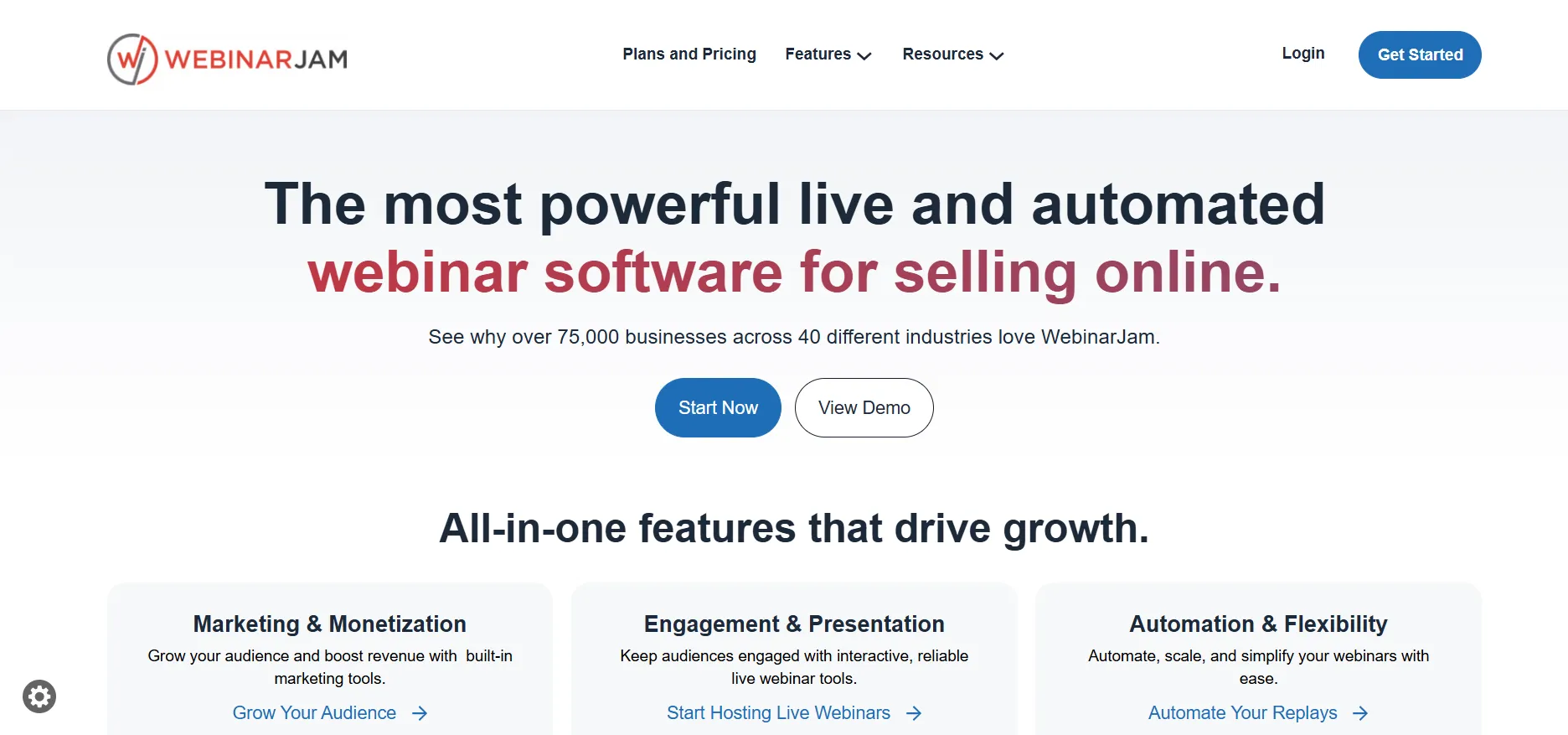
Whether the price delivers good value depends on how often you host, how many people attend, and whether the built-in pages, reminders, and offer tools replace other software you already pay for. Most hosts land on the Basic plan because it balances capacity with the features that help sessions convert.
Current WebinarJam Pricing Plans
The official pricing page shows one trial and four paid plans. Every plan includes unlimited webinars, live chat, polls, surveys, a page builder, email and SMS reminders, and broadcast options to Facebook and YouTube.
Higher tiers add more hosts, longer sessions, and automated webinar tools.
Plan | Monthly Price | Annual Equivalent | Attendees | Hosts | Max Duration | Yearly Savings |
|---|---|---|---|---|---|---|
Trial | $1 for 14 days | n/a | 500 | 2 | 2 hours | n/a |
Starter | $49 | $39 | 100 | 1 | 1 hour | $120 |
Basic | $99 | $79 | 500 | 2 | 2 hours | $240 |
Professional | $299 | $229 | 2,000 | 4 | 3 hours | $840 |
Enterprise | $499 | $379 | 5,000 | 6 | 4 hours | $1,440 |
A 30-day money-back guarantee applies to paid plans when you request it through support. No permanent free plan exists, so the trial is the main low-risk entry point.
What Each Plan Includes
Starter
It covers short sessions with one host and a one-hour limit for up to 100 people.
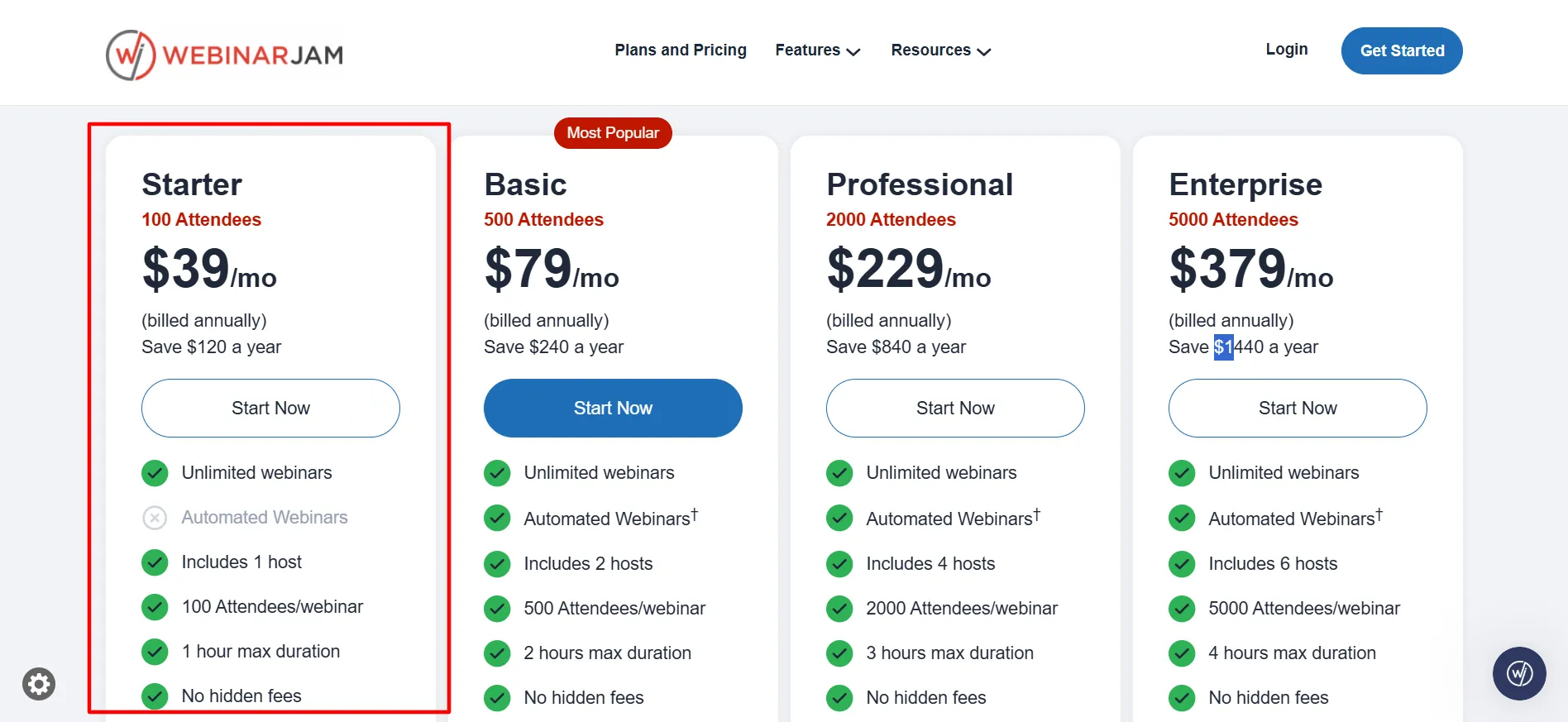
It includes the core engagement tools and unlimited webinars, but automated replays are not part of this tier. Coaches who run occasional short calls often begin here while they measure interest.
Basic
It raises capacity to 500 attendees and two hosts with sessions up to two hours.
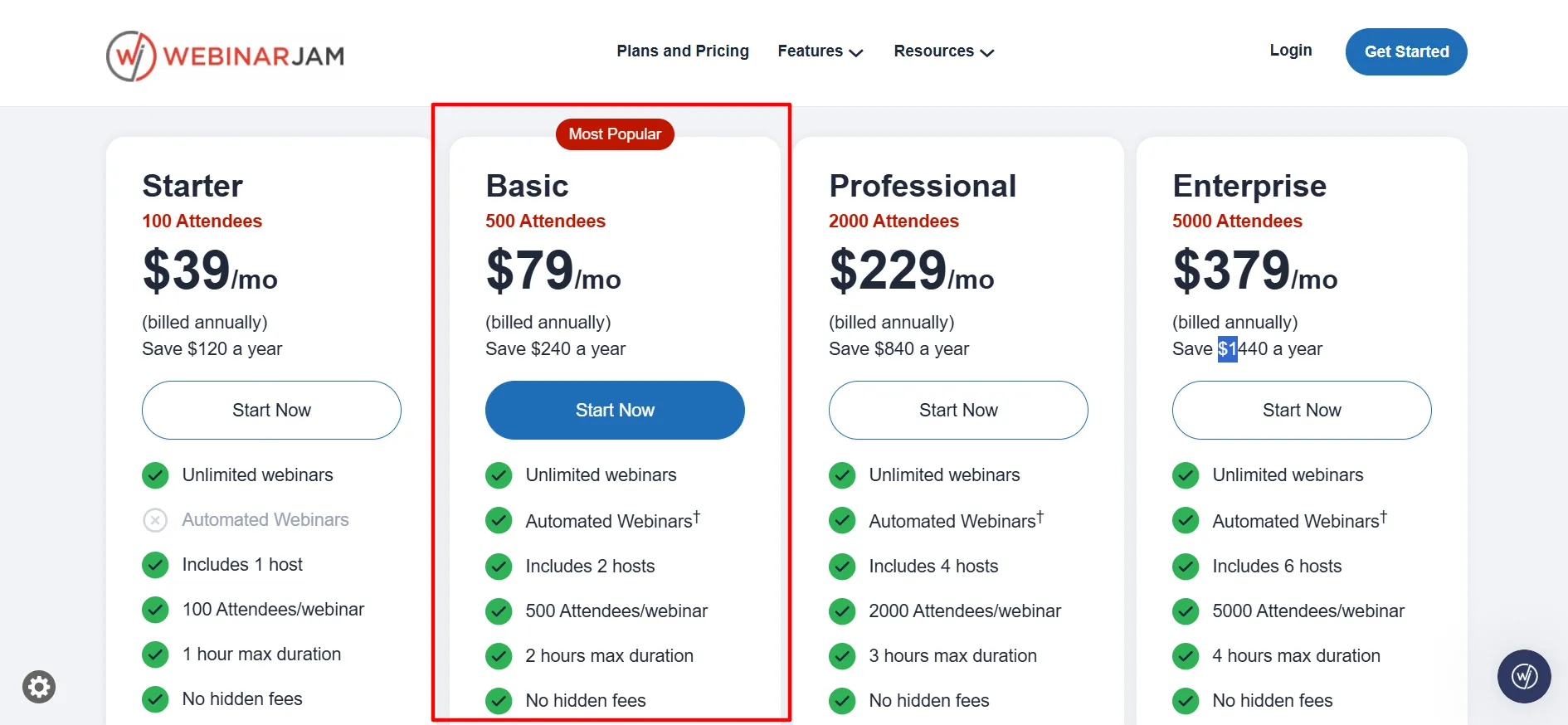
EverWebinar automation is included at no extra cost, along with five additional team seats. Hosts who run regular sessions that sell products or courses usually find this tier covers their needs without extra tools.
Professional
It expands to 2,000 attendees, four hosts, and three-hour sessions with ten team seats. The extra room supports larger launches or panel-style events.
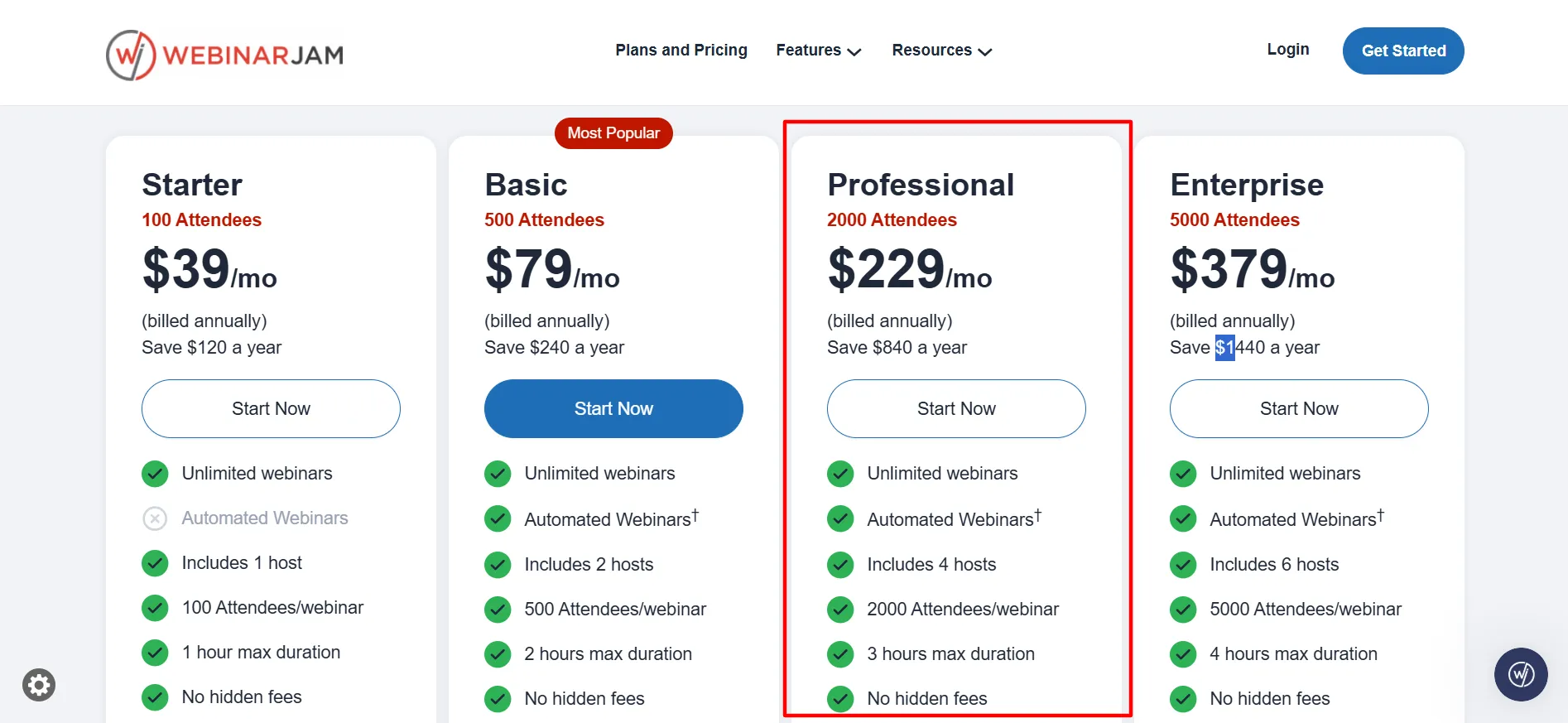
The price increase is significant, so only step up when attendance regularly exceeds Basic limits.
Enterprise
It supports 5,000 attendees, six hosts, and four-hour sessions with 25 team seats. This tier fits major product launches. Most weekly webinars never require it, and the cost only makes sense when revenue from one large event covers the fee many times over.
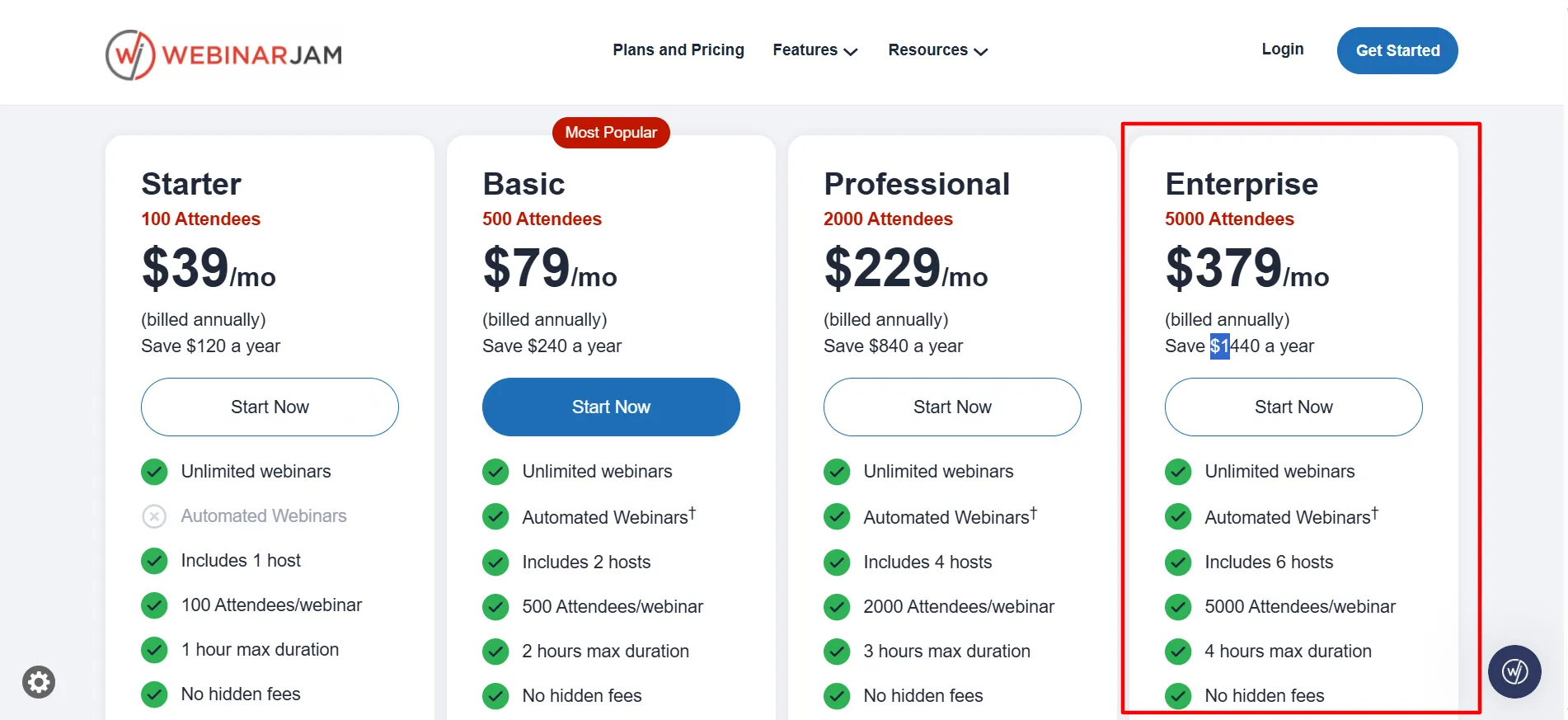
Cost per possible attendee drops as capacity grows. On the annual Basic rate the figure sits near 16 cents per seat. On Enterprise it falls closer to 8 cents. Moving up often costs less per person when your events approach a lower tier’s limit.
Annual Billing and How It Affects Cost
Choosing the yearly option at checkout applies the lower rate automatically with no code required. Savings range from about 20 to 24 percent depending on the plan.
On Basic this turns a $1,188 yearly total into $948. On Professional the difference reaches $840. Many hosts stay on monthly billing for the first month after the trial, then switch once attendance looks steady. The money-back window still applies after the paid purchase.
Features That Influence Value
Attendees join with one click from a browser and never download software. The room includes live chat, polls, surveys, an on-screen whiteboard, and timed product offers that appear at chosen moments.
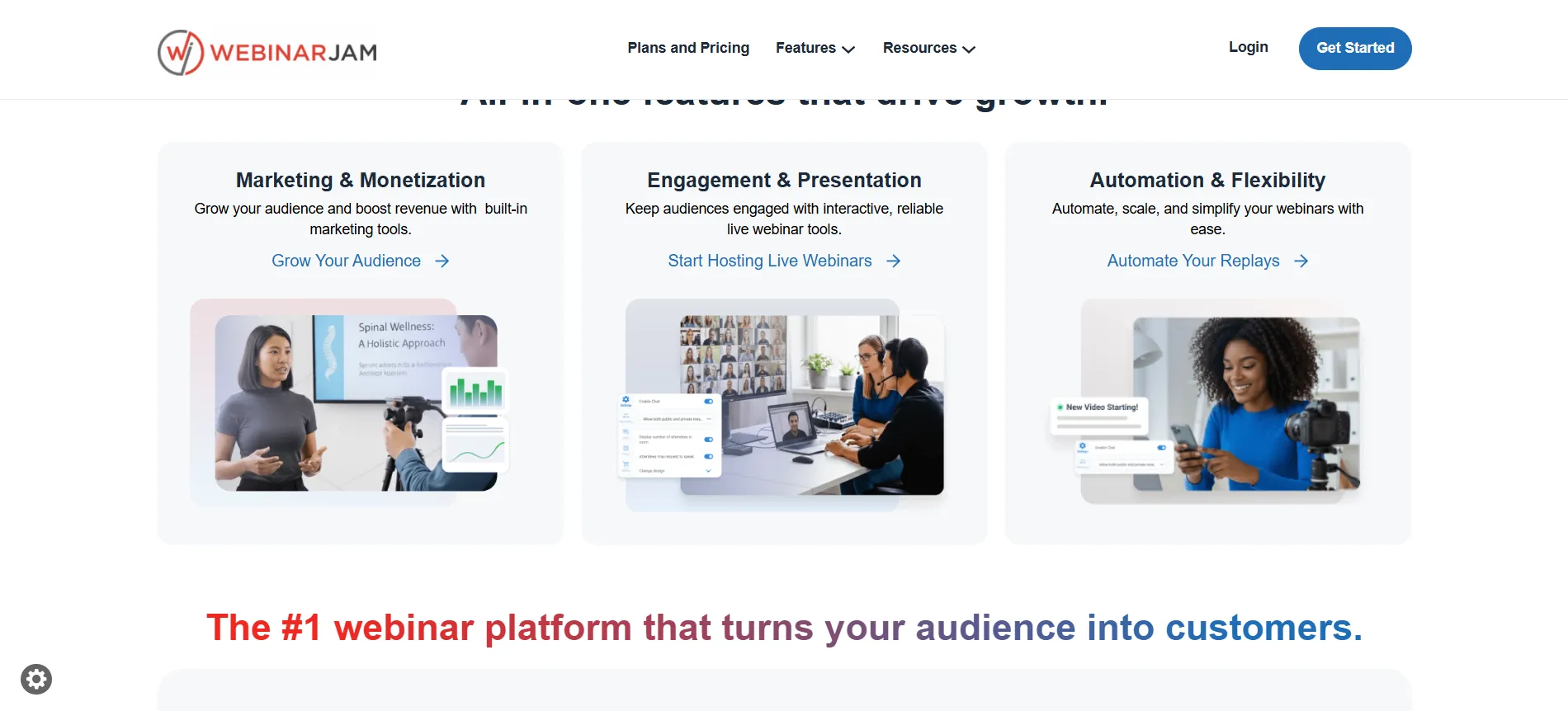
Registration pages use customizable templates with A/B testing available. Email and SMS reminders run from the same dashboard and help raise show-up rates. On Basic and higher plans, EverWebinar tools turn a recorded session into an automated version that continues to generate leads and sales.
Analytics track which sessions produce the most registrations and purchases. Integrations connect to popular email platforms, CRMs, and payment tools.
These elements sit inside one subscription. Hosts who previously paid separate fees for pages, email, and webinar hosting often see the combined cost drop once everything moves into WebinarJam.
Who Sees Strong Value from the Pricing
Coaches and course creators who sell through live presentations usually see the clearest return. A Basic-plan session that converts a small share of 300 attendees can cover the monthly fee several times.
Small teams that want two hosts without per-person fees also fit well. The browser-based setup keeps technical steps low, so non-technical hosts can manage sessions on their own.
Businesses that already own strong page and email tools may see less added value, because those features form a large part of the price. If your webinars stay under 50 people and last less than 45 minutes, a simpler video tool may cover the need at a lower rate.
Limits That Can Affect Perceived Value
Session length stops at one hour on Starter and reaches only four hours on Enterprise. Longer training needs to be split into separate blocks. Attendee limits count people in the room at the same time.
Going over the cap can trigger extra charges, so choose the tier before a large launch. Simultaneous webinars are possible but not advised; spacing them 15 to 30 minutes apart works better for quality.
Support response can slow when many users host at once, so test the full setup days ahead of a high-stakes event.
Pros & Cons: WebinarJam Pricing
Pros
- The $1 trial gives real Basic-level access so you can host an actual webinar before paying full price.
- Annual billing cuts the rate by roughly 20 to 24 percent with no extra code needed.
- Built-in registration pages, reminders, chat, polls, and timed offers sit in one place and can replace separate tools.
- Cost per attendee improves as you move to higher tiers.
- A 30-day money-back guarantee applies to paid plans.
- Attendees join with one click and never download software.
Cons
- No permanent free plan exists, so testing requires the $1 trial.
- Pricing rises sharply from Basic to Professional.
- Session length caps can feel restrictive for long training sessions.
FAQs: WebinarJam Pricing
Monthly rates run $49 for Starter, $99 for Basic, $299 for Professional, and $499 for Enterprise. Annual billing lowers those to effective rates of $39, $79, $229, and $379.
Yes. The 14-day trial provides Basic-level access, including room for 500 attendees, two hosts, and a two-hour session limit.
EverWebinar automation is included on Basic, Professional, and Enterprise plans at no extra cost. It is not part of Starter.
Yes. Cancel before the 14 days end and the paid plan will not start.
Yes. Paid plans include a 30-day money-back guarantee when you request the refund through support.
Limits count the number of people in the room at the same time. Going over the cap can lead to extra charges.
Quick Links:
Final View: WebinarJam Pricing
WebinarJam pricing works best for hosts who run regular live sessions that drive sales or enrollments. The $1 trial lets you test with real attendees, and annual billing lowers the ongoing cost by about one-fifth.
Basic delivers the strongest balance of capacity and included tools for most coaches and small businesses. Higher tiers make sense only when attendance or host needs grow past the lower limits.
The registration, reminder, offer, and automation features are what make the monthly fee feel reasonable once sessions start converting. Run the trial, measure results with your audience, and the numbers will show whether the price matches the return you can expect.
