
WebinarJam Coupon Code October 2026: $1 Trial for 14-Days
Looking for a WebinarJam coupon code? WebinarJam doesn’t have a public coupon code that works. Real savings come from annual billing saving up to 22% automatically, plus a $1 trial for 14 days full access. Codes claiming 30-50% off don’t verify. Here’s what actually works.
Active WebinarJam Coupon Codes 2026
Discover the latest active WebinarJam Coupon Code offers and verified discounts to save on webinar hosting plans, live events, and powerful audience engagement tools.

Start WebinarJam with $1 Trial for 14 Days Full Access
Get started with WebinarJam for just $1 and unlock 14 days of full platform access, confirmed directly from WebinarJam's official site. Your trial gives you the same features and 500-attendee capacity as the Basic plan, providing plenty of runway to run a real webinar and see how it performs with actual attendees before committing to a paid subscription. This minimal investment lets you test the platform's functionality risk-free and determine if WebinarJam fits your webinar and event hosting needs.
Save Up to 22% Automatically with Annual Billing, No Code Needed
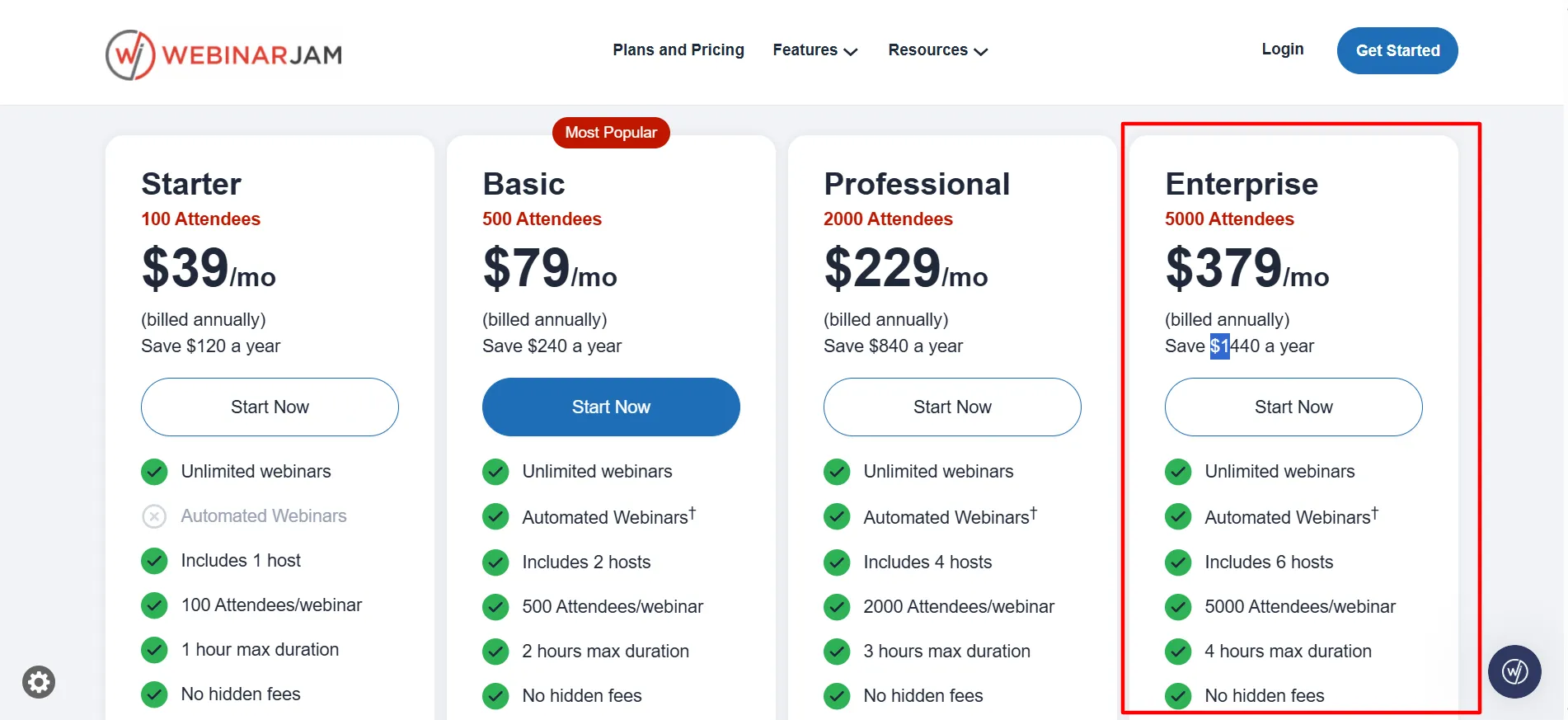
Switch to annual billing at checkout and the discount applies automatically with no coupon code required. The savings are substantial across all plan tiers. On the Enterprise plan, for example, the monthly rate of $499 drops to $379/month when billed annually, delivering real $1,440 in annual savings. Simply select the annual option during signup to lock in these automatic savings for your entire year without hunting for promo codes.
Beware Third-Party Discount Codes Claiming 30-50% Off
Many third-party coupon sites list specific promo codes claiming anywhere from 30% to 50% off WebinarJam. However, I checked several of these codes against WebinarJam's real checkout and couldn't confirm any of them actually apply. These claims appear to be unverified or outdated, so don't waste time entering codes that likely won't work. Stick with the confirmed annual billing savings instead, which are guaranteed to apply at checkout.
One site even used a totally unrelated brand’s name as the “code” itself, a pretty clear sign of low-effort coupon-farm content rather than a real, working discount. If you see a specific code somewhere, test it, but don’t count on it working.
How to Claim the WebinarJam Coupon Code 2026
Follow these simple steps to activate WebinarJam’s $1 trial and annual billing discount during signup this year.
Step 1: Head to WebinarJam’s official pricing page.
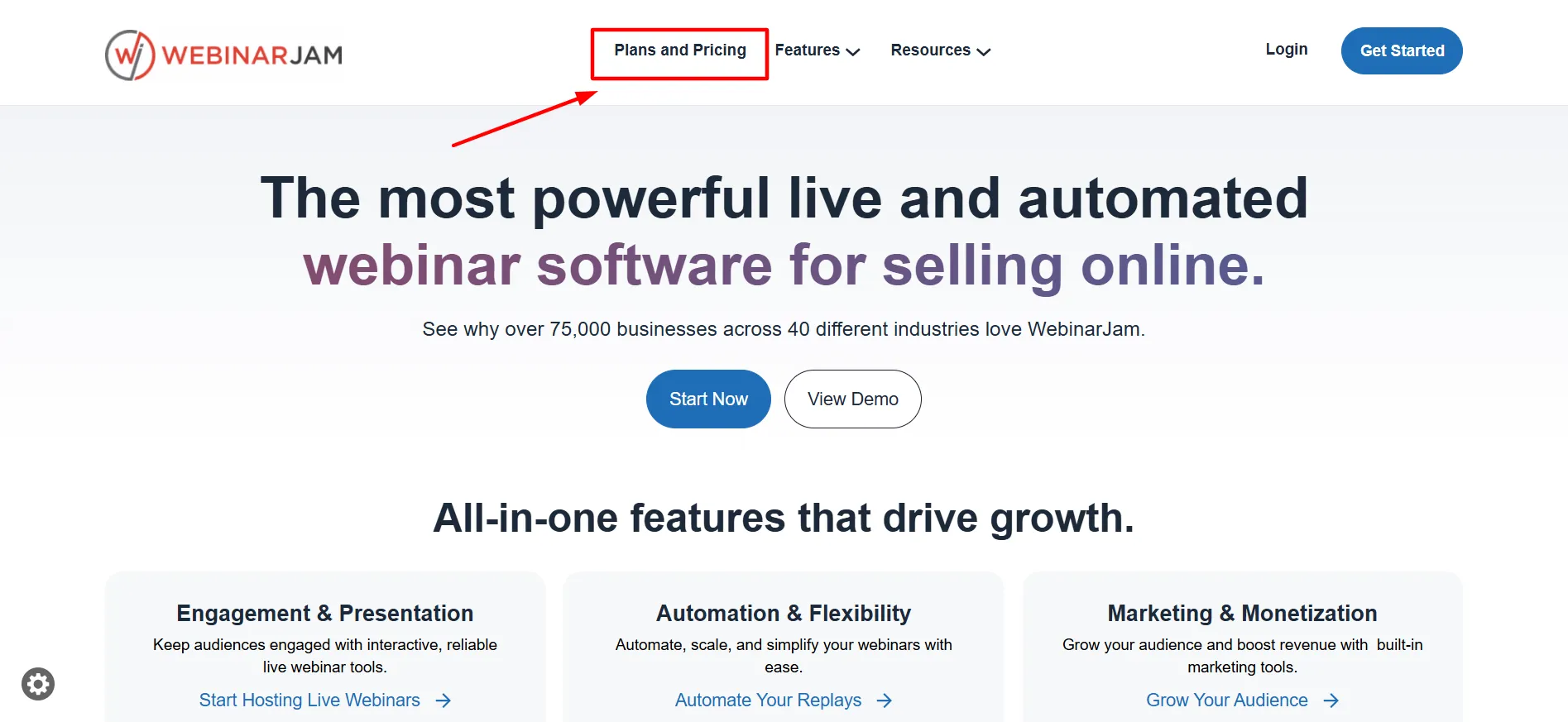
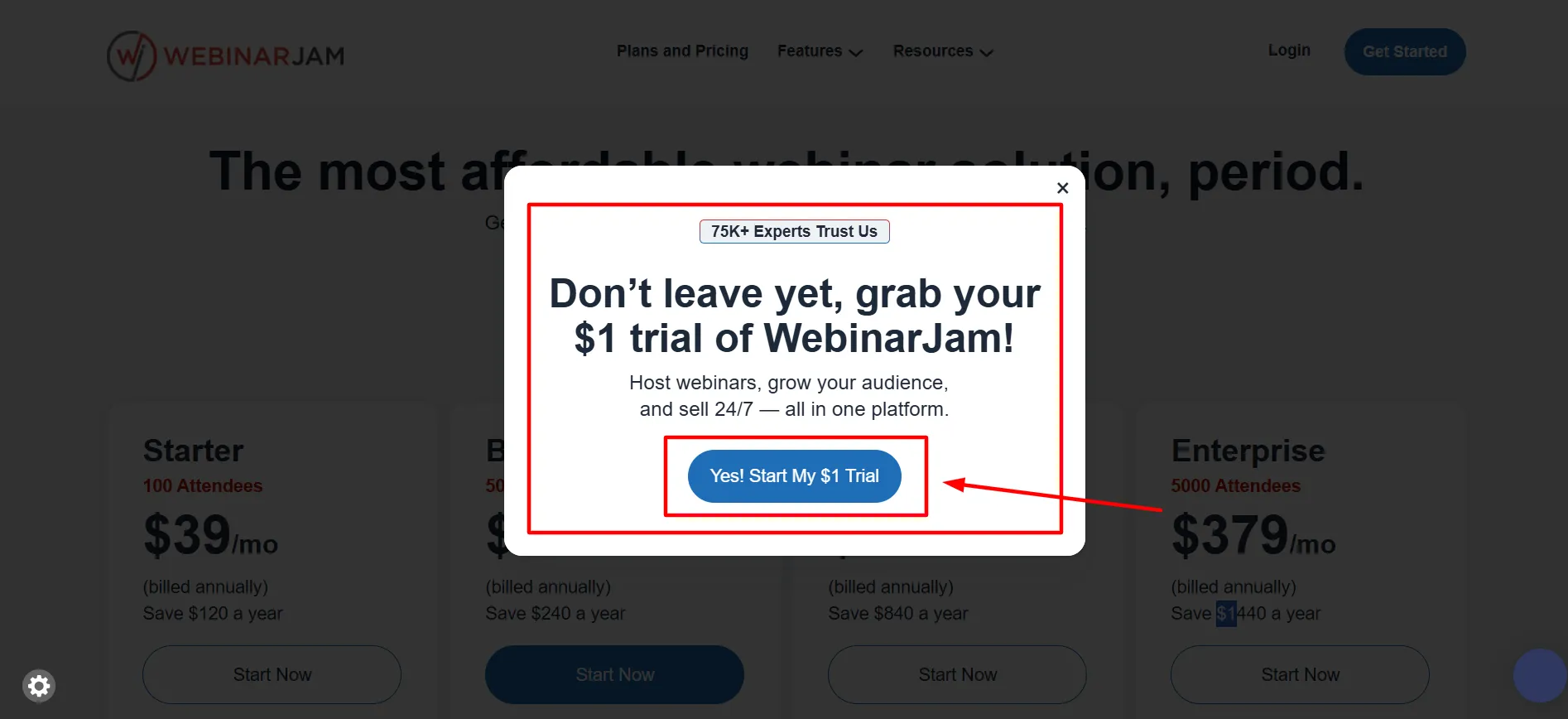
Step 2: Start with the $1, 14-day trial if you’re new, it gives you Basic-tier access (500 attendees) to genuinely test the platform before paying full price.
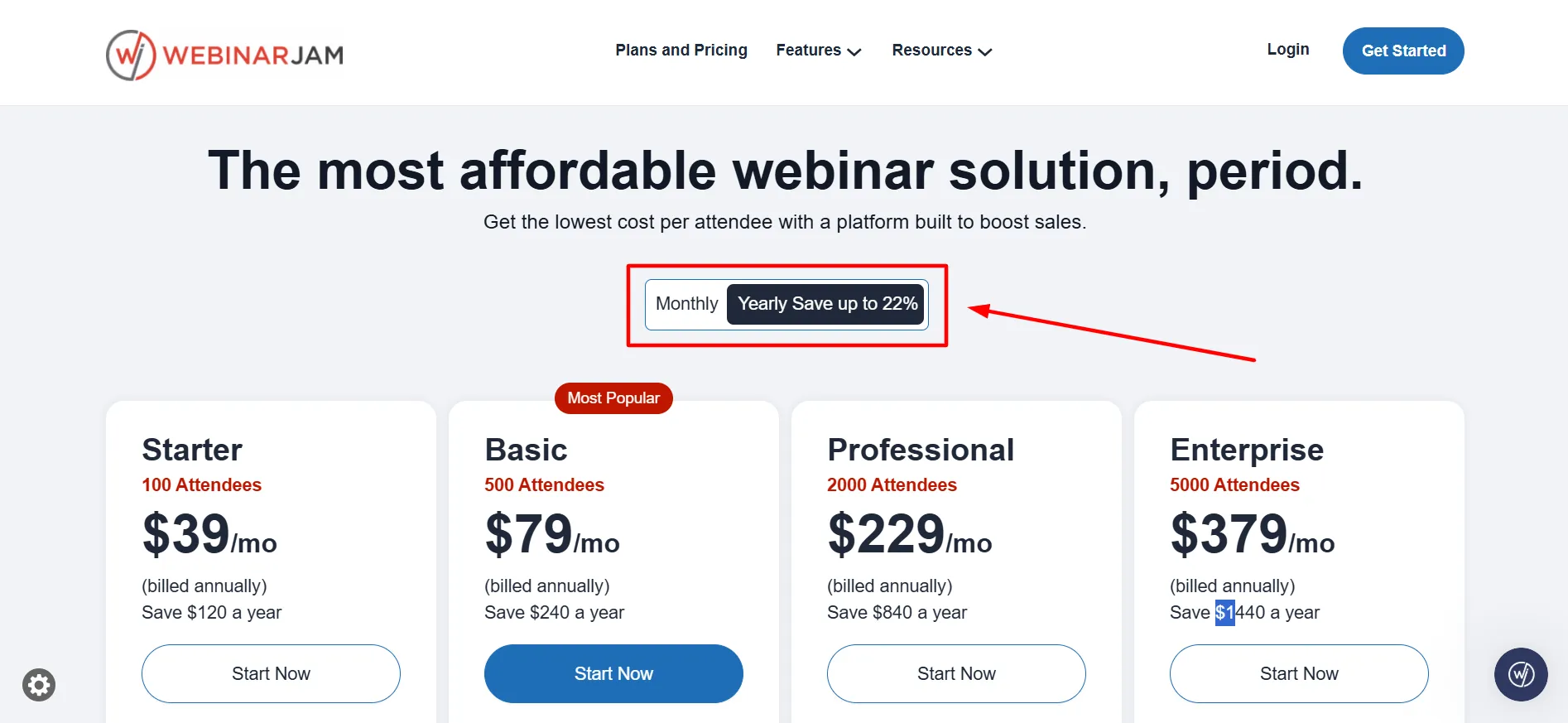
Step 3: Once you know which plan fits, switch to annual billing at checkout, this is where the real 22% savings kicks in, automatically.
Step 4: If you’ve found a specific promo code somewhere, try it in the checkout field, but confirm the total actually drops before assuming it worked.
Step 5: Enter payment details and complete signup.
Step 6: Set a reminder before your trial ends if you’re not planning to continue, it converts automatically into a paid plan otherwise.
WebinarJam Plan Pricing October 2026: Full Breakdown
Explore WebinarJam pricing plans, features, and subscription options while using the latest WebinarJam Coupon Code to save on powerful webinar hosting and marketing tools.
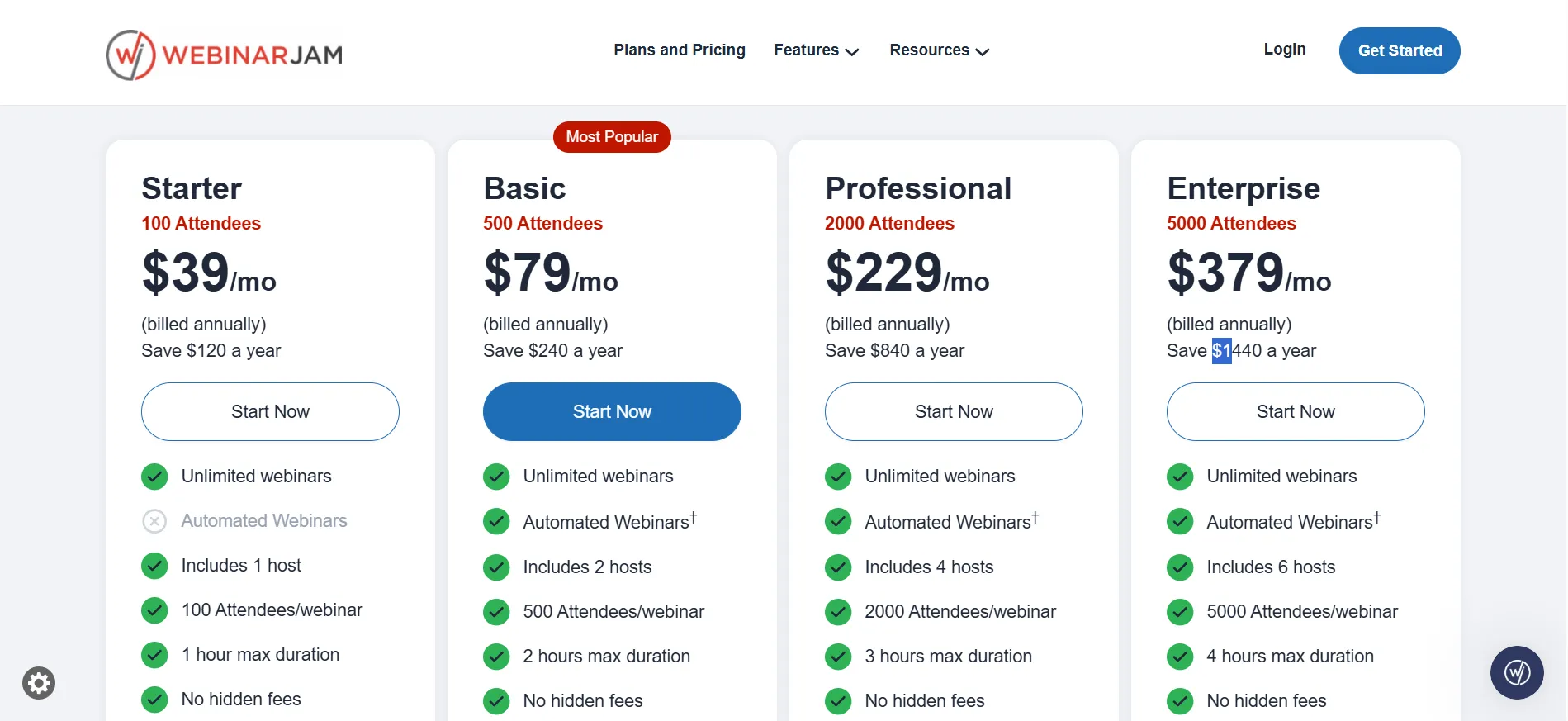
Plan | Monthly | Annual (per mo) | Attendees | Hosts | Max Duration |
Starter | $49/mo | Lower with annual | 100 | 1 | 1 hour |
Basic | $99/mo | Lower with annual | 500 | 2 | 2 hours |
Professional | $299/mo | Lower with annual | 2,000 | 4 | 3 hours |
Enterprise | $499/mo | $379/mo | 5,000 | 6 | 4 hours |
A pattern worth knowing before you pick a plan: cost per attendee drops sharply as you go up the tiers, Starter works out to roughly $0.49 per seat, while Enterprise runs closer to $0.10 per seat.
If you’re anywhere near a tier’s attendee cap regularly, the next tier up is often cheaper per person even though the sticker price looks bigger.
Which Plan Actually Fits
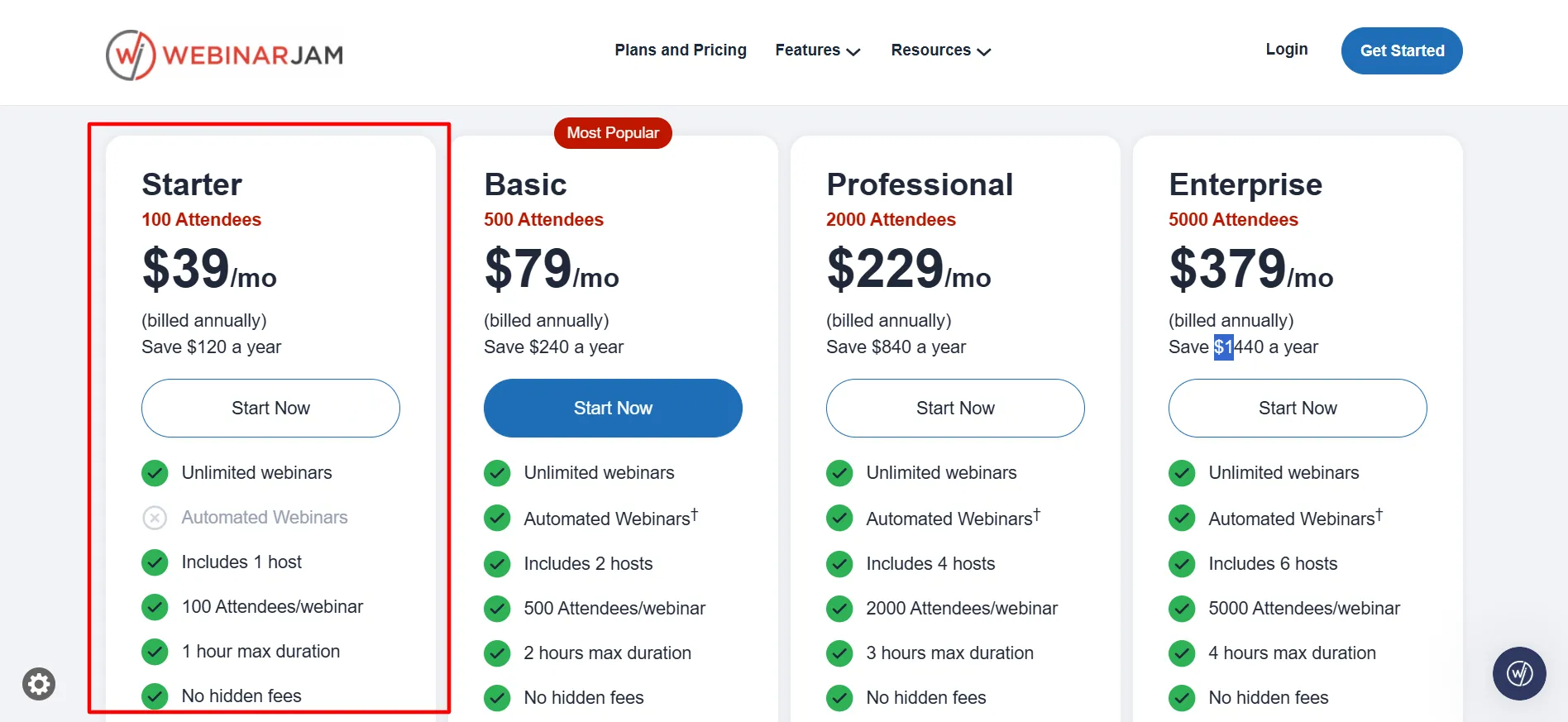
Starter
It works for small live sessions, coaches and creators running short, low-attendance calls. The 1-hour cap is the real limiting factor here, not the attendee count.
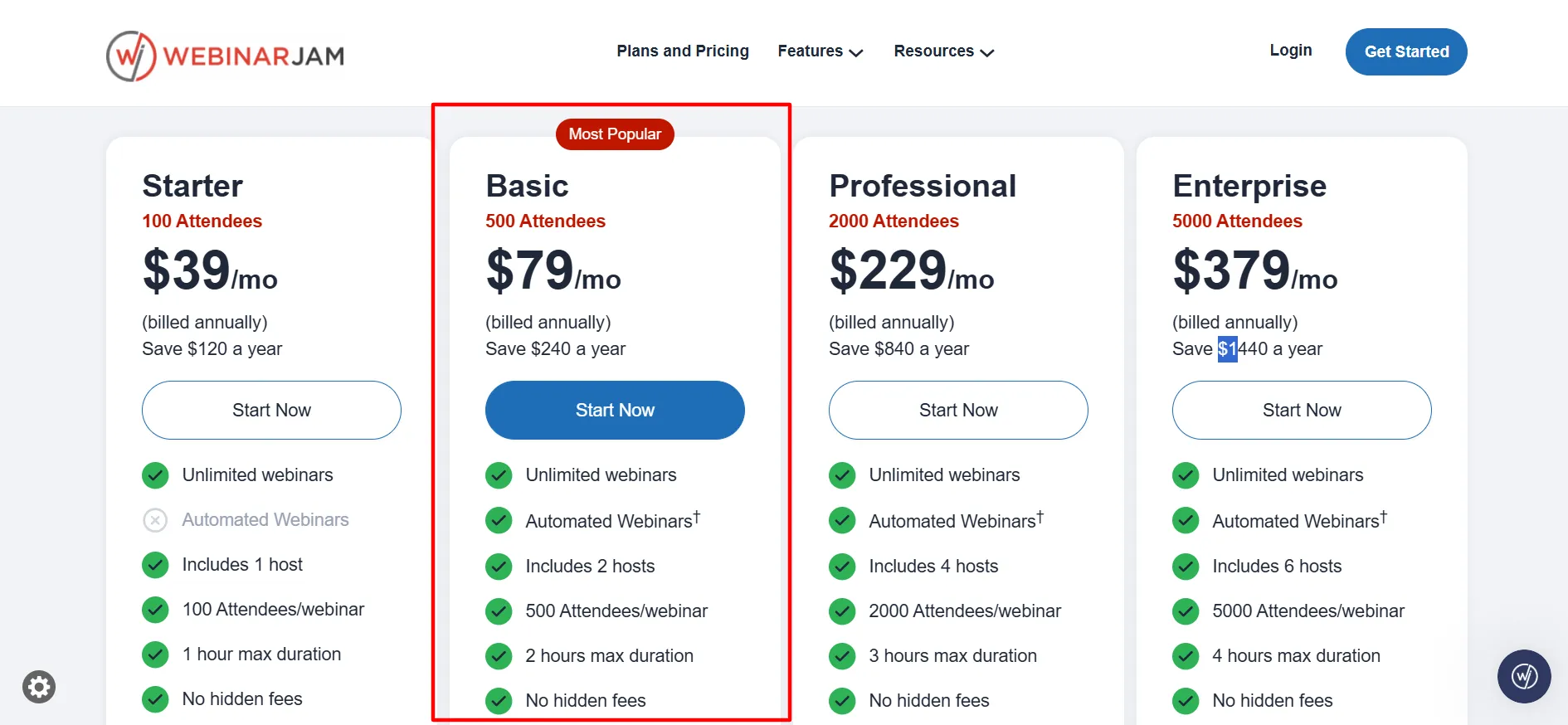
Basic
It is the realistic starting point for most small businesses: 500 attendees, 2 hosts, and it adds Attendee Spotlight and automated webinar support.
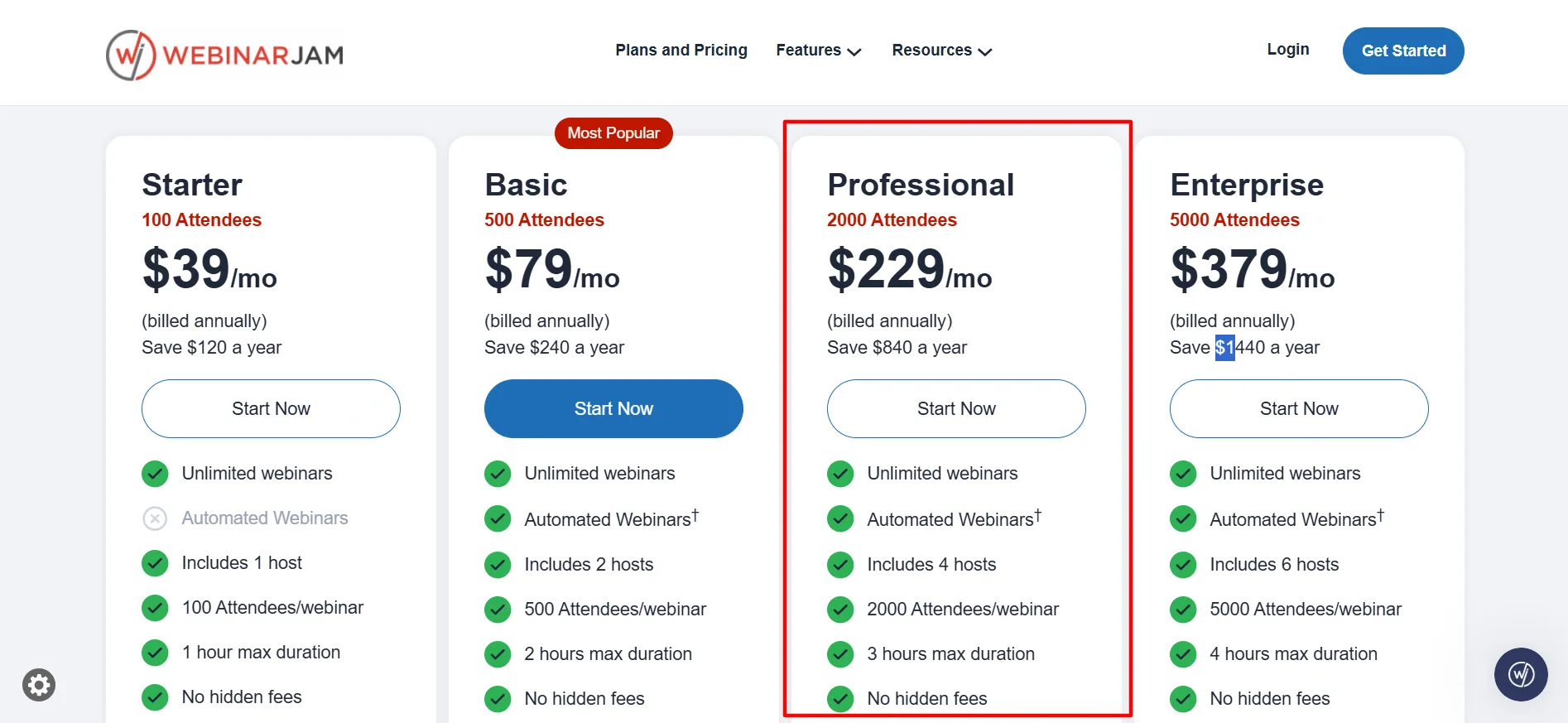
Professional
It is where Panic Button unlocks, a failsafe that reroutes attendees to a backup room if your main stream drops. If there’s real revenue riding on a launch webinar, this feature alone can justify the jump from Basic.
Enterprise
It is built for major events, 5,000 attendees, 6 hosts, and 25 team-member seats included on top of the account owner. This is launch-day, conference-scale territory, not a typical weekly webinar.
What Is WebinarJam?
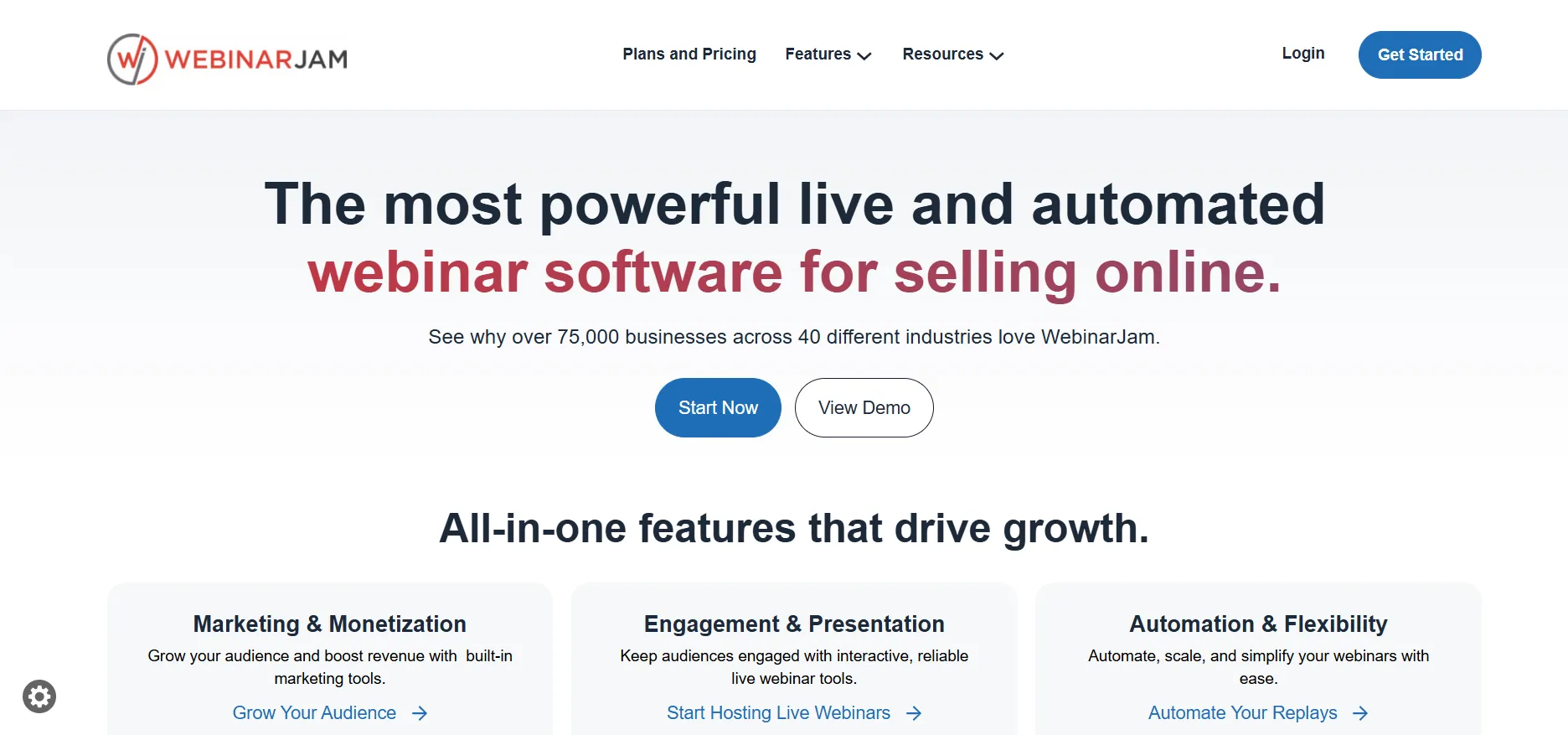
WebinarJam is a live webinar hosting platform built for running real-time presentations, product launches, and training sessions with an audience watching live, chatting, and interacting as it happens.
It’s built by the same company behind EverWebinar, but the two are genuinely separate products: WebinarJam handles live events, while EverWebinar (sold as its own separate subscription, not bundled in) replays a pre-recorded webinar on a schedule to simulate a live event automatically.
If you saw a plan that seemed to include both, double check, they’re priced and sold independently.
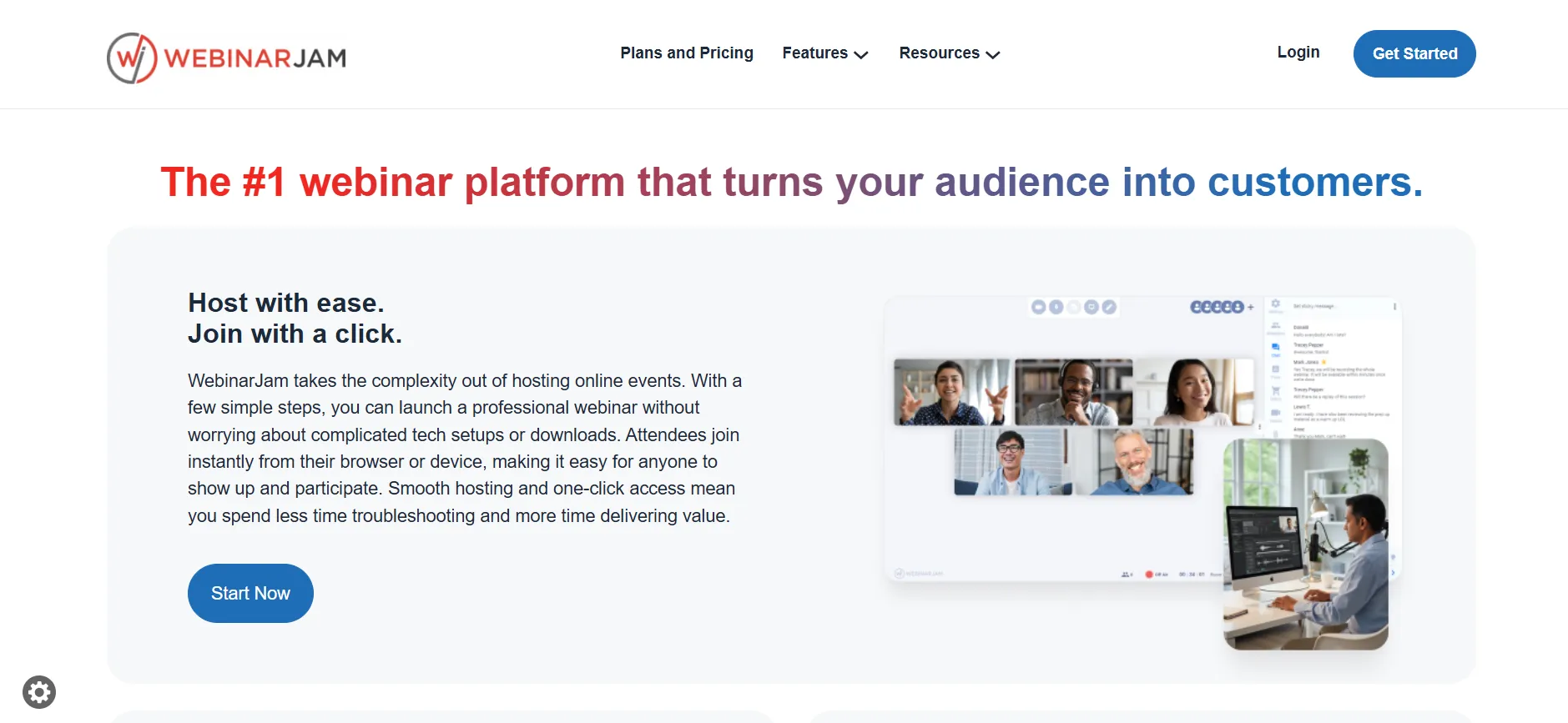
WebinarJam is positioned toward course creators, coaches, and marketers running audience-building or sales-focused live events, competing against tools like Zoom Webinars and WebinarNinja in the same space, generally at a lower cost per attendee than Zoom at comparable capacity.
What You Get With WebinarJam
1. Live HD Streaming
Real-time video and audio for presenters and attendees
2. Multi-Presenter Support
From 1 host on Starter up to 6 on Enterprise, useful for panel-style or co-hosted events
3. Attendee Engagement Tools
Live chat, polls, surveys, and Q&A built into the webinar room
4. Automated Webinar Support
Basic and above, schedule pre-recorded content to run automatically, distinct from the full EverWebinar product
5. Panic Button
Professional and above, automatic failover to a backup room if your primary stream fails mid-event
6. Registration Pages and Attendee Management
Built-in tools to capture and manage sign-ups without a separate landing page tool
7. Team Member Seats
Scales from included hosts up to 25 additional seats on Enterprise
Costs Worth Knowing Before You Commit
A few things that don’t show up on the pricing page headline but are worth budgeting for:
Attendee overage charges. Exceed your plan’s attendee cap during a live event and you may face charges, reportedly ranging from $50 to $500+ per incident depending on severity. If you’re expecting a webinar to run close to your tier’s limit, size up in advance rather than risk an overage.
EverWebinar is a separate cost. If you want automated, evergreen webinars that run on a set schedule without you presenting live, that’s EverWebinar, sold separately, not included in a WebinarJam subscription.
Support response times can slow down during high-demand periods, worth testing your setup well before a high-stakes live event rather than relying on last-minute support.
WebinarJam Refund and Trial Policy
The clearest, most reliable way to test WebinarJam risk-free is the $1, 14-day trial, giving full Basic-tier access before you commit to a real subscription price. Some sources reference a 30-day money-back guarantee on paid plans, but this isn’t consistently confirmed across sources, check the current terms directly on WebinarJam’s site before assuming a refund window applies to your specific purchase.
Pros and Cons: WebinarJam Coupon Code
Pros
- $1, 14-day trial gives genuine full-feature access, not a stripped-down demo
- Annual billing saves up to 22% automatically, no code needed
- Cost per attendee drops significantly at higher tiers
- Panic Button (Professional+) is a real safeguard for high-stakes launches
- Multi-presenter support scales up to 6 hosts on Enterprise
Cons
- No confirmed public coupon code, despite many third-party sites claiming otherwise
- Attendee overage charges aren't prominently disclosed upfront
FAQs: WebinarJam Coupon Code
No confirmed, verifiable code exists. The genuine discount is annual billing, up to 22% off automatically. Third-party codes claiming 30-50% off couldn't be confirmed working at actual checkout.
Not a completely free one, it's $1 for 14 days, with full Basic-tier access (500 attendees) during that window.
$49-499/month across four tiers (Starter, Basic, Professional, Enterprise) depending on attendee capacity, with up to 22% off on annual billing.
No, they're separate products from the same company. WebinarJam runs live events; EverWebinar automates pre-recorded webinars on a schedule, and it's sold as its own subscription.
You may face overage charges, reportedly ranging from $50 to $500+ depending on the situation. If you're expecting to run close to your tier's cap, consider sizing up before the event rather than risking an overage.
This isn't consistently confirmed across current sources. Check WebinarJam's terms directly at the time of purchase rather than assuming a refund window applies.
Quick Links:
Conclusion: WebinarJam Coupon Code
Don’t spend time hunting for a WebinarJam discount code, nothing I could verify actually works at checkout. What’s real: the $1, 14-day trial for genuine full access, and up to 22% off with annual billing, no code required for either.
Budget for potential attendee overage charges if you’re running close to your tier’s cap, and remember EverWebinar is a separate purchase if evergreen, automated webinars are what you’re actually after.
