Unbounce Review 2026: Is It The Best Landing Page?
Unbounce review findings show a conversion-focused landing page builder that many marketers use for paid campaigns.

Unbounce is a landing page platform for building, testing, and improving pages. It suits marketers, agencies, and small businesses that run paid campaigns. The site highlights three core tools: landing pages, A/B testing, and Smart Traffic. Plan prices sit on the pricing page, so check there before you choose a plan.
Pros
- Fast page building: You can create landing pages with smart features built in.
- Easy testing: A/B testing lets you compare page versions without a developer.
- Smart routing: Smart Traffic uses AI to send each visitor to the page most likely to fit them.
- Ready templates: The site offers hundreds of industry templates to start from.
- Connected tools: Integrations let you link other marketing tools and add extra features.
Cons
- Hidden prices: The homepage does not show plan costs.
- Add-on costs: Concierge and extra support sit outside the base plan, which can raise the total.
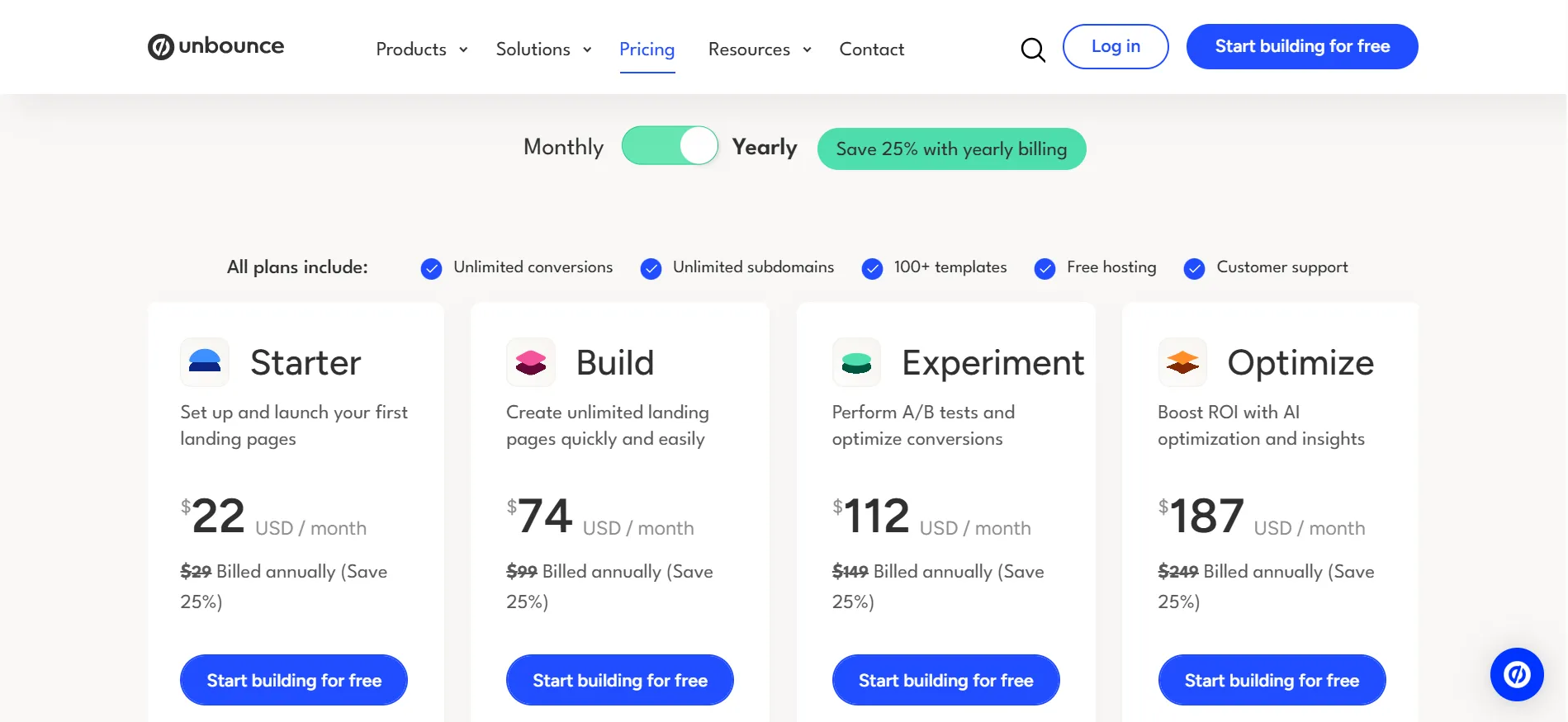
Starter is commonly $22 a month when billed annually ($29 a month on monthly billing). Build is $74 a month annually ($99 monthly). Experiment is $112 a month annually ($149 monthly). Optimize is $187 a month annually ($249 monthly). Concierge and Agency are custom-priced.
Annual billing lowers the rate by about 25%. A 14-day free trial with no credit card is available. Every plan includes unlimited conversions, templates, free hosting, and support.
Is Unbounce the best landing page builder? It is one of the strongest choices for teams that run paid traffic and need structured testing. It is less ideal if you only need simple pages and want the lowest possible cost.
Core Features That Matter for Landing Pages
Unbounce includes a hybrid builder that lets you create pages without code. AI copywriting helps generate and refine text. Lead generation forms, free hosting, and more than 100 templates are available.
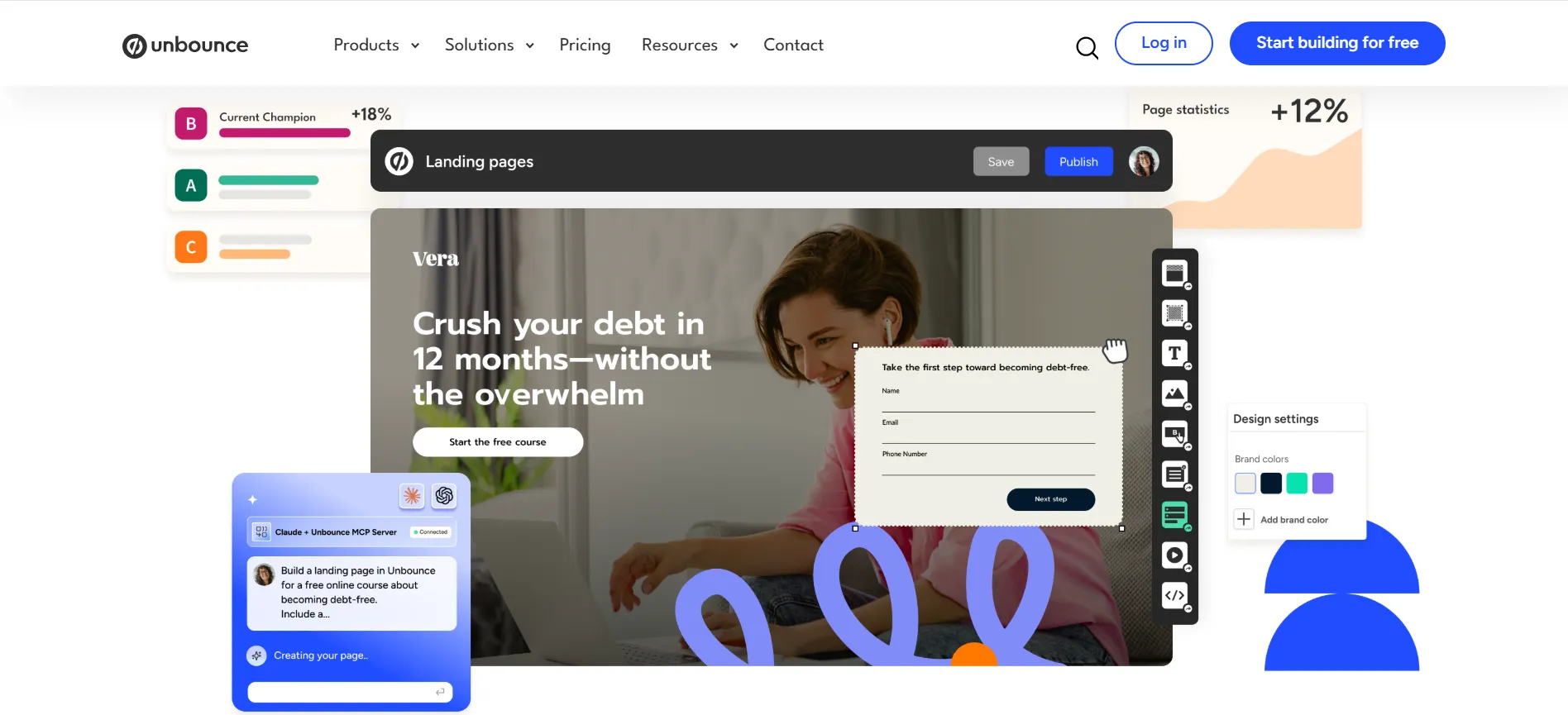
Higher plans add unlimited A/B testing, dynamic text replacement, and conversion reporting. Optimize adds Smart Traffic, which routes visitors to the variant most likely to convert based on behavior patterns.
Integrations with tools such as Google Analytics, HubSpot, Salesforce, and Zapier are available on Build and above. Unlimited conversions are included on every plan.
These tools are built for conversion work rather than full websites. The builder is straightforward for most marketers. A/B testing and Smart Traffic are the features that set it apart from basic page builders. The trial lets you test the builder and reporting before you pay.
1. Starter Plan Review
Starter is the entry option. Annual billing sets it at $22 a month. It includes 5 landing pages, up to 500 visitors a month, 1 user, and 1 root domain. AI credits are listed at 4,000. The hybrid builder and AI copywriting are included. There is no A/B testing.
This plan is useful for testing a first page or a very small campaign. The visitor and page limits are tight for ongoing work. Most users move higher once traffic grows. It is not the plan that makes Unbounce the best landing page builder for active campaigns.
2. Build Plan Review
Build is the next option. Annual billing sets it at $74 a month. It includes unlimited pages, up to 20,000 visitors a month, 1 user, and 1 root domain. AI credits are listed at 30,000. Custom code, custom styling, and more than 1,000 integrations are available. A/B testing is still not included.
This plan works for creating many pages without a hard page limit. It fits solo marketers who launch multiple campaigns but do not yet run formal tests.
The higher traffic allowance covers moderate campaigns. If testing is not part of your process, Build can be enough. If you need to compare variations, you will need a higher plan.
3. Experiment Plan Review
Experiment is the testing option. Annual billing sets it at $112 a month. It includes unlimited pages, up to 30,000 visitors a month, 3 users, and 2 root domains. AI credits are listed at 40,000.
Unlimited A/B testing, unlimited variants, manual traffic allocation, confidence intervals, dynamic text replacement, and conversion insights are included.
This is the plan where Unbounce starts to show its strength for landing pages. A/B testing lets you compare headlines, layouts, and offers with clear reporting. The extra users and domains help small teams.
Most marketers who treat landing pages as a testing channel pick this tier or higher. If structured experimentation is part of your work, Experiment is the plan that makes the platform competitive.
4. Optimize Plan Review
Optimize is the higher option. Annual billing sets it at $187 a month. It includes unlimited pages, up to 50,000 visitors a month, 5 users, and 3 root domains. AI credits are listed at 80,000.
Smart Traffic AI routing, page scheduling, advanced triggers, industry benchmarking, and audience insights are included.
Smart Traffic is the feature that many users point to when they call Unbounce one of the best landing page tools. It routes each visitor to the variant most likely to convert rather than splitting traffic evenly.
This can help at lower volumes than classic A/B testing requires. The higher traffic and user limits support larger campaigns. Teams that already run tests and want automated routing usually find the value here. The annual rate lowers the monthly cost compared with monthly billing.
Who Finds Unbounce the Best Landing Page Option
Performance marketers who run paid traffic and need A/B testing or Smart Traffic usually find Unbounce one of the best options. Teams that create many campaign pages and want conversion reporting also fit well.
Agencies that manage multiple clients can use the higher plans or custom tiers. Solo creators who only need a few simple pages may find lower-cost builders enough.
Businesses that need a full website rather than landing pages will still need another tool. The 14-day trial lets you build pages and test the reporting before you decide.
Pros and Cons: Unbounce Review 2026
Pros
- Strong hybrid builder with AI copywriting.
- Unlimited pages on Build and higher plans.
- Unlimited A/B testing on Experiment and above.
- Smart Traffic AI routing on Optimize.
- Free hosting and support on every plan.
Cons
- Starter limited to 5 pages and 500 visitors.
- A/B testing starts only on Experiment.
FAQs: Unbounce Review 2026
It is one of the strongest for paid campaigns that need A/B testing or Smart Traffic. It is less ideal if you only need simple pages at the lowest cost.
Starter is about $22 a month annually. Build is about $74 a month annually. Experiment is about $112 a month annually. Optimize is about $187 a month annually.
Yes. A 14-day free trial is available with no credit card required.
A/B testing starts on the Experiment plan.
Smart Traffic starts on the Optimize plan.
Quick Links:
Final Verdict: Unbounce Review 2026
Unbounce review findings show it is one of the best landing page builders for teams that run paid traffic and need structured testing. The hybrid builder and AI tools make page creation straightforward.
Experiment unlocks A/B testing. Optimize adds Smart Traffic for automated routing. Starter and Build work for lighter use but lack the testing features that define the platform. The 14-day trial lets you build pages and test the tools before you pay.
If your campaigns involve regular testing and you have enough traffic to use the features, Unbounce is a strong choice. If you need only simple pages or the lowest possible cost, other builders may fit better. Check the current pricing page for the exact figures before you start.
