
Thinkific Pricing 2026: Which Plan Is Right For You?
Thinkific pricing starts at $54 per month for the Basic plan when you pay monthly, or $475 per year when you choose annual billing. The platform also offers Start and Grow plans for creators who need more tools, plus a higher-level Expand option for businesses with larger training needs.
Each plan serves a different stage of an online education business, so the right choice depends on what you want to sell and how you plan to grow.
Thinkific helps creators build online courses, sell digital learning products, manage students, and create a learning website without developing a platform from scratch. It can be a good fit for coaches, educators, consultants, and businesses that want to turn their expertise into a source of income.
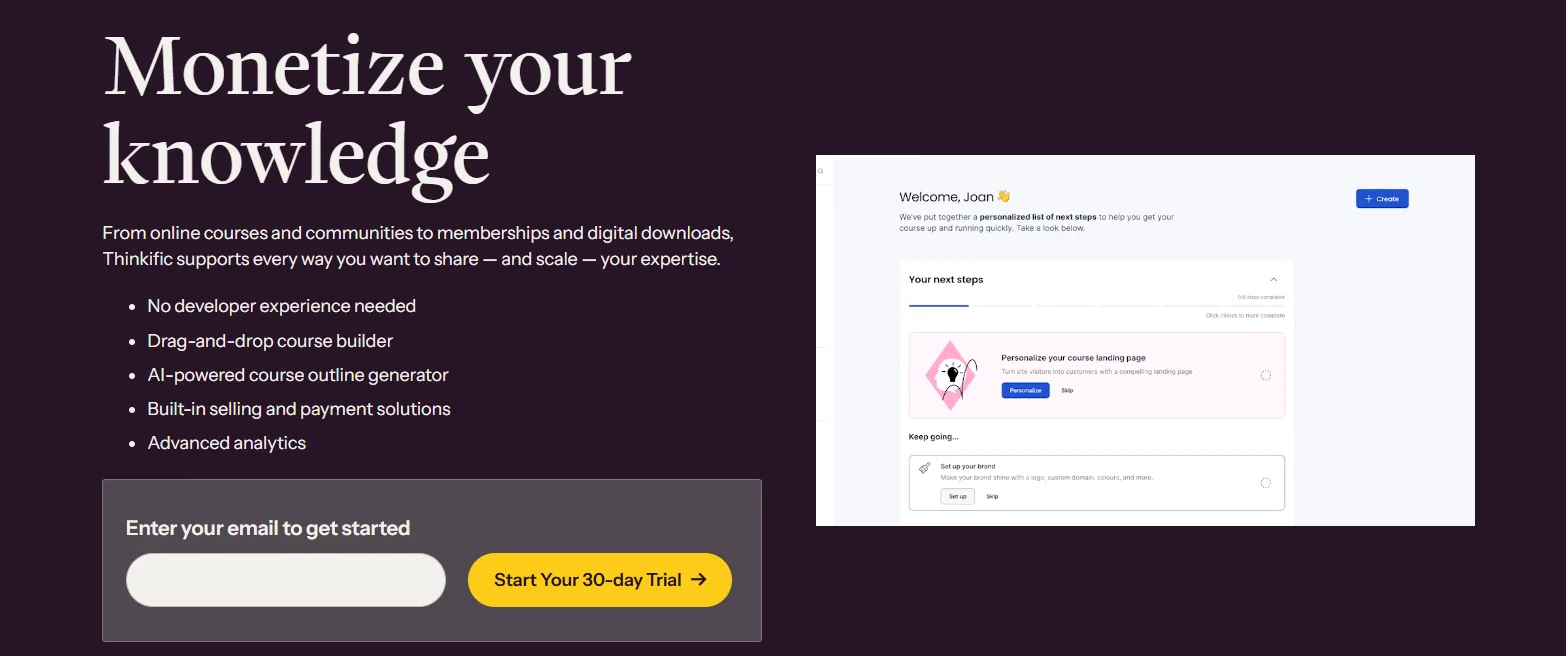
In this guide, we’ll break down Thinkific’s current pricing, compare the available plans, explain the extra costs to consider, and help you decide which subscription offers the best fit for your budget.
Thinkific Pricing: Quick Comparison
Thinkific offers monthly and annual billing for its main plans. Annual billing lowers the monthly equivalent, but you pay for the full year upfront.
Plan | Monthly billing | Annual billing | Annual payment |
|---|---|---|---|
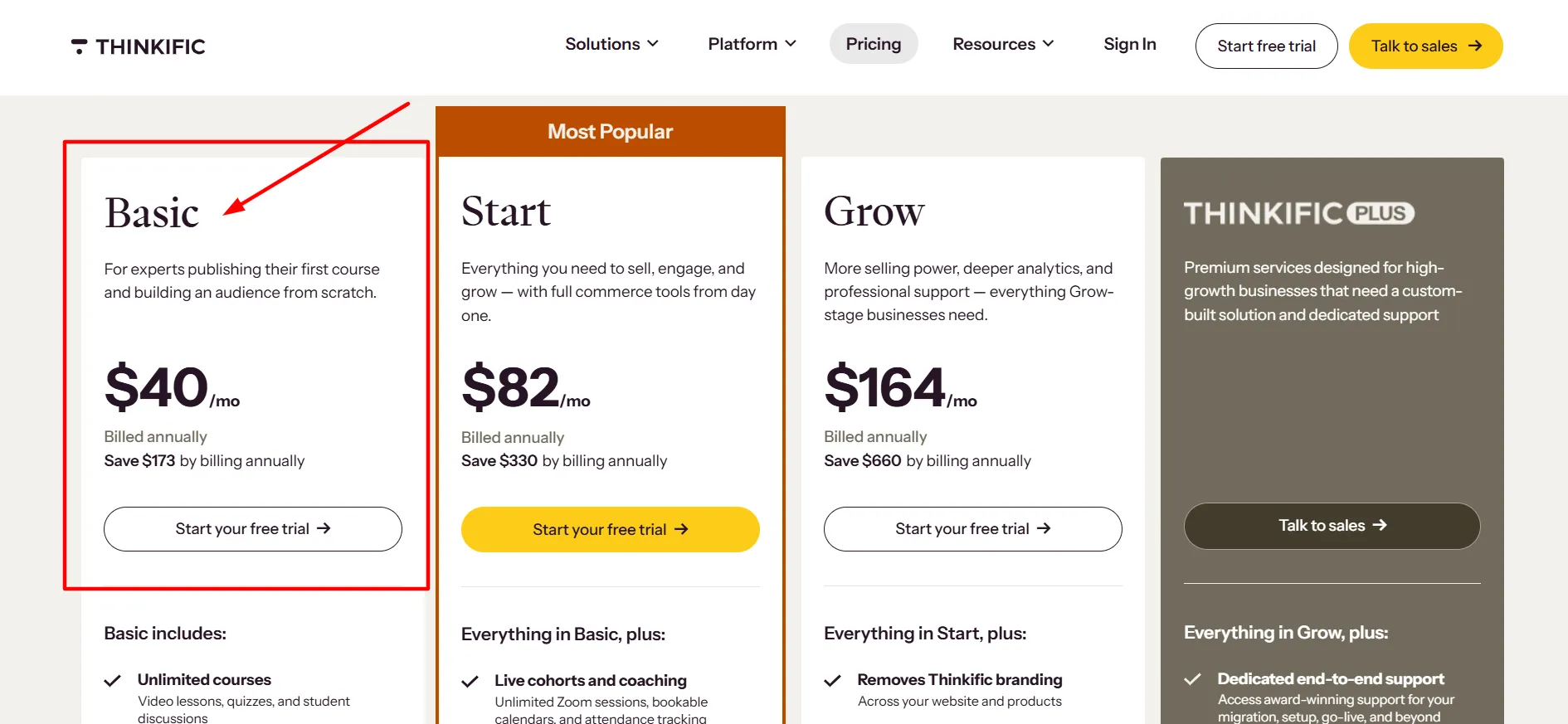
Basic | $54/month | About $40/month | $475/year |
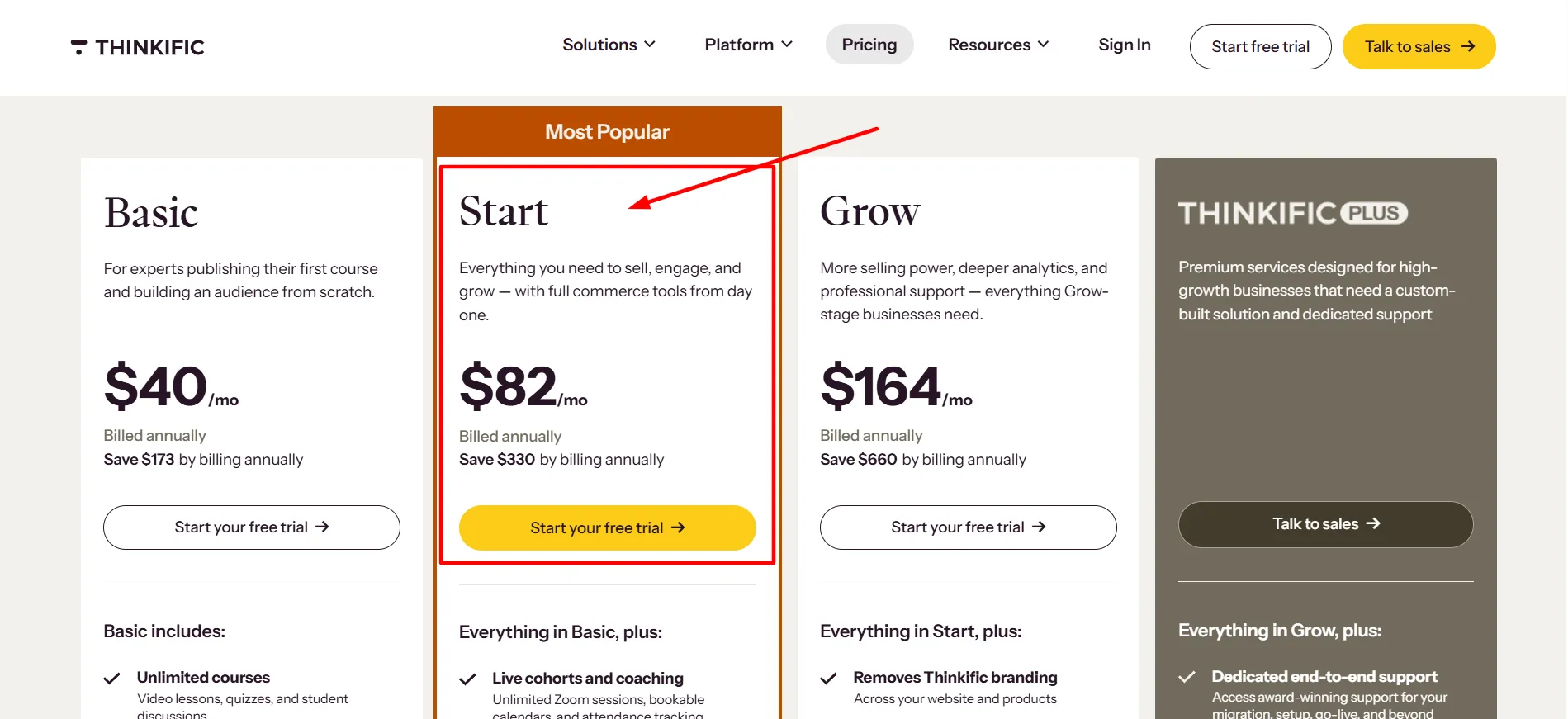
Start | $109/month | About $82/month | $978/year |
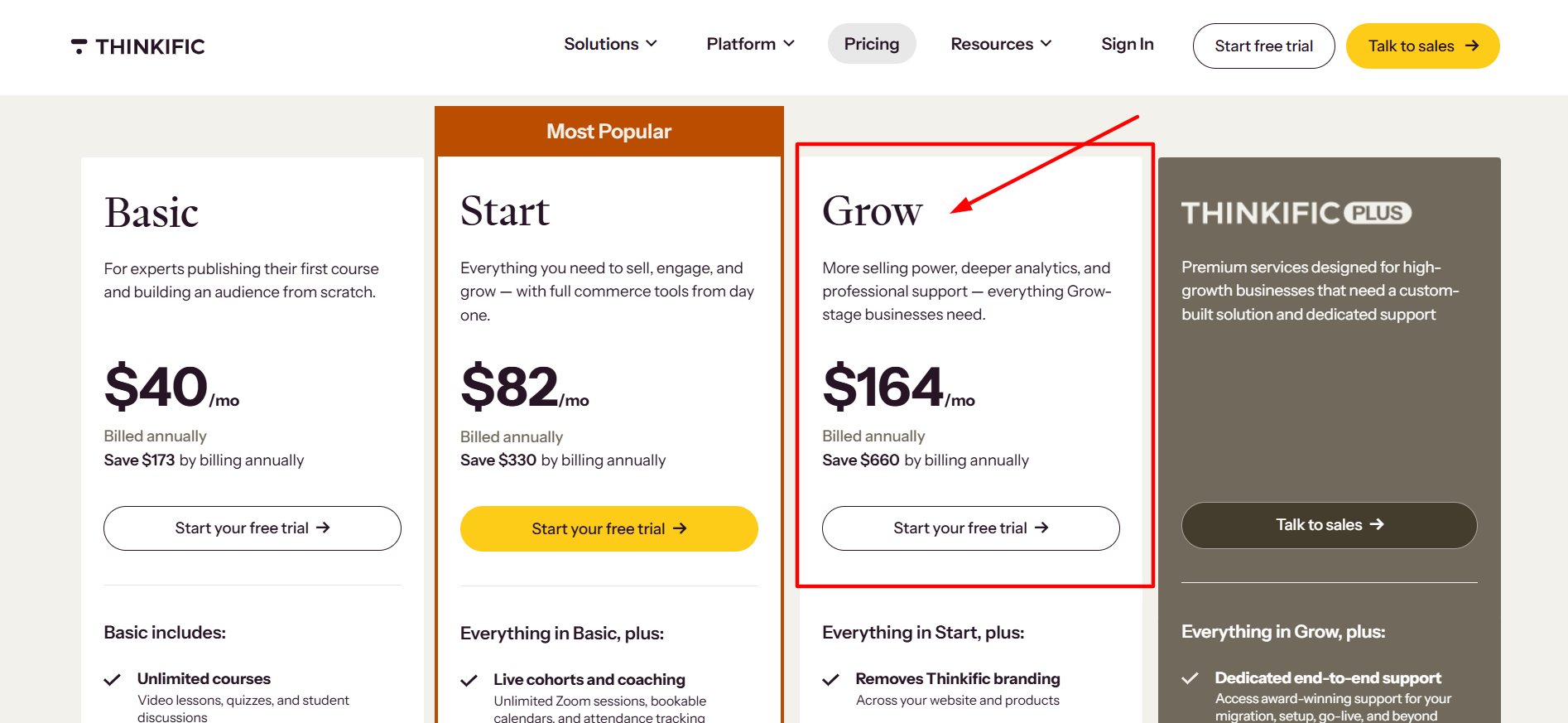
Grow | $219/month | About $164/month | $1,968/year |
Expand | $499/month | Contact Thinkific for annual terms | Check with Thinkific |
The Expand plan’s listed monthly price remained unchanged. If you’re comparing Thinkific with an older article, make sure you’re using the current figures rather than its previous subscription rates.
Thinkific Basic Plan: $54 Per Month
The Basic plan is the starting point for creators who want to build and sell online courses without paying for a higher-tier subscription. It provides the core tools needed to get an online learning business off the ground.
You can use Thinkific to organize course lessons, present educational content, manage learners, and sell your products. It’s a sensible option if you’re preparing your first course or have a small catalog that doesn’t require advanced administration.
Who should choose Basic?
First-time course creators who want to test a business idea.
Coaches who want to package their knowledge into a structured program.
Independent educators who don’t need a large team.
Small businesses that want to sell training materials online.
Basic is also worth considering if you already have an audience and need a central place to deliver your content. You can spend more of your budget on course production and marketing rather than paying for features you may not need yet.
The main limitation is that you may outgrow the plan as your business becomes more involved. If you want paid memberships, recurring community access, or additional administrative tools, compare the Start plan before signing up.
Is Basic Worth the Price?
Basic costs $54 per month with monthly billing or $475 for a year with annual billing. The annual option works out to about $40 per month and saves $173 compared with paying the monthly rate for 12 months.
That difference can be useful for a creator who knows they’ll use Thinkific throughout the year. If you’re still testing your course idea, though, monthly billing gives you more flexibility. Paying for a full year makes more sense once you have a clear launch plan and a budget that can handle the upfront charge.
Thinkific Start Plan: $109 Per Month
The Start plan is designed for creators who need more than the core course-building features. It’s a useful step up if you’re building a wider product range or want more ways to keep learners engaged.
Depending on the current plan inclusions, Start adds capabilities such as paid memberships and recurring community access. These can help you build a business around ongoing learning rather than relying entirely on one-time course purchases.
For example, a fitness coach might sell a structured training course alongside a paid membership. A business consultant could offer a course followed by a recurring learning community. An educator might combine individual lessons with ongoing access to new resources.
Who should choose Start?
Creators who want to sell memberships.
Coaches offering ongoing programs or community access.
Businesses expanding beyond a single course.
Course sellers who need more room to develop their offer.
Is Start Worth the Extra Cost?
Start costs $109 per month or $978 per year with annual billing, which works out to about $82 per month. That’s $503 more per year than the Basic annual plan.
The extra expense is easier to justify when you have a clear use for the added features. If recurring memberships are central to your business, Start may provide tools that help you deliver that service. If you only plan to sell a few self-paced courses, Basic could be enough.
Before upgrading, compare the current feature table on Thinkific’s website. Plan inclusions can change, and you should confirm that the specific tools you need are available before paying more.
Thinkific Grow Plan: $219 Per Month
Grow is intended for established creators and businesses that need more capacity and administrative options. It’s a better fit for an operation that has moved beyond a simple course setup and needs to manage more people, products, or workflows.
Higher-tier plans can offer additional administrator accounts, more community capacity, and tools that support more involved operations.
Grow may be worth considering if several people manage your learning business or if your course catalog and customer base are expanding.
Who should choose Grow?
Established course businesses with several products.
Teams that need multiple administrator accounts.
Organizations with more involved learner-management needs.
Creators who need the plan’s advanced tools for their workflow.
Is Grow Worth the Price?
Grow costs $219 per month when billed monthly, or $1,968 per year with annual billing. The annual price works out to about $164 per month.
That makes it a substantial investment, particularly for a new creator. The extra cost should support a real business need, whether that’s additional administration, more community capacity, or another feature included in the plan.
If you’re choosing Grow because you expect your business to grow eventually, consider starting with Basic or Start instead. You can upgrade when your current plan no longer supports the way you work. That keeps your early expenses manageable while you build a reliable stream of sales.
Thinkific Expand Plan: $499 Per Month
Expand is the higher-priced option for businesses with more advanced requirements. Its published monthly price is $499, and the 2026 pricing update states that this plan’s price did not change during the August increase.
This tier is more relevant to organizations that need a larger-scale learning setup than to an individual selling their first online course.
If you’re managing company training, several learning programs, or a larger team, it may be worth discussing your needs with Thinkific.
Because higher-level plans can involve specific requirements and terms, confirm the current inclusions and billing options directly with the company before committing.
Who should consider Expand?
Larger organizations with established training programs.
Businesses with more complex administration needs.
Teams that need capabilities beyond the standard self-service plans.
For solo creators and small course businesses, Basic, Start, or Grow will usually be the more relevant plans to compare first.
Monthly vs. Annual Thinkific Pricing
One of the simplest ways to reduce your subscription cost is to compare monthly and annual billing. Thinkific’s standard annual plans offer savings of around 25% compared with paying month by month.
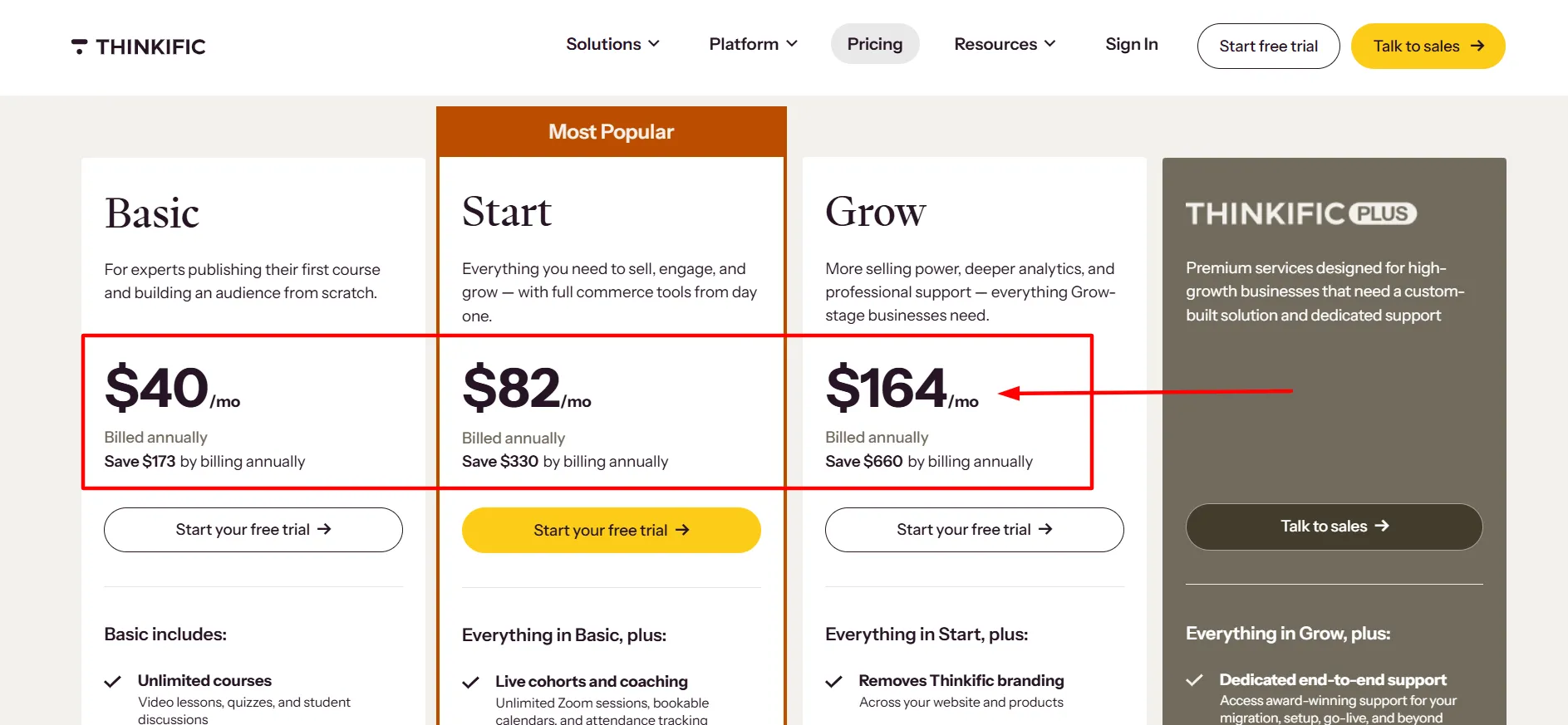
Here’s how the savings work for the three main plans:
Plan | Cost over 12 monthly payments | Annual plan price | Annual saving |
|---|---|---|---|
Basic | $648 | $475 | $173 |
Start | $1,308 | $978 | $330 |
Grow | $2,628 | $1,968 | $660 |
The annual option is cheaper if you plan to keep using Thinkific for the whole year. The trade-off is that you pay the full amount upfront instead of spreading the cost across monthly payments.
Monthly billing may be the better choice if you’re still creating your course, testing demand, or unsure whether Thinkific fits your workflow. Once your business is established, annual billing can help reduce the recurring cost.
Before selecting a billing period, think about your available cash and expected sales. A lower monthly equivalent is helpful, but it shouldn’t leave you short of money for marketing, equipment, or course production.
Other Thinkific Costs You Should Know About
The subscription isn’t the only expense to consider when calculating the cost of running an online course business. Your final costs depend on your location, payment setup, and the other services you use.
1. Payment Processing Fees
When you sell courses, payment processors charge fees for handling transactions. Thinkific’s published help documentation explains that processing rates vary by country and payment method.
Many standard card transactions are around 2.9% plus $0.30, though the exact amount can differ.
These fees are separate from the monthly platform subscription. If you expect to sell a large number of courses, include processing costs in your revenue calculations.
2. Third-Party Payment Gateway Fees
Thinkific’s help documentation also describes additional fees for some transactions processed through third-party payment gateways in certain regions.
For eligible creators in the United States, Canada, the United Kingdom, and EU countries, the published fee schedule lists 5% on Basic, 2% on Start, and 1% on Grow when using a third-party gateway, subject to the stated terms and exclusions.
The documentation says these fees apply to the first $1 million in annual sales and are waived after that threshold. It also states that creators using Thinkific Payments don’t incur this additional third-party gateway fee.
Because payment rules can vary by country and account, confirm the latest conditions before calculating your costs. Don’t assume the same fee applies to every payment method or location.
3. Taxes and Currency
Thinkific may charge sales tax, VAT, or other applicable taxes depending on where you live or operate. The amount displayed on the pricing page may not be the final amount charged at checkout.
If you’re outside the United States, check which currency appears on your account and whether your bank charges a foreign transaction fee.
Your card provider may add its own fee for an international payment. Thinkific’s help center notes that such fees are charged by the card or payment provider, not by Thinkific itself.
4. Third-Party Tools and Add-Ons
You may also pay for email marketing, analytics, video production, design software, or other tools that support your course business. Some creators will need only a few of these services, while others may need a more involved setup.
Make a list of the tools you already use and check whether Thinkific includes the features you need. If you have to buy extra software, add those expenses to your budget before comparing platforms.
Which Thinkific Plan Is Best for You?
The right plan depends on the stage of your business and the features you need most.
Your situation | Plan to consider | Why |
|---|---|---|
You’re launching your first course | Basic | Covers the core needs of a course business |
You want to sell paid memberships | Start | Adds membership and recurring community capabilities |
Your business needs more administrators and capacity | Grow | Better suited to a larger operation |
You run a larger training program | Expand | Intended for more advanced business needs |
If you’re unsure, start by identifying the features you need on day one. Don’t choose a plan based only on the number of features listed on the pricing page. A tool you never use doesn’t make the subscription a better deal.
You should also think about your expected revenue. If your plan costs $40 per month on an annual equivalent, for example, your business needs to earn enough to cover that subscription along with processing fees, marketing, and other expenses.
The annual payment is still $475 upfront, even though the pricing page displays a monthly equivalent.
How to Change Your Thinkific Plan
If your needs change after you subscribe, Thinkific lets paid customers update their plans. You can manage your subscription from the admin dashboard by opening Account, selecting Account Management, and choosing Manage Subscription. From there, select the option to change plans and follow the confirmation steps.
Upgrades may involve prorated charges, while downgrading can remove access to features from your previous plan. Review the confirmation screen carefully before making a change, particularly if your courses rely on tools available only in the higher tier.
Thinkific also allows eligible customers to switch between monthly and annual billing. Check the displayed price and payment schedule before confirming the change.
Is Thinkific Worth the Price?
Thinkific can be worth the cost if you want a dedicated platform for creating, marketing, and selling online learning products. It brings course delivery, student management, website tools, and payment options together, which can reduce the need to piece together several separate services.
Basic is a reasonable starting point for many solo creators. Start becomes more attractive when memberships or recurring community access are part of your business model. Grow makes more sense when you need additional administration or capacity, while Expand is aimed at larger operations.
The main drawback is the ongoing subscription expense. A higher-tier plan can be difficult to justify before you have steady sales, and payment processing, taxes, and third-party services may add to your total costs.
Thinkific is worth considering if its features match your teaching and selling workflow. Compare the plans carefully, estimate the full cost, and choose the lowest tier that supports your actual needs. You can always review your subscription later as your business develops.
FAQs: Thinkific Pricing
Thinkific's main plans cost $54 per month for Basic, $109 for Start, and $219 for Grow when billed monthly. Annual billing costs $475, $978, and $1,968 per year, respectively. Expand is listed at $499 per month. Taxes and other fees may apply.
Yes. Thinkific's standard annual billing offers savings of around 25% on its main plans. You pay the full annual amount upfront, so compare the upfront cost with the flexibility of monthly billing.
Basic is a sensible starting point for creators who need core course-building and selling tools. If you want paid memberships or recurring community access, compare Start before choosing.
Payment processing fees apply to transactions and depend on your country and payment method. Additional third-party gateway fees may apply in certain regions when you use an external payment provider. Check Thinkific's current payment documentation for the terms that apply to your account.
Yes. Paid customers can change plans through the subscription settings in their admin dashboard. Review the new price and feature changes before confirming, as downgrading may remove access to some tools.
Not always. Thinkific publishes prices in several currencies, and taxes may depend on your location. Your bank may also charge an international transaction fee. Check the pricing page and checkout total for the most accurate amount in your region.
Quick Links:
Final Verdict: Thinkific Pricing
Thinkific pricing ranges from $54 per month for Basic to $219 per month for Grow, with annual billing offering lower overall costs. Expand is available for businesses that need a more advanced setup. The best plan is the one that gives you the tools you need without stretching your budget.
For a new creator, Basic is often the most practical place to start. Choose Start if paid memberships and community access matter to your business, and consider Grow when you need more administrative capacity. Larger organizations can contact Thinkific about Expand.
Before subscribing, review the current feature list, calculate payment processing and tax costs, and compare monthly billing with the annual commitment. That extra check can help you pick a plan that fits both your goals and your finances.
