
SmarterASP.NET Review 2026: Is It Worth It?
If you’re searching for a SmarterASP.NET review, you’re probably looking for affordable hosting that can run ASP.NET applications without making website management unnecessarily complicated.
In this SmarterASP.NET review, we’ll examine its features, pricing, performance claims, advantages, drawbacks, and ideal users. By the end, you’ll have a clearer idea of whether this hosting provider fits your needs.

SmarterASP.NET is a Windows hosting provider built for ASP.NET apps. It offers shared, VPS, and dedicated plans with SQL Server and support for the latest .NET versions.
Pros
- Built specifically for ASP.NET and .NET applications.
- Supports SQL Server databases on most plans.
- Offers a free trial period for new users.
- Provides multiple billing terms with discounts for longer commitments.
- Includes a money-back guarantee on paid accounts.
Cons
- Windows-only hosting limits you if you use Linux stacks.
- Renewal prices can be higher than the introductory rate.
SmarterASP.NET has been in the hosting business since 1999 and focuses on Windows hosting for developers, small businesses, and people who build websites with Microsoft’s .NET technologies.
The company stands out for its low starting prices, 60-day free trial, support for modern .NET applications, and tools that help developers publish their projects. Its shared hosting plans start at $2.95 per month, while higher tiers support multiple websites and offer additional resources. The company also provides free SSL certificates and several database options.
Still, low prices don’t automatically make a hosting provider the right choice. You need to consider its billing rules, technical limits, backup policy, customer support, and compatibility with your application before making a decision.
What Is SmarterASP.NET?
SmarterASP.NET is a web hosting provider that focuses on ASP.NET, .NET, and related web technologies. It offers shared hosting alongside other services, including VPS, cloud, dedicated, and managed hosting options.
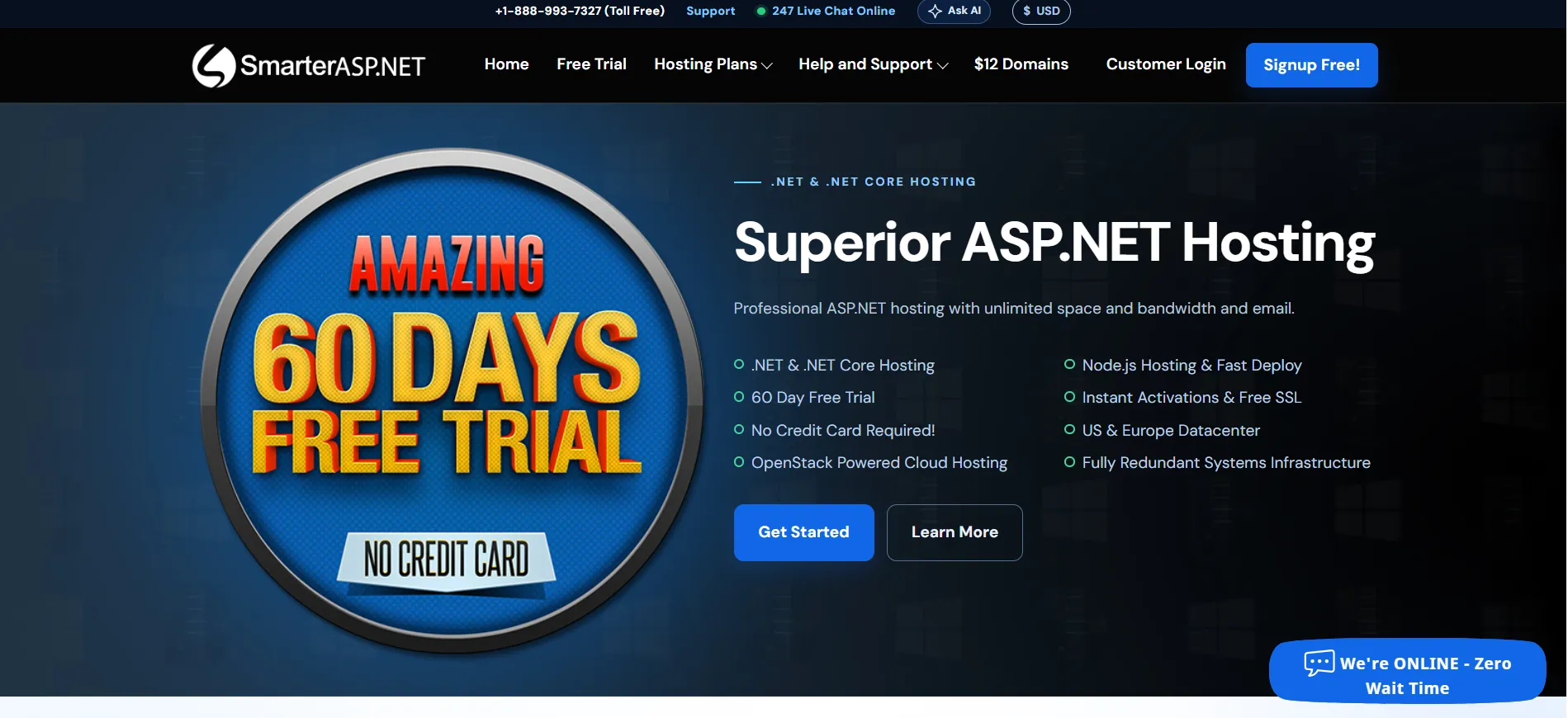
The company has operated since 1999 and serves customers around the world. Its main shared hosting plans run on Windows Server infrastructure and support technologies such as .NET 10, ASP.NET Core 10, ASP.NET 4.8, PHP, and Node.js. Some technologies and features depend on the selected plan.
This focus makes SmarterASP.NET different from hosting companies that primarily target WordPress users or Linux-based websites.
If you’re developing an application with Visual Studio, working with SQL Server, or maintaining an older ASP.NET project, its hosting environment may be a good match.
SmarterASP.NET also provides tools for publishing websites through Visual Studio, FTP, and GitHub. Developers can use these options to move files and deploy applications without building an entirely new workflow around their hosting account.
SmarterASP.NET Review: Features Worth Knowing About
A hosting provider should do more than store website files. It should support your development tools, offer suitable database options, and give you enough control to manage your application. Here are the features that deserve attention.
1. Support for Modern .NET Applications
SmarterASP.NET supports several Microsoft development technologies, including .NET 10, ASP.NET Core 10, and ASP.NET 4.8. It also lists support for PHP and Node.js, with availability depending on the hosting environment and plan.
This range can help developers who work on different types of projects. You might be launching a new .NET application, maintaining a business website built with ASP.NET, or managing an older project that still relies on a legacy framework.
Before signing up, check the available runtime versions and application settings against your project’s requirements. Framework support alone doesn’t guarantee that every application will run without adjustments.
Your project may depend on specific server permissions, modules, database settings, or other components.
2. SQL Server, MySQL, and PostgreSQL Support
Database support is an important part of this SmarterASP.NET review because many business applications depend on a reliable database connection.
The provider supports SQL Server, MySQL, and PostgreSQL on its shared hosting lineup. The number of databases and the available storage allowance vary by plan.
This selection gives developers room to work with different application requirements. For example, an ASP.NET business application may rely on SQL Server, while another project may use MySQL or PostgreSQL.
SmarterASP.NET also offers database management tools through its control panel. You can create databases and access their connection details from the relevant database manager.
Check the database limits before choosing a plan. A small portfolio site may need very little storage, while an application with customer records, product data, or regular transactions may need more capacity.
3. Website Deployment Through Visual Studio, FTP, and GitHub
SmarterASP.NET supports several ways to publish website files and application updates.
Visual Studio is useful for developers who already build and publish .NET projects through Microsoft’s development environment. FTP provides a familiar option for uploading files, while GitHub deployment can help automate publishing from a code repository.
GitHub deployment is particularly helpful if you maintain a regular development workflow. Instead of uploading every change manually, you can use repository-based deployment to move updates to your hosting account.
The right method depends on your project and how often you release changes. If you prefer manual file transfers, FTP may be enough. If you work with a team and use version control, GitHub deployment may fit your process better.
4. Free SSL Certificates
The shared hosting plans support free Let’s Encrypt SSL certificates. An SSL/TLS certificate allows your website to use HTTPS, helping protect information exchanged between the visitor’s browser and the website.
HTTPS is expected for modern websites, especially those with login forms, contact forms, or customer accounts. It also helps visitors recognize that their connection is encrypted.
Although free SSL reduces one potential expense, you still need to connect your domain correctly and complete any required setup. Check the provider’s instructions if your certificate doesn’t activate automatically.
5. A Custom Hosting Control Panel
SmarterASP.NET uses a control panel developed in-house. From there, customers can manage their hosting account, access database tools, check website settings, and handle other account tasks.
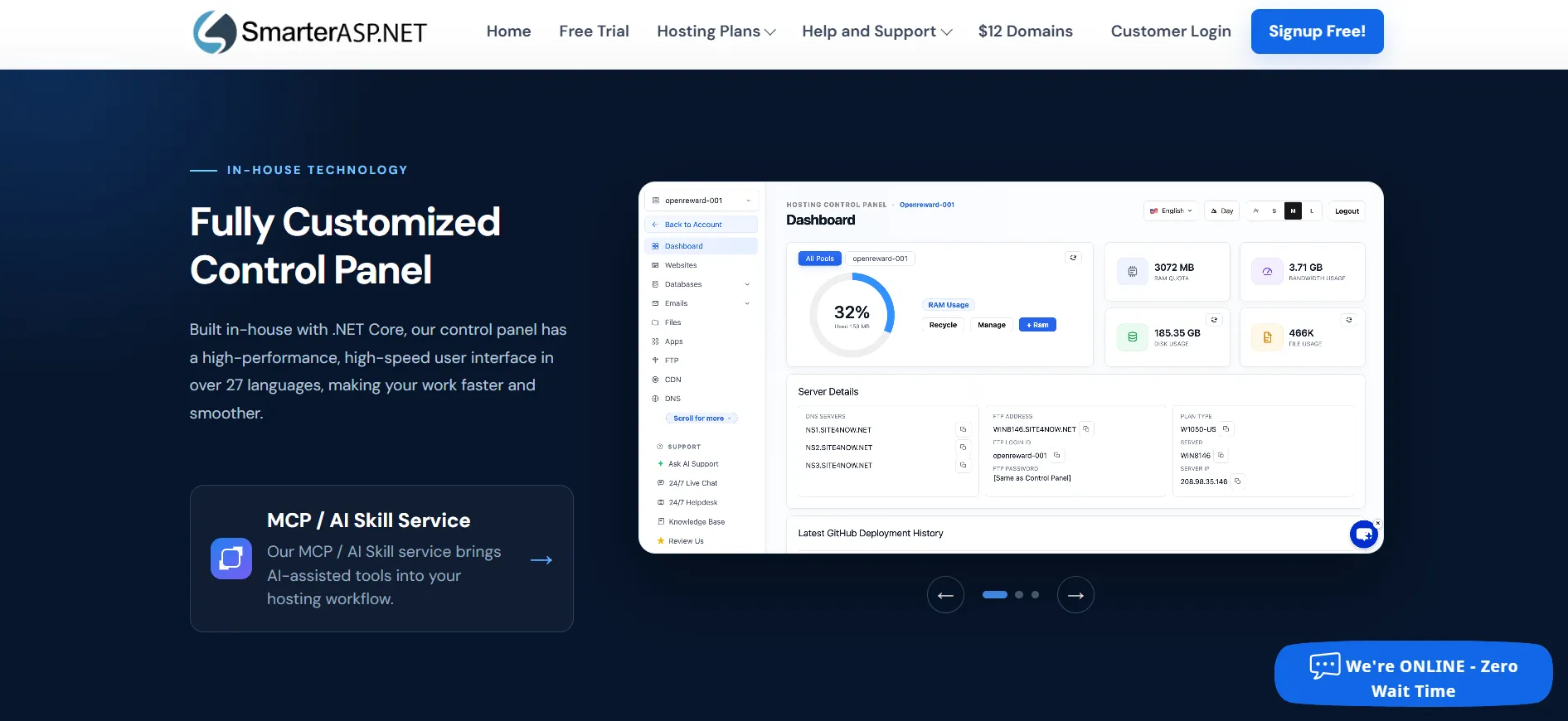
A dedicated control panel can be useful for developers who want hosting-related controls in one place. Still, the experience may differ from the interfaces offered by other hosting companies.
If you’re used to a different control panel, allow some time to learn where the settings are located. The 60-day trial gives you an opportunity to explore the interface before purchasing a plan.
6. Multiple Data Center Locations
SmarterASP.NET lists data center options in regions including the United States, Europe, Asia, and Australia. Its website also describes its hosting infrastructure as OpenStack-powered, with redundant systems.
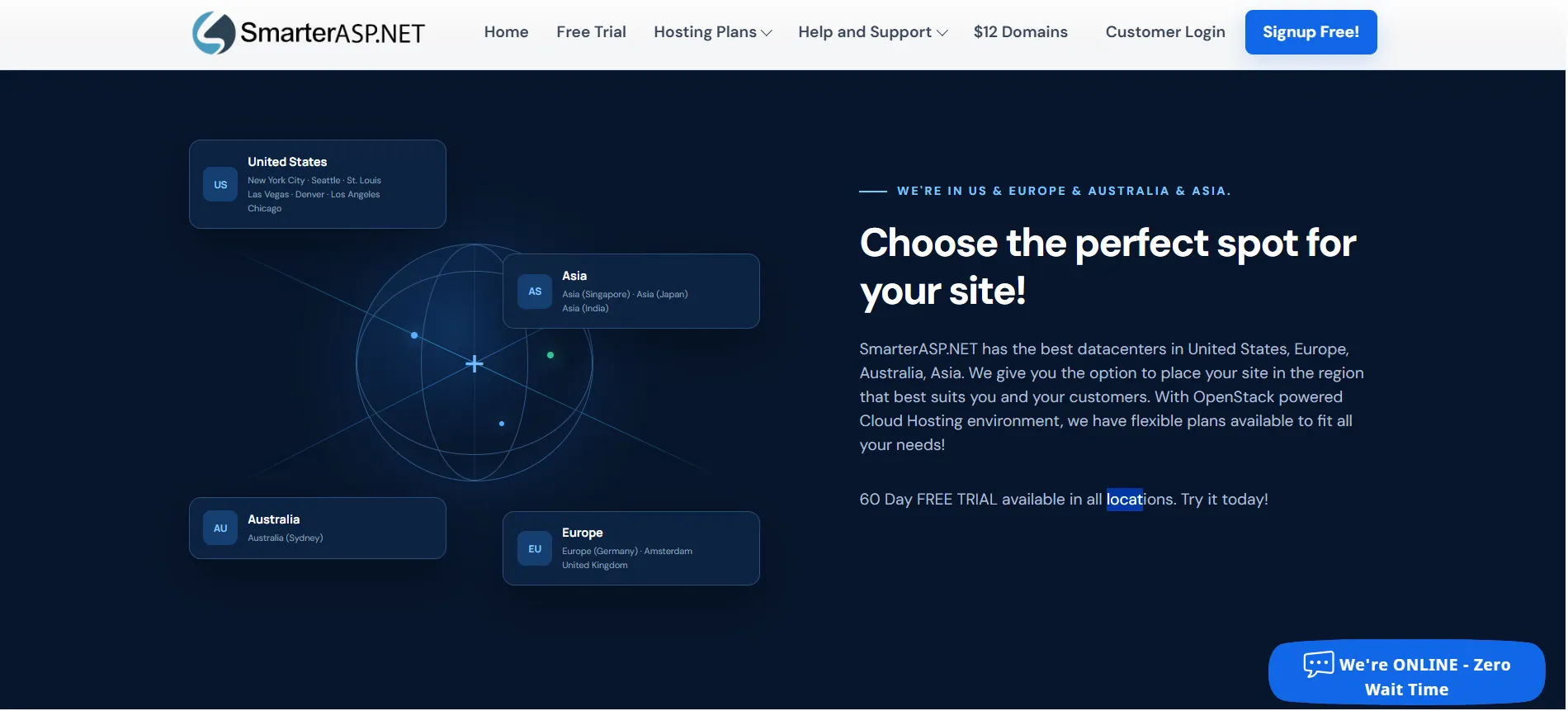
Having location choices can help you select a hosting region closer to your main audience. For example, a business that primarily serves European customers may prefer a European location over a server on another continent.
A nearby data center can help reduce network delay, but it doesn’t guarantee excellent performance by itself. Application design, database queries, server load, caching, and the visitor’s internet connection also affect page speed.
7. Technical Support Around the Clock
SmarterASP.NET advertises 24/7 technical support, including support during holidays. Access to help outside normal business hours can be useful when a website problem appears at an inconvenient time.
The quality of support matters just as much as its availability. Before moving a business-critical application, test the support process during your trial. Ask a technical question about your framework, database, or deployment setup and see whether the answer addresses your actual problem.
This gives you a better idea of what to expect than relying on a support availability claim alone.
SmarterASP.NET Pricing: How Much Does It Cost?
SmarterASP.NET offers three main shared hosting plans. The listed starting rates are relatively low, especially for developers who need Windows hosting rather than a general-purpose Linux environment.
Hosting plan | Listed price | Website allowance |
|---|---|---|
.NET Basic | $2.95/month | 1 website |
.NET Advance | $4.95/month | Up to 6 websites |
.NET Premium | $7.95/month | Unlimited websites |
These are the advertised monthly rates. According to the provider’s FAQ, shared hosting payments are collected quarterly or annually, rather than month to month. Check the checkout page to confirm the amount due for your chosen term.
.NET Basic
At $2.95 per month, Basic is designed for one website. It may be enough for a portfolio, a small business site, or a modest application that doesn’t need the features of a larger plan.
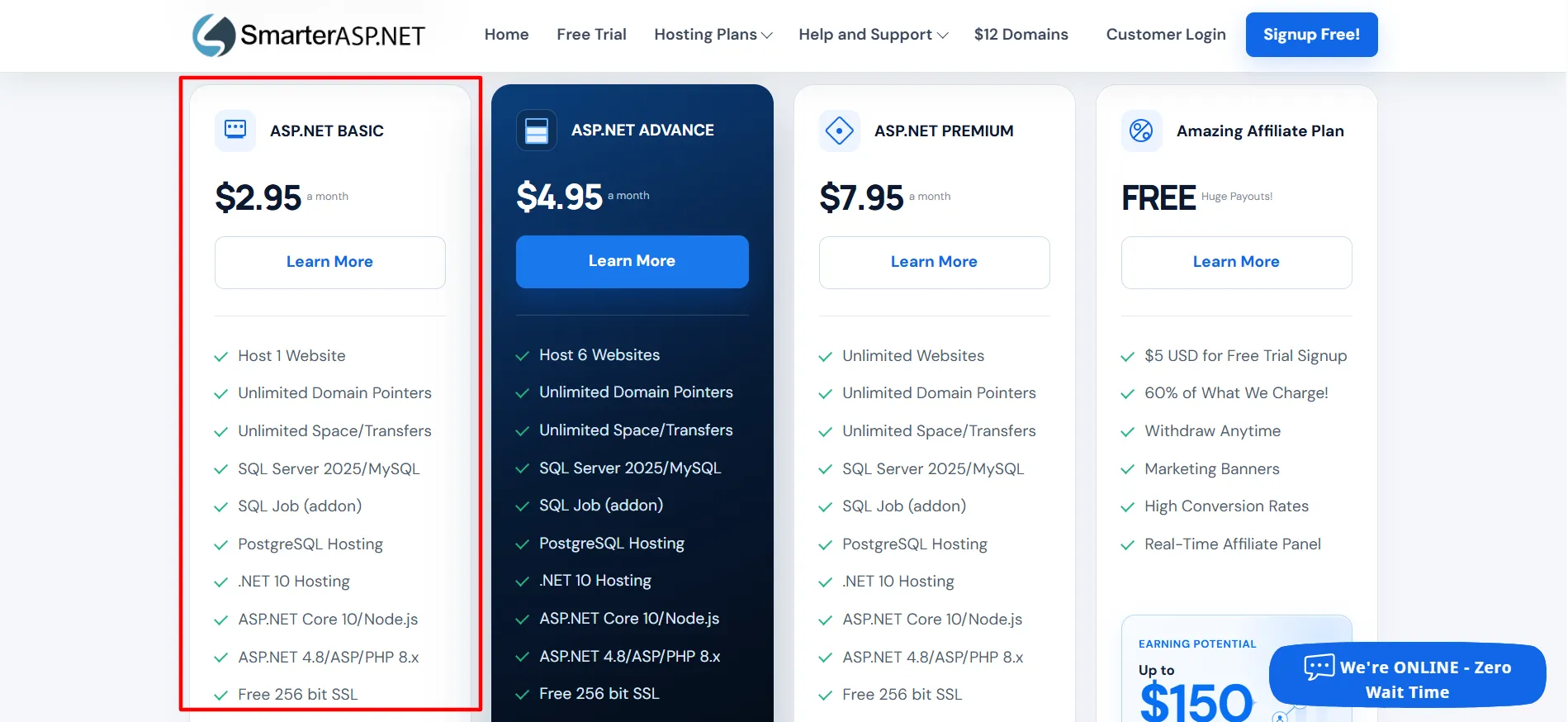
The plan supports the provider’s listed .NET and related technologies, database hosting, and free SSL. Review its database limits and resource restrictions if your project needs more than a simple setup.
.NET Advance
Advance costs $4.95 per month and supports up to six websites. It makes sense for freelancers, small businesses, and developers who want to keep several projects under one hosting account.
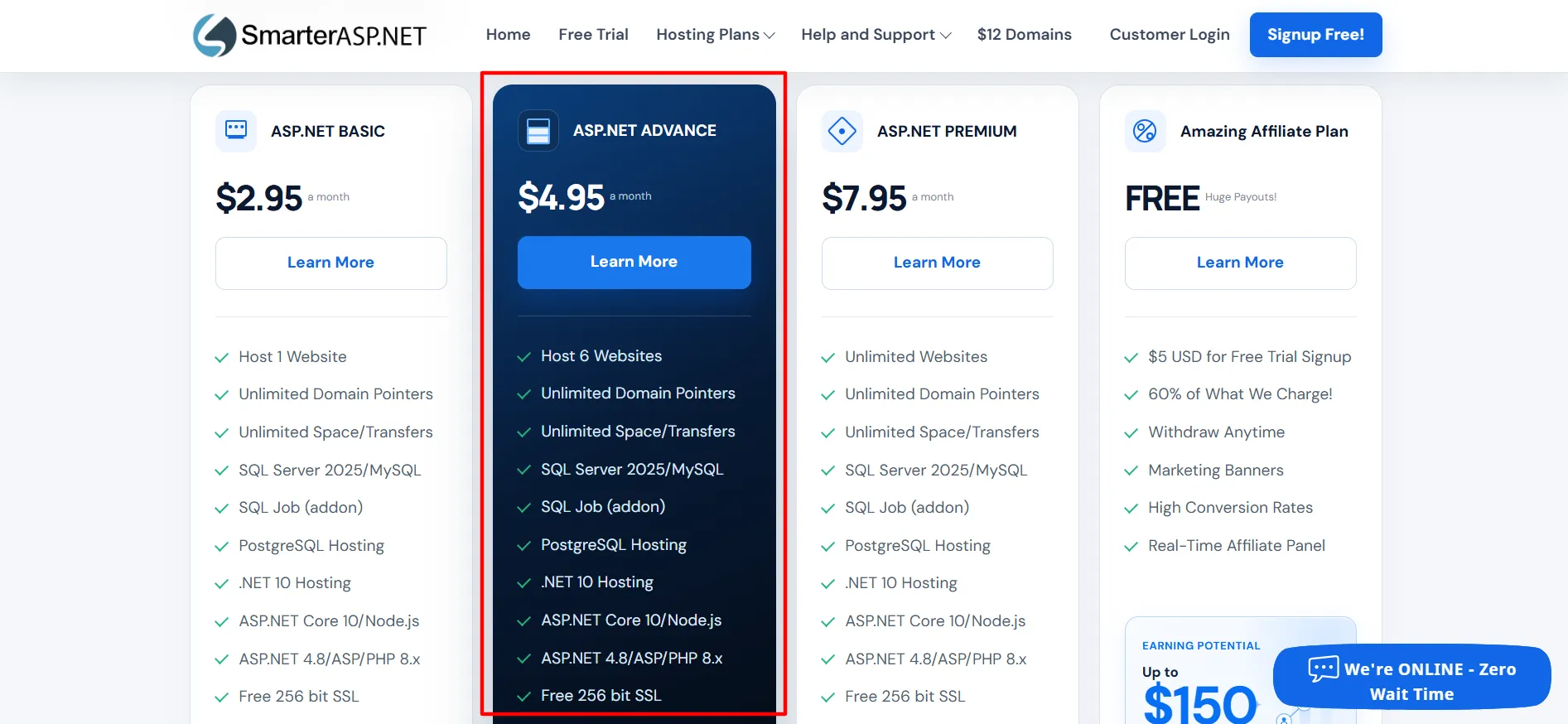
The extra website allowance may be worth the higher price if you would otherwise need separate accounts. Compare its database capacity and included tools with your actual workload before upgrading.
.NET Premium
Premium costs $7.95 per month and supports unlimited websites. It also includes additional features listed in the provider’s plan comparison, such as scheduled tasks and higher concurrent connection allowances.
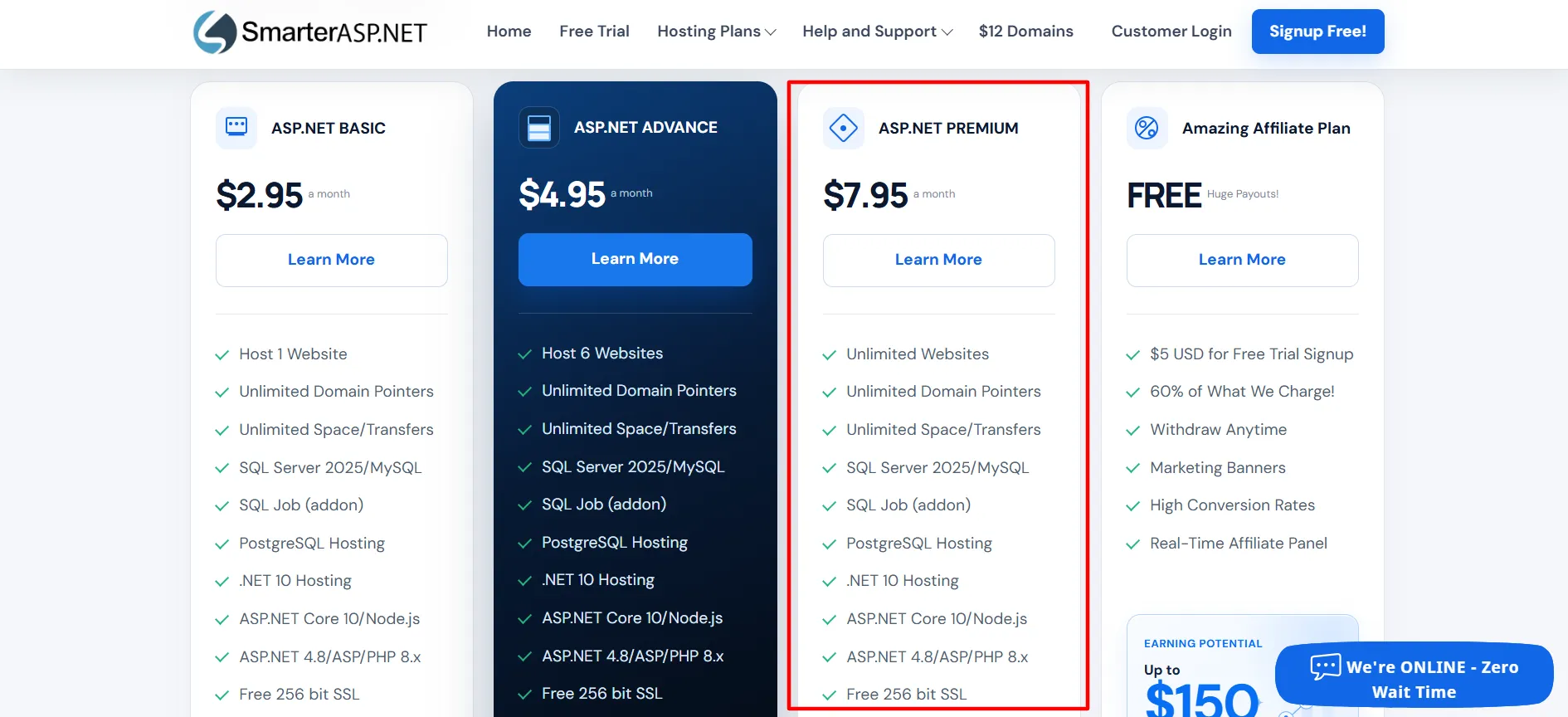
This option may suit agencies and developers who manage several applications. Keep in mind that an unlimited website allowance doesn’t mean every website can use unlimited server resources. SmarterASP.NET’s terms still set usage restrictions.
Does SmarterASP.NET Offer a Free Trial?
Yes. One of the most appealing parts of the service is its 60-day free trial, which the company says does not require credit card details.
That gives you time to upload your application, connect a database, test deployment, and check whether the hosting environment supports your project. You can also explore the control panel and contact support before committing to a paid account.
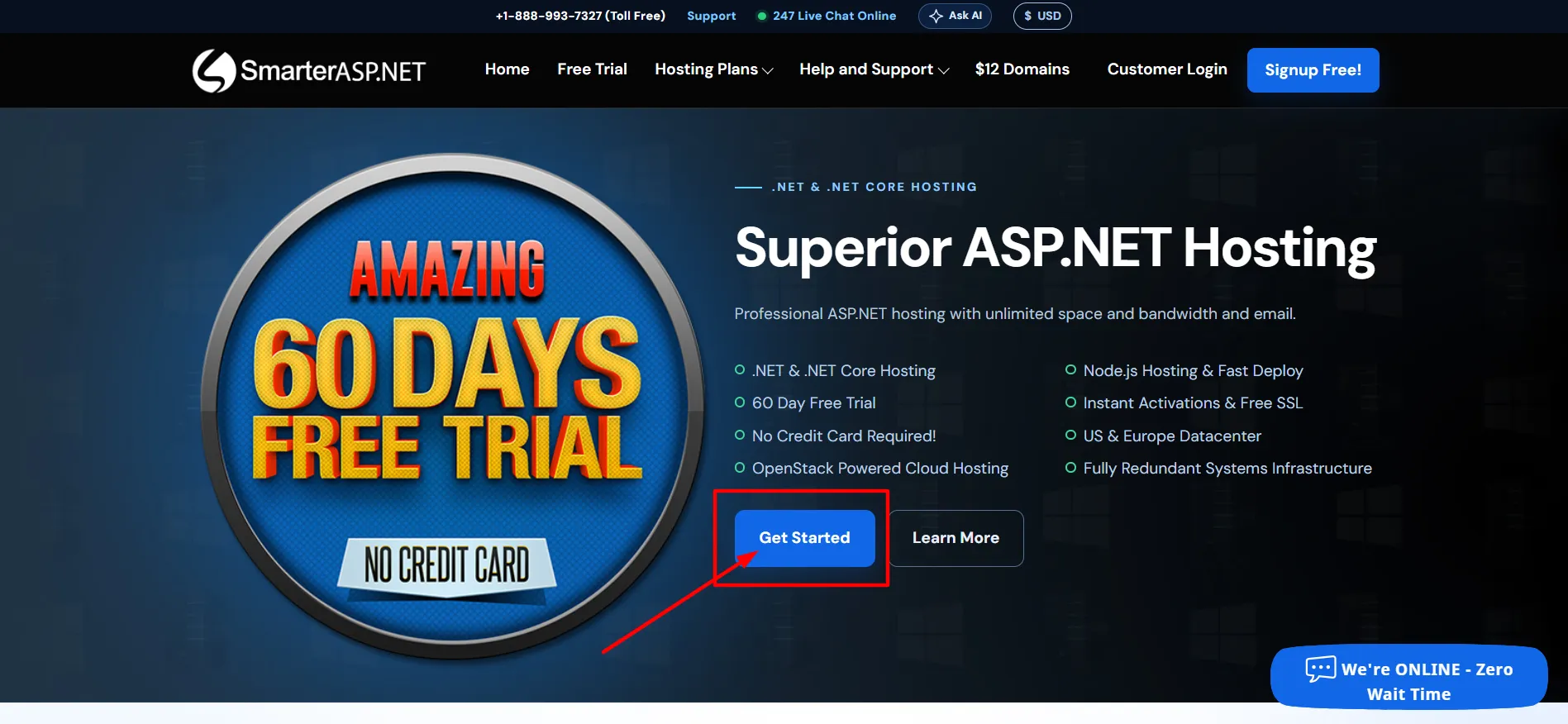
The trial has some limitations. For example, SmarterASP.NET states that trial accounts do not include SMTP services, while paid hosting accounts support sending emails through scripts. If your application relies on email notifications, test how you’ll handle that requirement before moving to a paid plan.
The company also advertises a separate 60-day money-back guarantee, but the refund terms contain restrictions. The published terms limit the guarantee to the first eligible hosting purchase and annual hosting fees.
It excludes certain shorter billing periods, add-ons, renewals, and other charges. Domain registration and some setup fees are also non-refundable.
SmarterASP.NET Performance and Reliability
Performance is one of the hardest aspects of a hosting service to judge without testing a real website. A provider can advertise fast infrastructure and an uptime guarantee, but your actual results depend on the application, server conditions, database queries, and traffic patterns.
SmarterASP.NET advertises cloud infrastructure, redundant systems, and a 99.9% uptime guarantee on its hosting plans page. These are useful commitments to consider, but they should not be treated as proof that every website will load quickly or remain online without interruption.
The provider also lists data center locations in several regions, which gives customers some choice over where their websites run.
If you’re evaluating performance, use the free trial to run your own checks. Test page loading, database response times, scheduled tasks, deployment, and any third-party integrations your application needs. If you’re moving an existing site, compare its behavior before and after the move under similar conditions.
For a business-critical application, also review the uptime guarantee’s terms and how service credits work. A published guarantee is most useful when you understand its conditions and remedies.
Pros and Cons: SmarterASP.NET Review
Every hosting service makes trade-offs. SmarterASP.NET’s main strengths are its focus on Windows hosting, its entry-level prices, and the opportunity to test the service before paying. Its limitations mostly concern plan restrictions, billing terms, and the need to verify compatibility.
Pros
- Affordable starting price: The Basic plan is listed at $2.95 per month, making it an accessible option for smaller projects.
- 60-day free trial: You can test the hosting environment without entering credit card details.
- Microsoft technology support: It supports modern .NET and ASP.NET versions, alongside selected related technologies.
- Multiple database options: SQL Server, MySQL, and PostgreSQL support gives developers flexibility.
- Free SSL: Shared hosting supports Let's Encrypt certificates.
- Several deployment methods: Visual Studio, FTP, and GitHub deployment support different development workflows.
Cons
- Shared hosting isn't billed monthly: Customers generally need to pay quarterly or annually for shared hosting.
- Website allowances differ: Basic supports one website, while Advance and Premium are intended for larger collections of sites.
Who Should Use SmarterASP.NET?
SmarterASP.NET is worth considering if you need Windows hosting for an ASP.NET or .NET application and want to keep hosting costs manageable.
It may suit:
Developers building applications with .NET and Visual Studio.
Small businesses running websites built with ASP.NET.
Freelancers managing a handful of client websites.
Teams that need SQL Server, MySQL, or PostgreSQL hosting.
Developers who want to test a project before purchasing hosting.
It may be less suitable if you need a hosting plan billed monthly for a short-term project, depend on a specific feature that isn’t included in your chosen plan, or want a fully managed environment without handling technical setup yourself.
It’s also worth considering other hosting options if your project is designed specifically for Linux or depends on tools that SmarterASP.NET doesn’t support. Match the hosting environment to your application’s needs rather than choosing a provider based on its advertised starting price.
Is SmarterASP.NET Good for Beginners?
SmarterASP.NET can work for beginners who are learning ASP.NET or deploying their first .NET website, especially because the free trial allows them to experiment before paying.
The experience may be easier if you already understand website deployment, databases, and Windows hosting. Complete beginners who want a visual website builder may find the service more technical than a platform designed for non-developers.
If you’re new to hosting, start with a small project. Upload your files, connect a test database, check HTTPS, and learn how the control panel works. That approach will help you find any issues before putting a business website into production.
FAQs: SmarterASP.NET Review
SmarterASP.NET states that it has been providing hosting services since 1999. Its website lists shared hosting, VPS, cloud, dedicated, and managed hosting services. As with any provider, review the current terms and test the service against your needs before purchasing.
The provider lists .NET 10 hosting and ASP.NET Core 10 among its supported technologies. Confirm the available configuration and runtime requirements for your application before moving it.
Yes. The Basic plan supports one website, Advance supports up to six, and Premium supports unlimited websites according to the published plan details. Resource and usage limits still apply.
The terms state that daily backups are provided for shared and semi-dedicated hosting, but they are not guaranteed. Keep your own backups and test your recovery process rather than relying on the provider's copies alone.
The provider's FAQ says paid hosting accounts support sending email through ASP.NET, PHP, and Classic ASP scripts. SMTP services aren't included with trial accounts, so check your email requirements before upgrading.
It can be suitable for a business website built with supported technologies. Before launching, test application compatibility, performance, database access, backups, and support response times. Consider a higher-tier or different hosting setup if your business needs exceed shared hosting limits.
Quick Links:
Final Verdict: SmarterASP.NET Review
This SmarterASP.NET review shows that the provider is a reasonable option for developers and businesses that need affordable Windows hosting for ASP.NET and related applications. Its starting price of $2.95 per month, 60-day free trial, free SSL, database options, and deployment tools make it worth considering.
Its strongest selling point is the combination of low entry-level pricing and support for Microsoft’s web development ecosystem. The three main shared hosting plans also give users a straightforward path from one website to several projects.
There are a few things to check before signing up. Shared hosting requires quarterly or annual payment, some features cost extra, and the backup policy means you should maintain your own copies of important data. You should also verify that your application works with the available runtime versions and server settings.
Our verdict: SmarterASP.NET is worth testing if you need affordable ASP.NET hosting and want to check compatibility before paying. Start with the free trial, compare the plans carefully, and review the terms before upgrading to a paid account.
